In today’s digital world, automation plays a major role in how the internet functions. From answering customer queries to indexing websites and processing payments, many tasks are performed automatically. These automated tasks are handled by programs known as bots.
While some bots are helpful and improve efficiency, others are created for harmful purposes. This raises important questions such as: What is the bot meaning? What is the bots full form? Are bots dangerous?
In this detailed guide, we will explore what bots are, how they work, their types, their benefits and risks, and how you can protect yourself from malicious bots.
What are Bots – Meaning & Definition
To understand bots, let’s begin with their basic definition.
Bot Meaning
A bot is a software program designed to perform automated tasks on the internet or on computer systems without human intervention. These tasks are usually repetitive, rule-based, and performed at high speed.
In simple words, a bot is a digital worker that follows instructions and completes tasks automatically.
Bots Full Form
Many people ask about the bots full form. Technically, “bot” is derived from the word robot, and it does not always have a formal expansion. However, in general usage:
- Bot = Robot (Software Robot)
Bot Full Form in Computer
In computer science, there is no universally official bot full form in computer terminology. But it is commonly understood as:
- Bot = Automated Software Program
So, in computers, a bot refers to a program that performs tasks automatically.
Key Characteristics of Bots
Bots usually have the following features:
- Operate without human control
- Follow predefined rules
- Work continuously
- Perform tasks faster than humans
- Interact with websites and systems
Depending on their purpose, bots can be either beneficial or harmful.
What Is a Computer Bot and What Is an Internet Bot?
Bots can be classified based on where and how they operate.
What Is a Computer Bot?
A computer bot runs on a local system such as a laptop, desktop, or server. It may perform tasks like:
- Monitoring system activity
- Automating file transfers
- Running background processes
- Controlling applications
Some computer bots are part of legitimate software, while others may be installed secretly as malware.
What Is an Internet Bot?
An internet bot operates primarily on the web. These bots interact with websites, servers, and online platforms.
Examples include:
- Search engine crawlers
- Chatbots
- Social media bots
- Scraping bots
Internet bots are more common and affect most online users directly.
Difference Between Computer Bots and Internet Bots
| Feature | Computer Bot | Internet Bot |
| Location | Local system | Online platforms |
| Function | System tasks | Web interaction |
| Risk | Moderate | High (if malicious) |
Both types play important roles in digital ecosystems.
Malware Bots and the Dangers of Internet Bots
Not all bots are helpful. Many are created for cybercrime and harmful activities.
What Are Malware Bots?
Malware bots are malicious programs designed to infect systems and perform harmful tasks. Once installed, they become part of a larger network called a botnet, controlled by hackers.
These bots can:
- Steal personal data
- Attack websites
- Spread viruses
- Generate fake traffic
- Commit financial fraud
Let’s look at the major types of malicious bots.
Spambots
Spambots send large volumes of spam messages through:
- Social media
- Messaging apps
- Website comments
Their purpose is to promote scams, fake products, or malware links.
Malicious Chatterbots
These bots pretend to be real humans and engage in conversations.
They are used for:
- Spreading misinformation
- Tricking users
- Collecting personal data
- Promoting scams
They are commonly seen on social media and fake support platforms.
File-Sharing Bots
These bots distribute files on peer-to-peer networks.
Often, the files contain:
- Viruses
- Spyware
- Trojans
Users who download these files unknowingly infect their devices.
Credential Stuffing Bots
These bots try thousands of username-password combinations automatically.
They use leaked data from previous breaches to hack accounts.
Targets include:
- Banking sites
- Social media
- Email services
- Shopping platforms
DoS or DDoS Bots
These bots flood websites with massive traffic.
This causes:
- Server overload
- Website crashes
- Service downtime
Businesses lose customers and revenue due to such attacks.
Denial of Inventory Attacks
These bots add products to online carts and never complete purchases.
This prevents real customers from buying items, especially during sales.
Vulnerability Scanners
Some bots scan websites to find security weaknesses.
Cybercriminals use them to identify systems they can exploit.
Click Fraud Bots
These bots generate fake clicks on advertisements.
Advertisers lose money because they pay for non-human traffic.
Traffic Monitoring Bots
These bots monitor website activity and user behavior.
Hackers use this data for spying and targeted attacks.
Why Do Cybercriminals Use Bots?
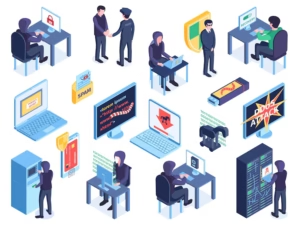
Bots allow cybercriminals to perform attacks on a massive scale.
1. To Steal Financial and Personal Information
Bots collect:
- Credit card numbers
- Login credentials
- Identity data
This information is sold or used for fraud.
2. To Attack Legitimate Web Services
Attackers use bots to:
- Disrupt businesses
- Damage reputations
- Cause financial loss
3. To Extort Money from Victims
Hackers threaten victims with:
- Continued attacks
- Data leaks
- Service shutdowns
They demand ransom payments.
4. To Make Money from Botnet Systems
Botnets are rented or sold on underground markets.
Cybercriminals earn money by:
- Selling access
- Renting computing power
- Trading stolen data
Automation makes crime more profitable.
Types of Bots
Not all bots are harmful. Many serve useful purposes.
Chatbots
Used in customer support and service automation.
They answer questions and guide users.
Social Bots
Operate on social media platforms.
They post content, follow users, and interact automatically.
Shop Bots
Compare prices and find deals on shopping websites.
Used by consumers for savings.
Spider Bots / Web Crawlers
Used by search engines to index websites.
They help users find information online.
Web Scraping Crawlers
Extract data from websites.
Used for research and analysis.
Knowbots
Search and retrieve information automatically.
They act as digital research assistants.
Monitoring Bots
Track website performance and system health.
Used by IT teams.
Transactional Bots
Automate payments, bookings, and orders.
Common in banking and e-commerce.
Download Bots
Automatically download files and updates.
Used in software distribution.
Ticketing Bots
Buy event tickets in bulk for resale.
Often criticized for unfair practices.
How Do Bots Work?
Bots operate using programmed instructions.
Basic Working Process
- Receive commands
- Connect to servers
- Analyze data
- Perform tasks
- Send results
Malicious bots receive instructions from command-and-control servers.
Advantages and Disadvantages of Bots
Advantages
- High efficiency
- 24/7 operation
- Reduced human effort
- Faster processing
Disadvantages
- Security risks
- Privacy invasion
- Fraud potential
- Unfair competition
Bots are powerful tools that must be used responsibly.
Examples of Bots
Some real-world examples include:
- Search engine crawlers indexing websites
- Chatbots handling customer queries
- Banking bots processing transactions
- Botnets attacking servers
- Social media automation tools
These examples show both positive and negative uses.
How to Tell If Your Computer Is Infected by Bots
Warning signs include:
- Slow performance
- High internet usage
- Frequent crashes
- Unknown programs
- Pop-up ads
- Unusual system behavior
If these appear, your system may be infected.
What to Do If Your Computer Is Infected by Bots
If you suspect bot infection:
- Disconnect from the internet
- Run full system scans
- Remove suspicious programs
- Change passwords
- Update software
- Seek professional help if needed
Quick action limits damage.
How to Protect Your Computer from Bots
Bots can slow down your system, steal your personal information, and even turn your device into part of a cyberattack network. That’s why taking preventive steps is extremely important. Below are the most effective ways to protect your computer from bot infections.
1. Install Anti-Malware Software
Using reliable anti-malware software is your first line of defense against bots.
Anti-malware programs help by:
- Detecting and removing malicious bots
- Blocking suspicious files and websites
- Monitoring system activity in real time
- Preventing malware from installing silently
Good security software scans your system regularly and warns you if something harmful is detected. It also updates its virus database to protect against new threats.
2. Ensure All Software Is Up to Date
Outdated software is one of the biggest security risks.
When developers release updates, they usually:
- Fix security loopholes
- Remove bugs
- Improve system protection
- Patch known vulnerabilities
Hackers often target old software because it is easier to break into. If you don’t update your system, bots can exploit these weaknesses.
This includes:
- Operating system (Windows, macOS, Linux)
- Browsers (Chrome, Firefox, Edge)
- Applications (Office, PDF readers, media players)
- Drivers and plugins
3. Use a Strong Password
Weak passwords make it easy for bots to hack your accounts.
Bots use automated tools to guess passwords using:
- Common words
- Number sequences (123456)
- Names and birthdays
- Previously leaked passwords
A strong password should:
- Be at least 12–15 characters long
- Include uppercase and lowercase letters
- Contain numbers and symbols
- Be unique for each account
Example of weak password:
password123
Example of strong password:
M@7Qz!92#LpX$
Strong passwords prevent bots from accessing your accounts even if they try thousands of combinations.
4. Only Click on Links You Trust
Many bots spread through fake links.
These links may come from:
- Spam emails
- Fake messages
- Social media posts
- Unknown websites
- Pop-up ads
When you click such links, they may:
- Download malware automatically
- Redirect you to fake websites
- Ask for personal information
- Install bots secretly
Before clicking any link:
- Check the sender
- Look for spelling mistakes
- Verify website addresses
- Avoid urgent “click now” messages
5. Avoid Untrustworthy Websites and Ads
Some websites are designed to spread bots and malware.
These sites may:
- Offer pirated software
- Show excessive pop-ups
- Display fake warnings
- Host illegal content
- Provide “free” downloads
Similarly, unsafe ads can:
- Redirect you to infected pages
- Install harmful scripts
- Trick you into downloading malware
To stay safe:
- Visit reputable websites
- Avoid cracked software
- Don’t trust “too good to be true” offers
- Use ad blockers if needed
Tip: Stick to official app stores and verified platforms.
6. Install a Firewall
A firewall acts like a digital security guard.
It controls:
- Incoming internet traffic
- Outgoing data
- Unauthorized access attempts
Firewalls help by:
- Blocking suspicious connections
- Preventing bots from communicating with hackers
- Stopping unknown programs from accessing the internet
- Monitoring network activity
Without a firewall, your system is exposed to external attacks.
Most operating systems include built-in firewalls, but they must be enabled.
Tip: Always keep your firewall turned on.
7. Use a Bot Manager (For Websites)
If you own or manage a website, bot managers are essential.
A bot manager helps by:
- Identifying real users and fake bots
- Blocking malicious traffic
- Preventing scraping and fraud
- Protecting login pages
- Reducing server load
Bot managers analyze behavior patterns to detect automation.
They are especially useful for:
- E-commerce sites
- Banking platforms
- Membership portals
- Ticketing websites
Without bot management, your site may suffer from:
- Fake traffic
- Account abuse
- Payment fraud
- Server crashes
What Are Bots? – Recap
To summarize:
- Bots are automated programs
- Bots full form relates to “robot”
- Bot meaning refers to automation
- Some bots are helpful
- Many bots are dangerous
- Security awareness is essential
Understanding bots helps you stay safe online.
FAQs
What is bot meaning in simple terms?
A bot is a computer program that performs tasks automatically.
What is bots full form?
Bot comes from “robot” and means software automation.
What is bot full form in computer?
It refers to an automated software program.
Are bots dangerous?
Some bots are dangerous when used for hacking, fraud, and attacks, while others are helpful.
Can bots steal personal data?
Yes, malicious bots can steal sensitive information.
How can I avoid bot attacks?
Use security software, strong passwords, and safe browsing habits.
Conclusion
So, what are bots? They are automated software programs that perform tasks quickly and efficiently. From helpful chatbots to harmful malware bots, they play a major role in modern technology.
The bot meaning goes beyond simple automation—it reflects how software can assist or harm users depending on intent. While there is no strict bots full form, the idea comes from “robot,” symbolizing automation.
And most importantly, are bots dangerous?
Some are, especially those created for cybercrime. However, with proper awareness and security practices, users can protect themselves.
By understanding how bots work, recognizing risks, and following good digital habits, you can safely navigate the automated world and benefit from technology without falling victim to its dangers.