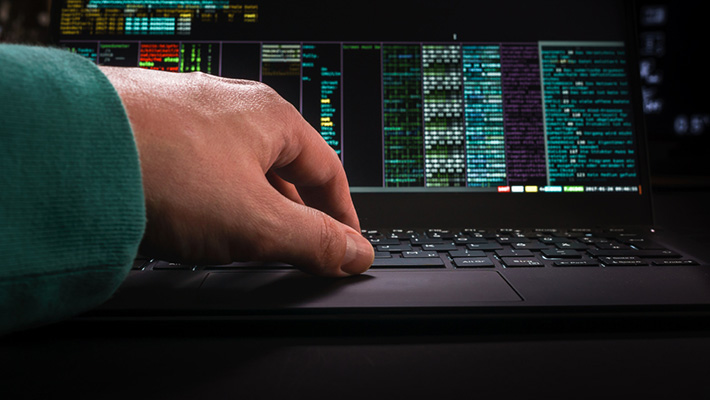
In today’s digital world, we rely heavily on computers, smartphones, and online platforms for banking, shopping, communication, and work. Every day, we type sensitive information such as passwords, credit card numbers, emails, and private messages. But what if someone is secretly watching everything you type?
This is where keystroke logging and keyloggers come into play.
A keylogger, also known as a keystroke logger or keyboard logger, is a tool that records everything you type on your device. While some keyloggers are used legally, many are installed secretly by cybercriminals to steal personal and financial data.
In this detailed guide, we will explain what keystroke logging is, how keyloggers work, their types, uses, dangers, and how you can protect yourself.
We will also answer common questions like “keylogger kya hai?” and explain the role of keylogger in cyber security.
Keylogger in Cyber Security
Before understanding the risks, let’s start with the basics.
What Is Keystroke Logging?

Keystroke logging is the process of recording every key pressed on a keyboard. This includes:
- Letters
- Numbers
- Symbols
- Passwords
- Messages
- Search queries
A program or device that performs this activity is called a keylogger or keystroke logger.
Keylogger Kya Hai? (In Simple Words)
If you’re wondering “keylogger kya hai?”, here is a simple answer:
A keylogger is a tool that secretly records whatever you type on your computer or phone and sends that information to someone else.
It is often used by hackers to steal:
- Login details
- Bank information
- Social media passwords
- Personal messages
In cyber security, keyloggers are considered serious threats when used without user consent.
How Keystroke Logging Works
To understand the danger, it is important to know how keystroke logging actually works.
Step-by-Step Process
- Installation
A keylogger is installed on your device, either:- Through malware
- Via infected downloads
- By physical access
- Through fake apps
- Recording Keystrokes
Once active, the keylogger monitors:- Every key you press
- Clipboard activity
- Sometimes screen activity
- Storing Data
The recorded data is stored:- In hidden files
- In system memory
- On remote servers
- Sending Information
The data is sent to hackers through:- Cloud servers
- Remote dashboards
- Exploitation
Hackers use the stolen information for fraud, blackmail, or identity theft.
This entire process happens silently, without the victim noticing.
What Does a Keylogger Do?
A keylogger is designed to secretly monitor user activity. Its main goal is to capture sensitive information.
Main Functions of a Keylogger
A typical keyboard logger can:
- Record usernames and passwords
- Track chat messages
- Capture emails
- Log website activity
- Monitor search history
- Steal financial details
Some advanced keyloggers can also:
- Take screenshots
- Record audio
- Monitor applications
- Track browsing habits
This makes them extremely dangerous in cyber security.
Types of Keyloggers

Keyloggers are mainly divided into two categories: software keyloggers and hardware keyloggers.
Software Keyloggers
Software keyloggers are programs installed on your device without your knowledge.
How Software Keyloggers Work
They run in the background and integrate with the operating system to monitor keyboard input.
Common Sources
- Fake software downloads
- Pirated apps
- Phishing emails
- Malicious websites
- Infected USB drives
Types of Software Keyloggers
- Trojan-Based Keyloggers
Hidden inside malware programs. - Spyware Keyloggers
Installed to spy on user activity. - Browser-Based Keyloggers
Target online forms and passwords. - API Hooking Keyloggers
Intercept system-level keyboard functions.
Risks
Software keyloggers are difficult to detect and can remain active for months.
Hardware Keyloggers
Hardware keyloggers are physical devices installed between the keyboard and the computer.
Common Forms
- USB keylogger devices
- Keyboard-embedded chips
- Wireless signal interceptors
How They Work
They sit between your keyboard and computer and record every keystroke before it reaches the system.
Where They Are Found
- Public computers
- Libraries
- Internet cafes
- Shared offices
Risks
They do not rely on software, so antivirus programs cannot detect them easily.
Uses for Keyloggers
Not all keyloggers are illegal. Some are used for legitimate purposes. However, misuse is very common
Also Read: What Is CL0P Ransomwar
Legal Consensual Keylogger Uses
These uses involve user consent and transparency.
1. Parental Monitoring
Parents may use keyloggers to:
- Protect children
- Monitor online activity
- Prevent cyber risks
2. Employee Monitoring
With permission, companies may use keyloggers to:
- Track productivity
- Prevent data leaks
- Ensure compliance
3. Security Testing
Cyber security professionals may use keyloggers to:
- Test system vulnerabilities
- Improve defenses
These uses are legal when done ethically and with consent.
Legal but Ethically Ambiguous Keylogger Uses
Some uses fall into legal grey areas.
Examples include:
- Monitoring a spouse without permission
- Tracking employees secretly
- Personal surveillance
While sometimes legal, these practices raise serious privacy concerns.
Criminal Keylogger Uses
This is the most dangerous category.
Cybercriminals use keyloggers to:
- Steal bank credentials
- Hack social media accounts
- Commit identity theft
- Access corporate data
- Conduct financial fraud
These activities are illegal and punishable by law.
Why Keystroke Logging Is a Threat
Keystroke logging poses serious risks to individuals and businesses.
1. Loss of Privacy
Everything you type becomes visible to attackers.
2. Financial Damage
Stolen banking data can lead to huge losses.
3. Identity Theft
Hackers can impersonate victims online.
4. Business Risks
Companies may lose:
- Trade secrets
- Client data
- Reputation
5. Emotional Stress
Victims often feel violated, anxious, and helpless.
This is why keylogger in cyber security is considered a major threat.
How to Detect Keylogger Infections
Detecting a keylogger is difficult, but some warning signs exist.
Common Symptoms
- Slow system performance
- Unusual pop-ups
- Delayed typing response
- Unknown background processes
- High internet usage
- Frequent crashes
Technical Signs
- Unauthorized login attempts
- Changed passwords
- Unknown installed programs
If you notice these signs, your device may be infected.
How to Prevent Keystroke Logging
Prevention is the strongest defense against keyloggers and keystroke logging attacks. Since many keyloggers work silently in the background, users often do not realize they are being monitored until serious damage has already occurred.
By following proper cybersecurity practices, you can greatly reduce the risk of becoming a victim.
Let’s explain each prevention method in detail.
1. Use Trusted Software
One of the main ways keyloggers enter devices is through unsafe software.
Why This Matters
Many malicious programs are hidden inside:
- Pirated software
- Cracked apps
- Free downloads from unknown websites
- Fake updates
These files may look normal but secretly install a keylogger.
Best Practices
- Download software only from official websites
- Use verified app stores
- Avoid “free premium” versions
- Check reviews and ratings
Example
Downloading a fake video editor from an unknown site may install spyware that records your keystrokes.
Result
Using trusted software reduces the risk of hidden malware.
2. Update Your System
Outdated systems are easy targets for hackers.
Why Updates Are Important
Software updates:
- Fix security vulnerabilities
- Close hacking loopholes
- Improve system protection
Cybercriminals actively search for outdated systems to exploit.
Best Practices
- Enable automatic updates
- Regularly update apps
- Keep browsers updated
- Update firmware and drivers
Example
An old browser version may allow malicious scripts to install keyloggers.
Result
Regular updates strengthen your device’s defense.
3. Use Strong Passwords
Weak passwords make it easier for attackers to take control of accounts.
Why Password Strength Matters
If a keylogger captures a simple password like:
123456
password
admin123
Your account can be hacked instantly.
Best Practices
- Use at least 12–15 characters
- Combine letters, numbers, and symbols
- Avoid personal information
- Use unique passwords
Example
Instead of: Rahul123
Use: R@h9L#82!xQ
Result
Strong passwords limit damage even if data is exposed.
4. Enable Two-Factor Authentication (2FA)
Two-factor authentication adds an extra security layer.
How 2FA Works
After entering your password, you must verify identity using:
- OTP (one-time password)
- Mobile app code
- Fingerprint
- Face recognition
Why It Helps
Even if a keylogger steals your password, hackers cannot log in without the second factor.
Best Practices
- Enable 2FA on email
- Enable it on banking apps
- Use authenticator apps
- Avoid SMS-only when possible
Example
A hacker gets your password but cannot access your account without your phone.
Result
2FA blocks most unauthorized access attempts.
5. Avoid Suspicious Links
Phishing is a major source of keylogger infections.
How Attackers Trick Users
They send:
- Fake emails
- Fake delivery messages
- Fake job offers
- Fake bank alerts
Clicking these links installs malware.
Warning Signs
- Urgent language
- Misspelled words
- Unknown senders
- Strange attachments
Best Practices
- Verify sender identity
- Do not click random links
- Avoid unknown attachments
- Check website URLs
Example
A fake “bank alert” email may contain a keylogger.
Result
Avoiding suspicious links prevents malware installation.
6. Use Virtual Keyboards
Virtual keyboards reduce the risk of traditional keystroke logging.
What Is a Virtual Keyboard?
It is an on-screen keyboard where you click letters instead of typing.
Why It Helps
Many keyloggers record physical keystrokes but cannot track mouse clicks easily.
When to Use
- Online banking
- Financial transactions
- Password entry
- Sensitive logins
Example
Some banking websites offer on-screen keyboards for security.
Result
Virtual keyboards add an extra safety layer.
7. Protect Physical Access
Physical access can allow attackers to install hardware keyloggers.
Why Physical Security Matters
If someone accesses your device, they can:
- Insert USB keyloggers
- Install spyware
- Change settings
- Copy data
Best Practices
- Lock your computer when away
- Use strong device passwords
- Avoid public computers
- Do not leave devices unattended
Example
A person in an office can plug in a hidden USB keylogger in seconds.
Result
Physical protection prevents hardware attacks.
8. Regular Security Scans
Regular scans help detect hidden threats early.
Why Scans Are Important
Some keyloggers:
- Hide from normal view
- Run as background services
- Masquerade as system files
Security scans identify suspicious behavior.
Best Practices
- Schedule weekly scans
- Scan USB drives
- Scan downloaded files
- Monitor system performance
Warning Signs Found in Scans
- Unknown programs
- Hidden processes
- Malicious scripts
Example
A scan may reveal spyware installed months ago.
Result
Early detection prevents long-term damage.
What Is Keystroke Logging and Keyloggers? – Recap
Let’s summarize the key points:
- A keylogger records everything you type
- It can be software-based or hardware-based
- Some uses are legal, many are criminal
- It threatens privacy and security
- Detection is difficult
- Prevention is essential
Understanding these facts helps you stay protected.
FAQs
What is a keylogger?
A keylogger is a tool that records keystrokes to capture sensitive information.
Keylogger kya hai in Hindi?
Keylogger ek tool hai jo aapke keyboard par likhe gaye har shabd ko record karta hai aur kisi aur ko bhej deta hai.
Is keylogging always illegal?
No. It is legal when used with consent, but illegal when used secretly.
Can mobile phones have keyloggers?
Yes. Smartphones can also be infected with keylogging apps.
How can I remove a keylogger?
You should scan your device with trusted security tools and reset compromised passwords.
Are hardware keyloggers common?
They are less common but still used in public or shared environments.
Conclusion
In the modern digital age, understanding what is keystroke logging and keyloggers is essential for everyone. Whether you are a student, professional, business owner, or casual user, your data is valuable.
A keylogger, keystroke logger, or keyboard logger can silently steal your personal and financial information without warning. Cybercriminals use these tools to commit fraud, identity theft, and digital espionage.
By learning how keyloggers work, recognizing warning signs, and following strong security practices, you can greatly reduce your risk.
Cyber safety is not just about software—it is about awareness, responsibility, and smart online habits. Staying informed is your strongest defense in the fight against digital threats.

Debabrata Behera is a passionate blogger who writes about digital trends, personal growth, and practical insights, helping readers stay informed, inspired, and ready to achieve success in life.