
Visitor management has moved far beyond paper logbooks and manual sign-in sheets. Today’s workplaces use digital visitor management systems to enhance security, streamline front-desk operations, and create a more professional, welcoming experience for guests. These systems help organizations know exactly who is on-site, why they are there, and how long they stay, while supporting compliance and safety goals.
What is a Visitor Management System?
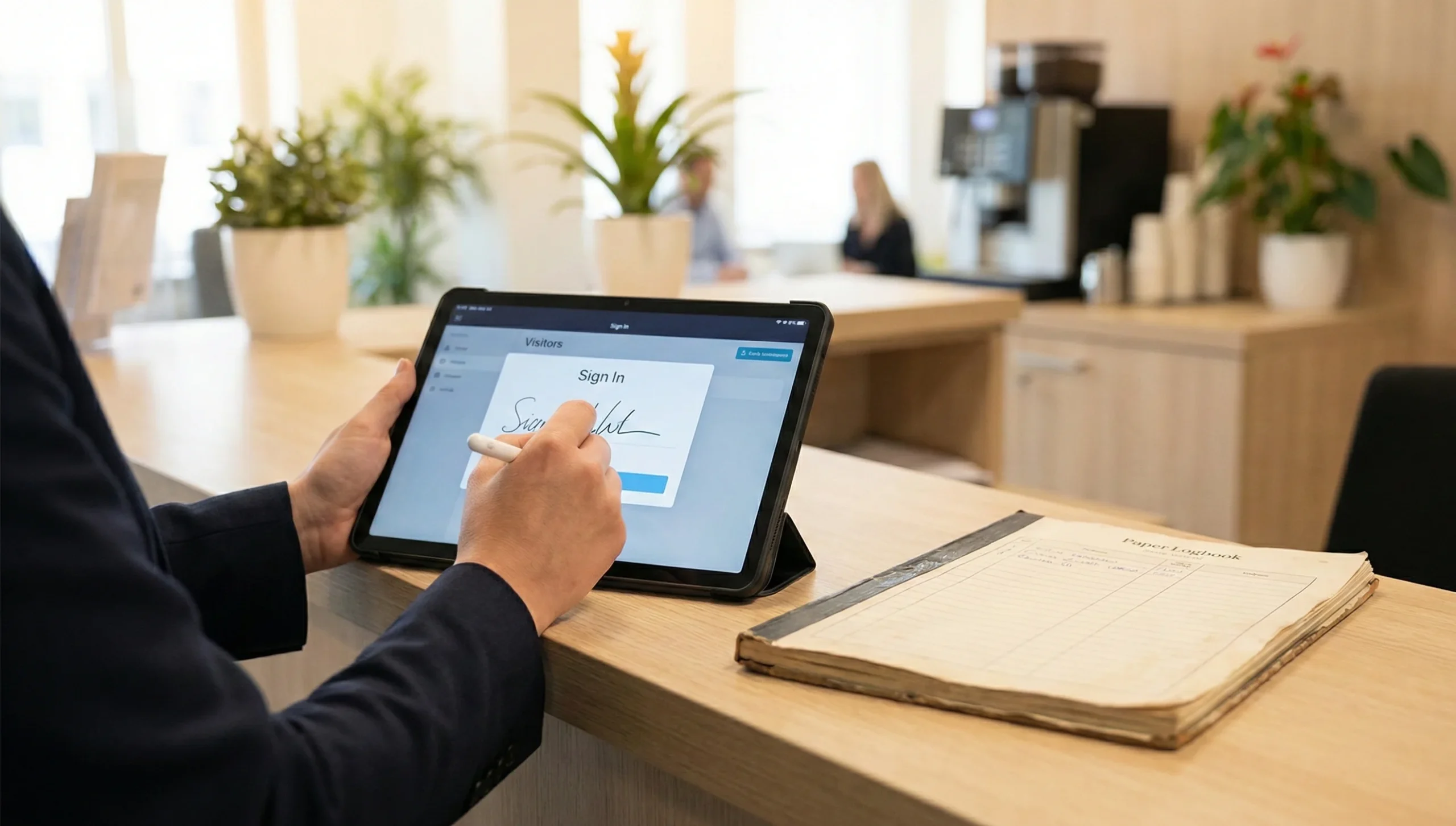
A visitor management system (VMS) is a combination of software and hardware that manages the entire lifecycle of a visitor’s journey—from pre-registration and check-in to badge issuance, host notification, and check-out. Instead of relying on handwritten logs, it provides a structured, digital record of every visit, improving both security and efficiency.
A typical VMS includes several core components that work together to automate and monitor visitor flows.
- Software/dashboard for managing visitor data, workflows, and reports
- Registration interface such as a kiosk, tablet, or web portal for check-in
- Access control hardware like badge printers, QR code readers, and sometimes biometric devices
- A database that securely stores visitor records, permissions, and logs
- Analytics and reporting tools that surface trends, peak times, and compliance reports
Types of Visitor Management Systems

Not all visitor management systems are deployed the same way; organizations choose models based on their size, IT strategy, and security posture. The main types differ in where data is hosted and how deeply they integrate with other workplace systems.
- On-premise systems
- Installed and hosted on the organization’s own servers, often preferred where strict data residency or network isolation requirements exist.
- Typically managed by internal IT teams and may require more upfront investment in infrastructure and maintenance.
- Cloud-based systems
- Hosted by a vendor and accessed via the internet, enabling quick deployment, remote management, and easier updates.
- Well-suited for organizations with multiple locations that need centralized oversight and real-time visibility into visitors across sites.
- Integrated access control visitor management
- Designed to connect directly with electronic access control, enabling automatic control of doors, turnstiles, or elevators based on visitor status.
- Often supports features like restricted area access, time-limited credentials, and more granular audit trails that combine visitor and access data.
Also Read: What is a Whaling Attack? A Complete Definition and Explanation
Key Features of Modern Visitor Management Systems
Modern VMS platforms focus on both security and user experience, offering a range of features that simplify front-desk operations and improve control over who enters the workplace.
User-friendly registration interface (mobile app, kiosk, web portal)
The registration experience should be simple for guests and staff. Systems provide intuitive digital interfaces so visitors can enter details quickly and accurately, often without receptionist assistance. This can include pre-registration links, branded web forms, or tablets placed at the reception desk.
- Self-service kiosks or tablets at reception
- Web portals or links sent in advance for pre-registration
- Mobile-friendly forms for visitors registering on their own devices
Contactless check-in options (QR codes, facial recognition)
Contactless workflows help reduce touchpoints and speed up arrivals. Many platforms let visitors scan a QR code from an invitation email or SMS to complete check-in automatically. Some also support biometric options like facial recognition for returning visitors, where regulations and policies permit.
- QR code-based sign-in from pre-registration confirmations
- Touchless scanning at kiosks for faster, hygienic check-in
- Optional biometric recognition to verify identity and improve convenience
Customizable visitor badges and branding
Badges visually show who a visitor is and where they are allowed to go. Modern systems can print or issue digital badges that reflect the organization’s brand and security needs. This helps staff quickly distinguish between visitors, contractors, and employees while reinforcing a professional image.
- Name, photo, company, host, and visit purpose on badges
- Color-coding or icons for different visitor types or access levels
- Expiry times or date stamps to make outdated badges obvious
Instant host notifications on visitor arrival
Real-time notifications ensure that hosts know exactly when their visitors arrive, reducing wait times and confusion in the lobby. Alerts can usually be sent via email, SMS, or workplace apps, depending on the system’s integrations.
- Automated alerts to hosts when check-in is completed
- Support for multiple channels (email, SMS, app notification)
- Reduced manual calling or chasing visitors through reception
Integration with existing access control systems
A strong VMS is designed to “plug in” to existing security infrastructure. Integration with access control platforms allows organizations to automatically grant or revoke access permissions in sync with visitor status.
- Automatic assignment of temporary access credentials for approved visitors
- Door, turnstile, or elevator access limited by time, location, or visitor type
- Unified audit trail that combines visitor records with access events
Visitor logs and reporting for insights
Visitor logs provide a detailed history of who entered, when, and why. Reporting tools help organizations understand patterns, support audits, and refine security or staffing decisions.
- Time-stamped records of check-in and check-out events
- Reports on visit frequency, peak times, and repeat visitors
- Exportable logs for compliance, audits, and incident investigations
Emergency evacuation support
In emergencies, knowing exactly who is on-site is critical. Many VMS platforms support quick roll calls and access to visitor lists to help account for everyone during evacuations.
- Real-time lists of all visitors currently checked in
- Ability to access visitor data from mobile devices during an evacuation
- Historical logs to review who was present at the time of an incident
Compliance with industry regulations
Visitor data often includes personal information, so systems are designed with privacy and security controls that support regulatory compliance. Features vary by provider, but commonly include configurable retention policies and data access controls.
- Secure storage and encryption of visitor data
- Configurable data retention and anonymization settings
- Audit-ready logs that support regulatory and internal policy requirements
Benefits for Modern Workplaces
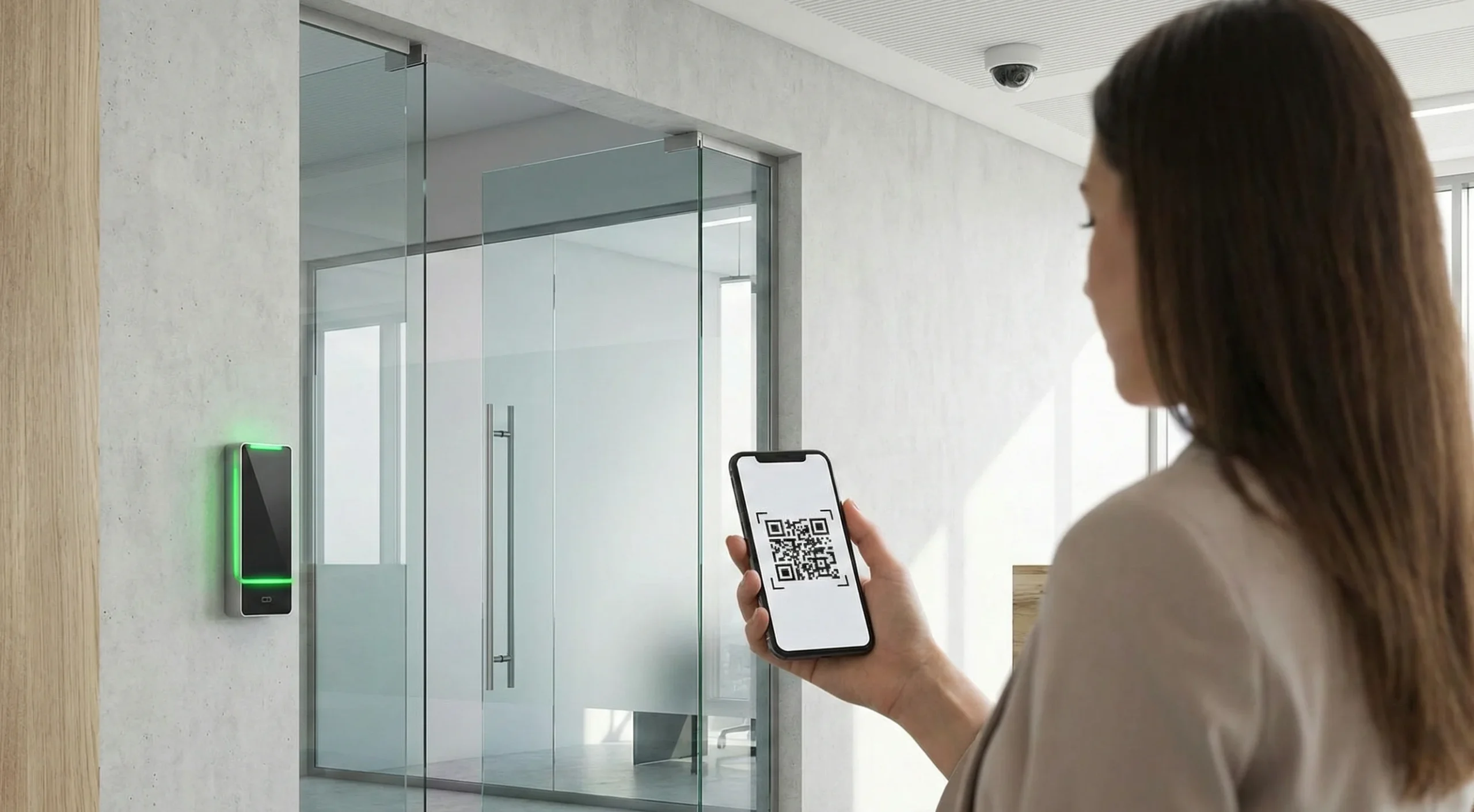
Adopting a visitor management system delivers measurable advantages across security, operations, and brand perception. Organizations gain better control over their premises while improving the experience for guests and staff.
Enhanced security and access control
By verifying visitors, capturing key details, and issuing controlled credentials, VMS solutions reduce the risk of unauthorized access. Integration with access control systems further limits movement to approved areas only.
- Clear identification of who is on-site at any time
- Reduced reliance on unsecured paper logs
- Stronger deterrent against tailgating and unauthorized entry
Streamlined check-in process and improved visitor experience
Digital check-in significantly shortens the arrival process and reduces queues at reception. Visitors benefit from clearer instructions, faster access, and a more modern, professional first impression.
- Less manual data entry for staff and guests
- Pre-registration to shorten lobby wait times
- A consistent, polished sign-in experience
Increased operational efficiency and staff productivity
Automation of repetitive tasks such as registering visitors, printing badges, and notifying hosts frees reception and security staff to focus on higher-value work.
- Fewer phone calls and manual check-ins
- Reduced errors in visitor records
- Easier handling of busy periods or events with many guests
Compliance readiness and audit support
Centralized visitor logs make it straightforward to produce evidence for audits and to show who was on the premises during specific time windows.
- Rapid retrieval of visitor history for specific dates or individuals
- Support for internal security policies and external standards
- Better documentation for inspections and incident reviews
Positive brand impression and candidate experience
The front desk is often the first physical interaction a visitor or job candidate has with an organization. A smooth, technology-enabled sign-in process signals that the workplace is organized, secure, and forward-thinking.
- Stronger first impression for clients, partners, and vendors
- Professional experience for interview candidates and contractors
- Reinforcement of a modern, safety-conscious culture
How to Choose the Right Visitor Management System

Selecting the right VMS requires aligning capabilities with your facility, industry, and technology stack. A structured evaluation helps avoid underpowered tools or overcomplicated solutions.
Assessing your facility’s needs and visitor volume
Different environments—from corporate offices to manufacturing sites or campuses—see very different traffic patterns and risk profiles.
- Estimate typical daily and peak visitor volumes
- Identify visitor types (clients, vendors, contractors, interviewees, parents, etc.)
- Map out existing front-desk processes and bottlenecks
Industry-specific compliance requirements
Some sectors, such as finance, healthcare, and critical infrastructure, operate under stricter compliance and audit expectations.
- Determine required record-keeping periods and data fields
- Confirm whether ID verification or watchlist checks are needed
- Consider any local privacy or data protection obligations
Integration capabilities with current systems
The ideal VMS complements and extends existing systems rather than duplicating them.
- Check compatibility with current access control, SSO, or HR platforms
- Assess options for directory sync to keep host lists up to date
- Evaluate available APIs or pre-built integrations for future flexibility
Total cost of ownership considerations
Beyond licensing costs, ongoing support, hardware, and internal administration all affect the long-term investment.
- Compare subscription vs. perpetual licensing models
- Include hardware (kiosks, printers, scanners) and maintenance in the budget
- Factor in training, configuration, and any custom development needs
Importance of demos and trial periods
Hands-on evaluation is one of the most reliable ways to validate usability and fit.
- Use pilots to test real visitor workflows and reception load
- Gather feedback from receptionists, security teams, and typical hosts
- Verify responsiveness of vendor support during the trial
Steps to Implement a Visitor Management System
A structured rollout reduces disruption and helps staff and visitors adapt quickly. Treat implementation as both a technology and change-management project.
Planning your visitor types and workflows
Clear definitions of visitor categories and processes make configuration more straightforward.
- Define categories such as guest, contractor, vendor, and candidate
- Decide what information and documents each category must provide
- Map approval, check-in, and check-out steps for each visitor type
Deploying hardware and software components
Successful deployment depends on placing and configuring devices where they best support the user journey.
- Position kiosks or tablets in visible, accessible locations at entry points
- Configure printers, scanners, and any access control integrations
- Set up branded screens, forms, and automated notifications
Training staff and communicating with visitors
Reception and security teams need confidence using the new system, and visitors should know what to expect.
- Train front-desk staff on registration, troubleshooting, and emergency use
- Provide simple internal guides for hosts about pre-registration and approvals
- Update visitor instructions on invitations, websites, or meeting confirmations
Monitoring and optimizing the system post-deployment
Once live, continuous improvement helps the VMS stay aligned with evolving workplace needs.
- Review visitor logs and usage patterns to identify bottlenecks
- Adjust forms, flows, and notifications based on staff feedback
- Periodically update policies and configurations as regulations or risks change
Conclusion
Visitor management systems have become essential to modern workplaces that must balance security, efficiency, and hospitality. By digitizing and centralizing the way visitors are registered, verified, and tracked, organizations gain clearer visibility into who is on-site while delivering a smoother, more professional experience at the front desk. With thoughtful selection, implementation, and ongoing optimization, a VMS can strengthen security, simplify compliance, and support a more modern, well-managed workplace environment.



