
Every time a passport or ID card is scanned at a checkpoint, a standardized strip of characters helps systems read identity details quickly and consistently. This strip—the Machine Readable Zone (MRZ)—is designed to support faster, more reliable identity verification in scenarios like border control and beyond, especially when combined with automated reading and verification workflows.
What Is a Machine Readable Zone (MRZ)?
An MRZ is a specialized area on identity documents that is designed to be read by machines rather than humans. It appears on documents such as e-passports (machine-readable passports), national ID cards, and other official identity documents, where it helps enable rapid extraction of identity details.
Definition and Basic Overview
The MRZ is made up of two or three lines of alphanumeric text arranged in a standardized format so software can read it consistently. MRZ text is intended to be captured and interpreted by OCR systems so the document’s information can be extracted more quickly than manual entry.
- A machine-readable zone is a “specialized area” created specifically for machine reading.
- It is used across travel and identity documents like passports and ID cards.
- OCR systems read the MRZ to convert characters into digital text for downstream checks.
How MRZ Data Is Structured
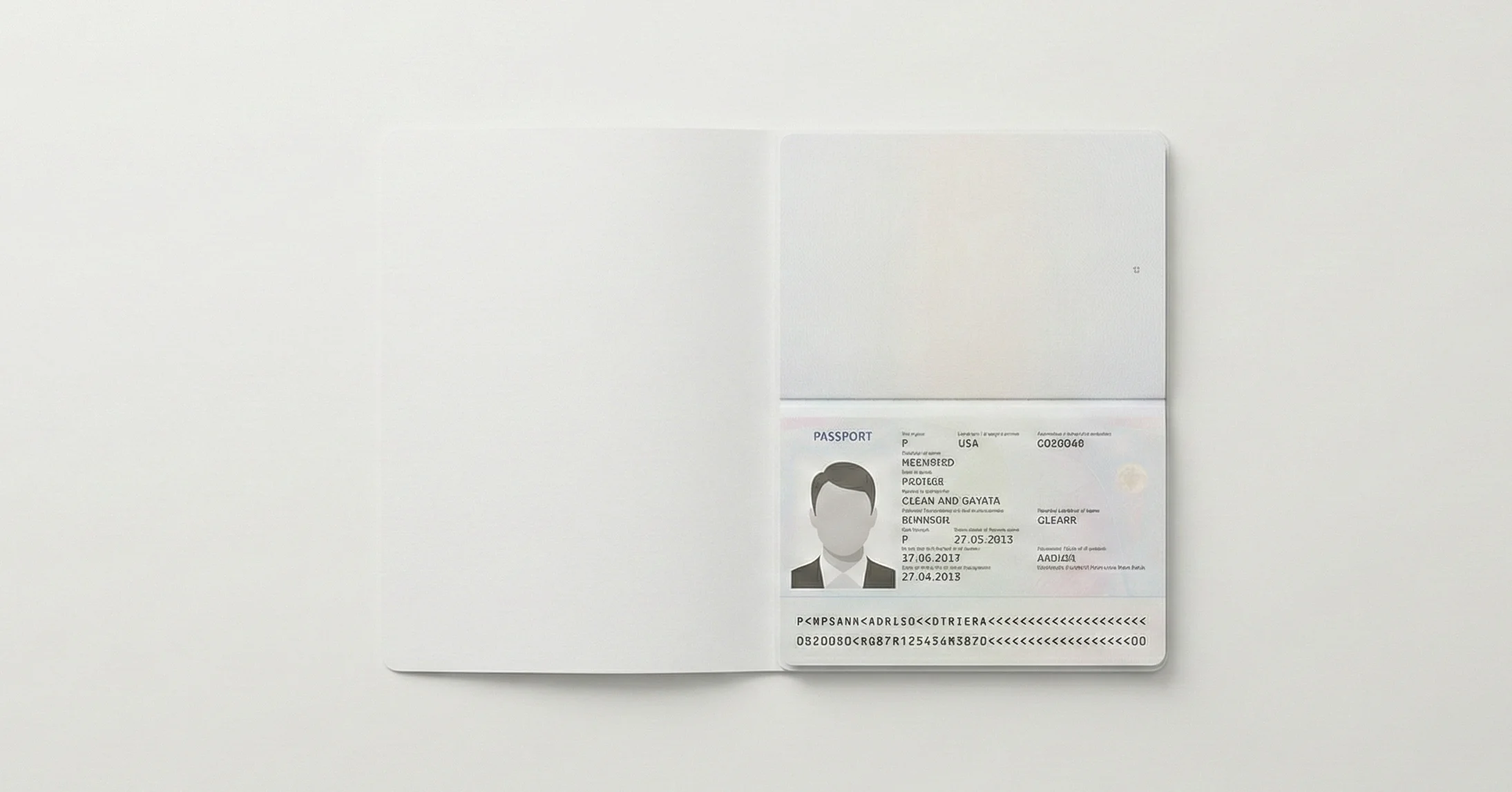
MRZ formats follow standard specifications so MRZ strings can be read across different systems and countries, supporting wide usability. The attached source notes that passport MRZ formats follow ICAO Document 9303 specifications, which define a standard structure for passport MRZ lines.
- MRZ is presented as 2 or 3 lines (depending on document type).
- Passport MRZ (Type 3 / TD3) is standardized as two lines of 44 characters.
- MRZ extraction can provide details such as document number, country code, date of birth, and expiration date (examples explicitly listed in the source).
MRZ vs. Traditional Document Verification
MRZ-based verification helps “streamline” checking by enabling machine extraction of key document fields rather than relying only on manual inspection. This improves processing flow in high-usage contexts like borders and entry points, where speed and consistency matter.
- MRZ supports rapid data extraction through OCR.
- It reduces dependence on fully manual data entry for core document fields.
- It supports standardized reading for a more consistent verification workflow.
The Three Types of MRZ Formats
MRZ formats vary by document type and data capacity, and the attached source describes three primary MRZ types: Type 1 (TD1), Type 2 (TD2), and Type 3 (TD3). These formats are designed to fit different identity document layouts and information requirements while keeping machine readability consistent.
Type 1 MRZ (TD1) – National ID Cards
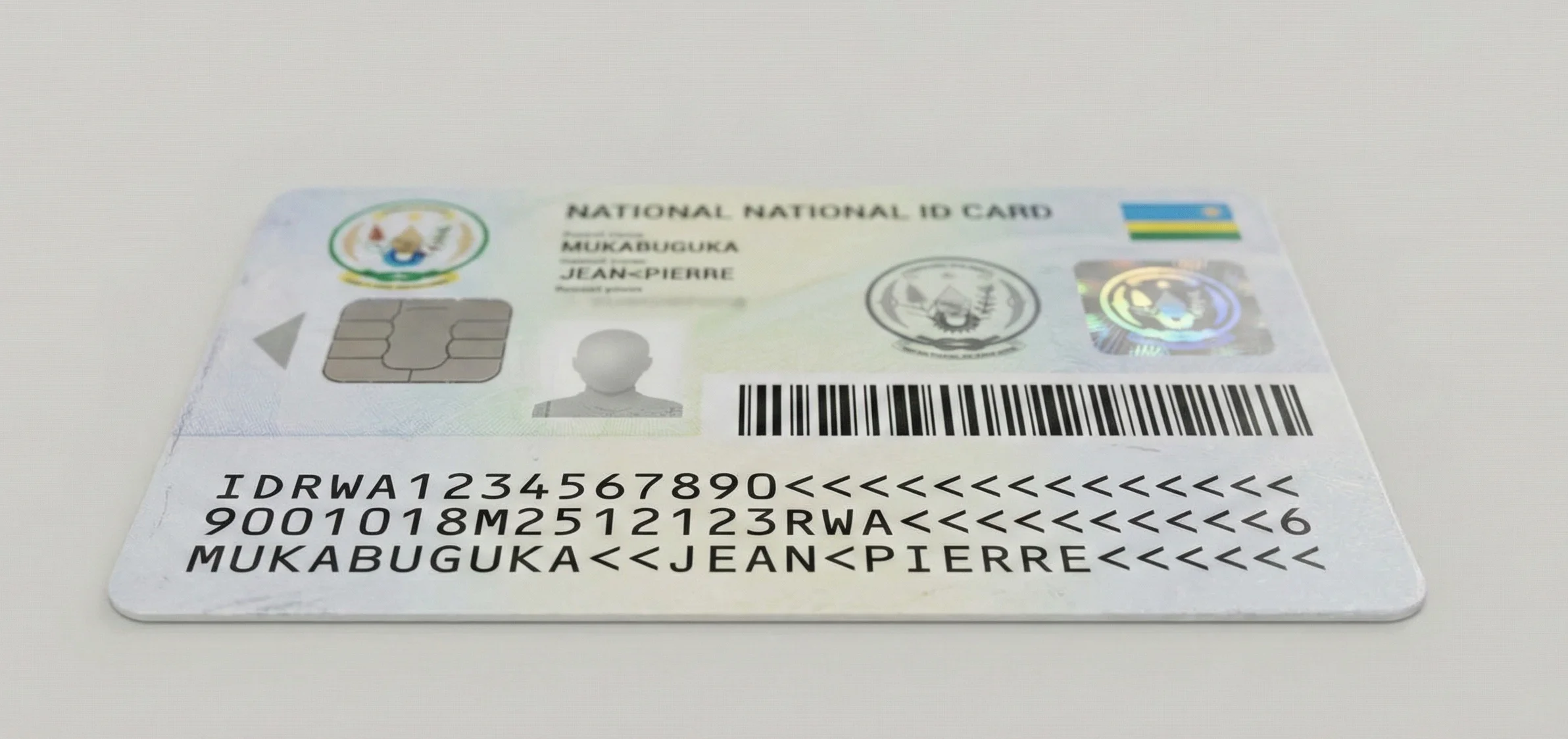
Type 1 (TD1) MRZ is commonly used on national ID cards and uses a three-line structure. The source specifies that this format contains three lines with 30 characters each, which provides more room for fields tailored to national needs.
- Three lines.
- 30 characters per line.
- Often used on national ID cards.
Type 2 MRZ (TD2) – Middle-Ground Format
Type 2 (TD2) MRZ is described as less commonly used and provides a mid-range capacity. The source states it uses two lines with 36 characters each.
- Two lines.
- 36 characters per line.
- Less commonly used (as described in the source).
Type 3 MRZ (TD3) – Passports
Type 3 (TD3) MRZ is the format typically found in passports used for international travel. The attached source states that passport MRZ follows ICAO Document 9303 specifications and is formatted as two lines of 44 characters.
- Two lines.
- 44 characters per line.
- Used in passports and aligned to ICAO Document 9303.
Comparison Table
| Format | Type | Lines | Characters Per Line | Primary use |
| TD1 | Type 1 | 3 | 30 | National ID cards (often). |
| TD2 | Type 2 | 2 | 36 | Less commonly used. |
| TD3 | Type 3 | 2 | 44 | Passports (ICAO Document 9303). |
How MRZ Scanning Works: Step-by-Step Process
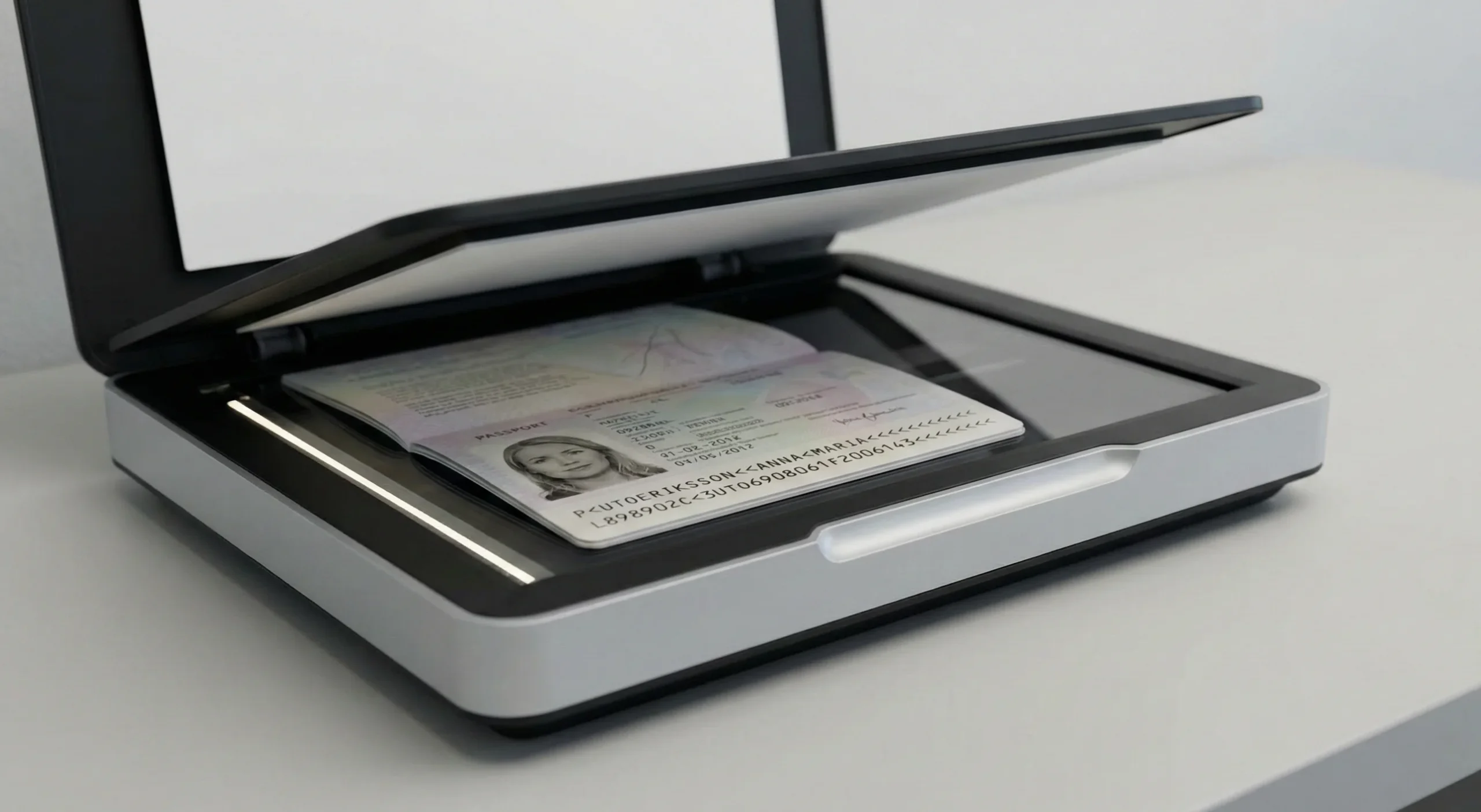
MRZ scanning is described as a core part of document verification systems, particularly at borders and entry points. The process includes capturing the MRZ, converting it via OCR to digital text, extracting key fields, and cross-checking them with relevant databases and watchlists.
The MRZ Scanning Workflow
The attached source provides an example workflow for passport checks that explains the practical steps involved from presentation to verification. These steps show how MRZ moves from printed characters to extracted fields used in automated checks.
- Step 1: The traveler presents the document and the MRZ is positioned for scanning.
- Step 2: The MRZ is captured by a scanning device.
- Step 3: OCR converts MRZ characters into digital text.
- Step 4: The system extracts fields such as document number, country code, birth date, and expiration date.
- Step 5: Extracted data is cross-checked against databases containing traveler information or watchlists to validate legitimacy and status.
Technology Behind MRZ Scanning
The attached source explicitly highlights OCR as the key enabling technology for converting MRZ characters into digital text. It also frames MRZ scanning as incorporating “multiple layers of technology” to enhance security and prevent fraudulent activities, without detailing each specific layer by name.
- Optical Character Recognition (OCR) for character-to-text conversion.
- Automated extraction of structured fields from standardized MRZ formatting.
- Cross-checking extracted details against relevant databases and watchlists.
Real-World Example: Airport Border Control
At border control, MRZ scanning supports fast reading of identity document details and enables automated checks against relevant systems. The source specifically uses the example of a passport check where MRZ data is extracted and then cross-checked against databases and watchlists to validate the traveler’s status.
- Passport is presented and MRZ is scanned.
- OCR digitizes the MRZ characters.
- Extracted MRZ fields are used for database/watchlist checks.
MRZ and Biometric Integration: Enhanced Security
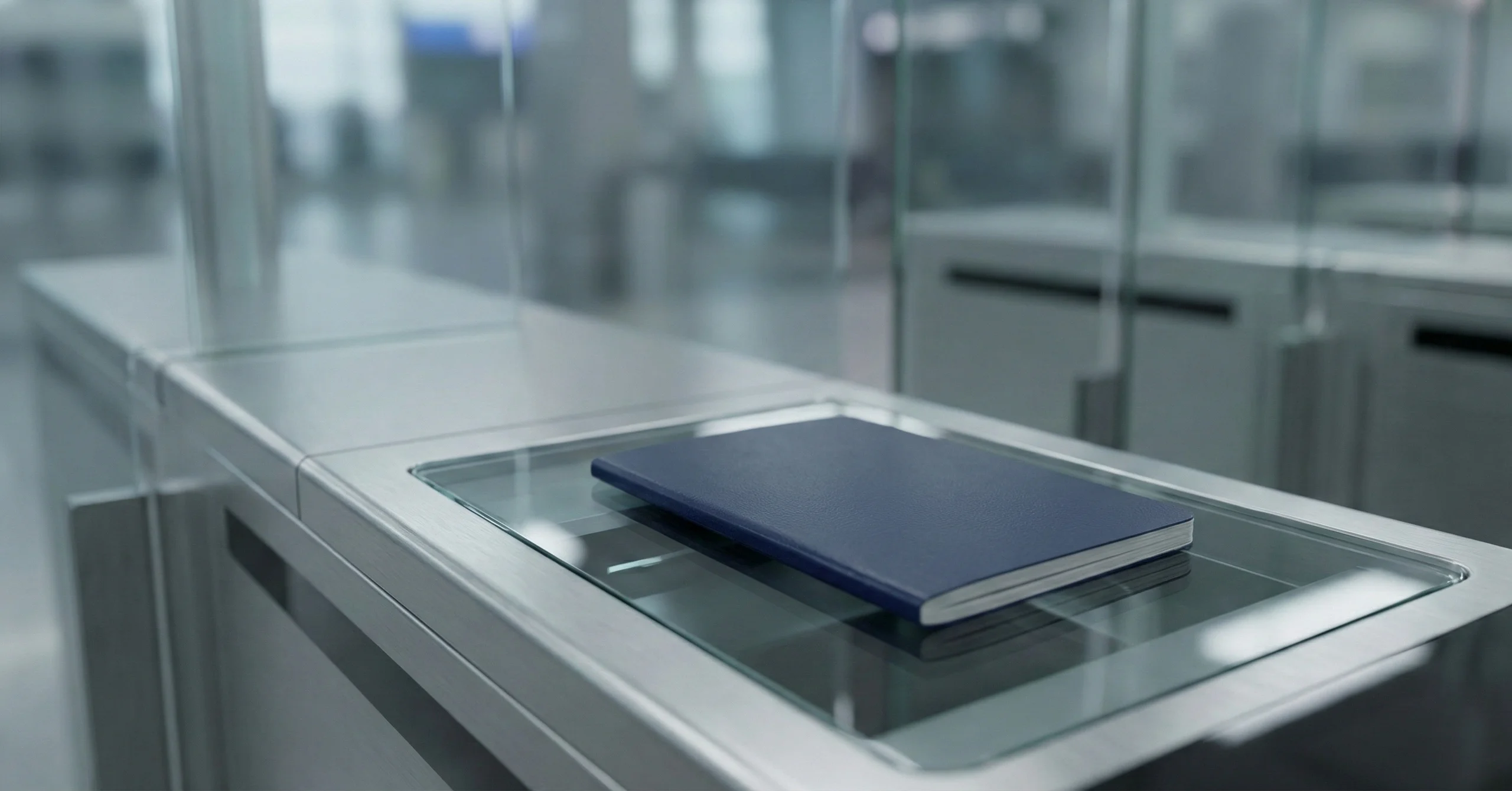
MRZ verification can be integrated with biometric technologies to enhance the security and efficiency of document verification processes. The attached source emphasizes that this combination can provide stronger identity confirmation frameworks compared with traditional approaches that rely more heavily on manual checks alone.
What Happens When MRZ Meets Biometrics
The attached source describes biometrics and MRZ as “synergistic,” emphasizing that MRZ data verification and biometric verification can be used together in real-world checkpoints. This pairing is presented as a way to reinforce how identities are confirmed when biometric documents (like biometric passports) are presented.
- MRZ provides standardized document data for automated extraction.
- Biometrics add an additional identity confirmation layer in verification workflows.
- Together, they strengthen document verification processes at checkpoints.
Benefits of MRZ + Biometric Integration
The attached source claims three broad benefits: improved security, improved accuracy, and improved efficiency in verification processes—especially in high-traffic environments. It also indicates that this integration reduces reliance on manual checks and speeds up processing times.
- Increased security compared to traditional verification methods.
- Enhanced accuracy of identity checks.
- Higher efficiency and speed in high-traffic scenarios.
- Reduced dependency on manual checks.
Real-World Biometric + MRZ Verification Process
The source describes a “detailed and secure process” that begins when a biometric document is presented at a checkpoint, with MRZ verification playing a role alongside biometric validation. However, the source does not provide a fully itemized step list for this combined process, so only the high-level flow stated can be included without adding assumptions.
- A biometric identity document is presented at a checkpoint.
- MRZ data verification is used as part of the verification process.
- Biometric technologies are integrated to enhance security, accuracy, and efficiency.
Security Enhancements Against Emerging Threats
The attached source states that MRZ scanning systems incorporate multiple layers of technology intended to enhance security and prevent fraudulent activities. It also suggests that continued advancements in MRZ and biometric technologies help this integrated approach remain effective against evolving security threats, but it does not enumerate specific threat categories.
- Security is strengthened through layered technical verification approaches around MRZ scanning.
- MRZ + biometrics is positioned as more robust than traditional methods for identity confirmation.
- Ongoing advancements are described as important for adapting to evolving threats.
Primary Applications of MRZ Technology Across Industries
MRZ technology is used beyond border control and is applied across sectors that benefit from fast and accurate identity document reading. The attached source explicitly lists travel/immigration, law enforcement, banking/financial services, hospitality, and healthcare as practical application areas.
Travel and Immigration (Border Control)
MRZ is prominently used in international travel and immigration where rapid verification is required. The source frames MRZ as vital for border control because it enables quick extraction and verification of standardized identity document data.
- Passport/identity document checks at borders and entry points.
- Fast extraction of key identity fields from standardized MRZ.
- Cross-checking against traveler databases and watchlists (as described in the scanning workflow).
Banking and Financial Services (KYC/AML)
The source notes banking and the financial industry as an MRZ application area, where accurate identity verification matters. It does not provide detailed KYC/AML regulatory specifics, so this section stays focused on the general usage described.
- Faster capture of identity details from MRZ-enabled documents.
- Reduced manual data entry during identity verification steps.
- Better operational efficiency in document-based identity checks.
Law Enforcement and Criminal Justice
The attached source identifies law enforcement and security as areas where MRZ supports accurate identity verification. It highlights that MRZ technology is valuable when identity checks must be performed quickly and reliably.
- Rapid extraction of identity document details using MRZ scanning.
- More consistent reading of identity data due to standardized formatting.
- Operational support for security-oriented identity checks.
Hospitality Industry (Hotels and Car Rentals)
MRZ technology is also used in hospitality contexts such as hotels and car rental services, as listed in the source. Its value here is tied to streamlining customer-facing processes that require verifying identity documents.
- Faster check-in or registration by scanning MRZ instead of manual entry.
- Improved data capture consistency from machine-readable documents.
- Practical support for routine identity verification workflows.
Healthcare and Patient Registration
The source states that MRZ can assist in healthcare in patient registration and identity verification workflows. It positions MRZ as useful in administrative contexts where correct identity matching is important.
- Support for patient registration workflows using MRZ-based document reading.
- Faster and more accurate identity data capture compared to manual entry.
- Practical identity verification assistance in healthcare operations.
Emerging Applications
The attached source states MRZ has practical applications “far beyond passport control,” but it does not detail additional emerging categories beyond those already listed. To avoid adding unsupported topics, this section remains limited to the general point that MRZ usage extends across multiple sectors.
- MRZ is used across multiple sectors beyond travel, including finance, hospitality, law enforcement, and healthcare.
- Its applicability comes from fast, standardized identity data extraction from documents.
Key Advantages of MRZ Technology
MRZ technology supports faster and more reliable identity verification by enabling automated reading and structured extraction of identity data. The attached source emphasizes speed, efficiency, and security benefits, especially when MRZ verification is integrated with biometric verification.
Speed and Efficiency
MRZ enables rapid extraction of identity details because OCR systems can read the standardized characters and convert them into usable digital text. This is positioned as especially important at border control and other high-throughput contexts.
- Faster processing by scanning MRZ instead of manually transcribing document fields.
- Streamlined verification workflows using OCR-based extraction.
- Improved throughput in contexts like international travel checkpoints.
Accuracy and Fraud Prevention
The source describes MRZ scanning as supporting “swift and accurate” verification by extracting standardized data via OCR. It also states that MRZ scanning systems incorporate multiple layers of technology intended to enhance security and prevent fraudulent activities, without specifying measurable fraud metrics.
- More accurate extraction of standardized fields via OCR-based reading.
- Security-focused verification layers are part of MRZ scanning systems.
- Supports authenticity checks and validation through database/watchlist cross-checking (as described in the workflow).
Global Standardization
The attached source states that passport MRZ conforms to ICAO Document 9303 and references ICAO/ISO/IEC standards supporting MRZ specification and broad acceptance. This standardization enables consistent formatting that supports widespread use in global travel and identity verification environments.
- Standard MRZ formats enable consistent machine reading across systems.
- ICAO Document 9303 is referenced for passport MRZ.
- Standard-driven formatting supports global acceptance and interoperability.
Cost Savings
The attached source does not provide cost, ROI, staffing, or quantified savings claims. Only the operational efficiency point can be made: MRZ reduces manual checks and speeds processing, which can contribute to efficiency benefits in practice.
- MRZ reduces reliance on manual checks by enabling automated extraction.
- Faster processing can improve operational efficiency where many documents are processed.
Enhanced Security
The source repeatedly frames MRZ as a critical element for secure identity verification and highlights that biometric integration can further enhance security. It also notes the role of MRZ scanning systems in preventing fraudulent activities through layered technologies.
- MRZ contributes to secure identity verification by enabling standardized, machine-readable checks.
- MRZ scanning includes security-oriented technological layers to deter fraud.
- Combining MRZ with biometrics strengthens identity verification security and reliability.
Limitations and Challenges of MRZ
The attached source focuses primarily on MRZ value, formats, workflows, and applications rather than listing limitations in detail. To avoid introducing unsupported claims, this section is written conservatively and only addresses limitations implied by what the source explicitly describes (e.g., dependence on OCR capture, dependence on database cross-checking).
Technical Limitations
Because MRZ scanning relies on capturing the MRZ and converting it using OCR, performance depends on successful capture and OCR interpretation. The source does not enumerate specific failure causes (like blur, glare, or wear), so those details are not included.
- MRZ scanning depends on OCR converting captured characters to digital text.
- Verification depends on the system’s ability to capture and read the MRZ for extraction.
Data Privacy and Security Concerns
The attached source does not discuss privacy laws, data retention, encryption, or breach risk. To avoid unsupported expansion, this section is limited to the general reality that MRZ workflows involve extracting personal data fields for verification and cross-checking.
- MRZ scanning extracts personal document data fields for verification.
- Extracted data may be cross-checked against databases and watchlists as part of verification workflows.
Implementation and Standardization Gaps
The source stresses standardization (ICAO/ISO/IEC) and widespread use, but does not describe implementation gaps, integration complexity, or training burdens. Therefore, no additional challenges are asserted beyond what is evidenced in the source.
- MRZ formats rely on standardized specifications for consistent machine reading.
- Implementations must follow document-specific MRZ formats (TD1/TD2/TD3) to extract fields correctly.
Emerging Security Threats
The source refers generally to “evolving security threats” and the importance of ongoing advancements in MRZ and biometric technologies, without specifying threat types. This section therefore stays at that high level.
- Security threats evolve over time, and the source highlights ongoing advancements as important for continued effectiveness.
- Layered MRZ scanning technologies and biometric integration are positioned as part of maintaining robust verification.
Best Practices for MRZ Implementation
The attached source explains how MRZ scanning works and where it is used, but it does not provide an explicit “best practices” checklist (maintenance, encryption, training, etc.). To avoid adding unsupported guidance, this section focuses on process-aligned practices that are directly implied by the described workflow: presenting the MRZ for scanning, ensuring MRZ capture, using OCR extraction, and performing cross-checks.
For Organizations Using MRZ Technology
Organizations implementing MRZ verification typically need workflows that reliably capture MRZ, run OCR extraction, and then validate extracted fields against relevant databases or watchlists as appropriate to the use case. This aligns with the step-by-step scanning process described in the source.
- Ensure documents can be presented so the MRZ is accessible to the scanning device.
- Use OCR to convert captured MRZ characters into digital text for extraction.
- Cross-check extracted and verified data against relevant databases or watchlists where applicable.
For Document Holders
The source focuses on system processes rather than citizen guidance, but it does state that MRZ is typically located at the bottom of the passport identity page or on the reverse side of an ID card—implying that presenting that area for scanning is necessary. This subsection stays within that boundary.
- Present the document so the MRZ (bottom of passport identity page or reverse side of ID card) is visible for scanning.
- Expect the MRZ to be used for automated extraction of document details during verification.
For Developers and Integrators
The attached source ties MRZ formats to ICAO Document 9303 (for passports) and references ICAO/ISO/IEC standards for MRZ specification across document types. Therefore, the only source-backed implementation guidance is standards alignment and correct handling of different MRZ types.
- Support the correct MRZ type formats (TD1/TD2/TD3) depending on document category.
- For passport MRZ, align parsing and validation with ICAO Document 9303 specifications as referenced by the source.
- Design workflows that mirror the described pipeline: capture → OCR → extract → cross-check.
FAQs
1. What data is stored in an MRZ?
The source explains that MRZ scanners can extract data such as document number, country code, birth date, and expiration date, among other details depending on the document type and MRZ format.
2. Can an MRZ be forged or altered?
The source states that MRZ scanning systems incorporate multiple layers of technology to enhance security and prevent fraudulent activities, but it does not provide a definitive yes/no or detailed forgery methods.
3. How long does MRZ scanning take?
The source describes MRZ as supporting swift verification and faster processing, but it does not provide a measured time value.
4. Is MRZ technology used outside of passports?
Yes—MRZ appears on documents including national ID cards and other official documents, and the source lists applications beyond travel such as banking, hospitality, law enforcement, and healthcare.
5. How does MRZ scanning improve security?
The source links MRZ scanning to structured extraction, database/watchlist cross-checking, and layered technologies that help prevent fraud, and it notes added benefits when MRZ is integrated with biometrics.
6. What is the difference between MRZ and barcodes?
The attached source does not discuss barcodes, so a source-backed comparison cannot be provided here.
7. Are there privacy risks with MRZ scanning?
The source does not discuss privacy risks explicitly, though it does describe extracting personal document fields and cross-checking them against databases/watchlists.
Conclusion
The Machine Readable Zone (MRZ) is a standardized, machine-readable section on passports and other identity documents that enables faster extraction of key identity fields through OCR-based scanning. Because MRZ data can be extracted and cross-checked against databases and watchlists, it supports streamlined verification workflows in travel and other sectors, and the source highlights that integrating MRZ verification with biometrics can further enhance security, accuracy, and efficiency.



