
Smartphones have become the control center of modern life. From banking and email to social media and cloud storage, almost every part of our digital identity is connected to a single device. This convenience also makes smartphones a prime target for cybercriminals. When a phone is compromised, the damage goes far beyond the device itself. It can expose financial data, personal conversations, professional credentials, and even the identities of friends and family.
If you suspect your phone has been hacked, quick and informed action is critical. This guide explains how phone hacking happens, how to identify warning signs, how to remove a hacker from your smartphone, and how to secure your device so it does not happen again.
What Is Phone Hacking?
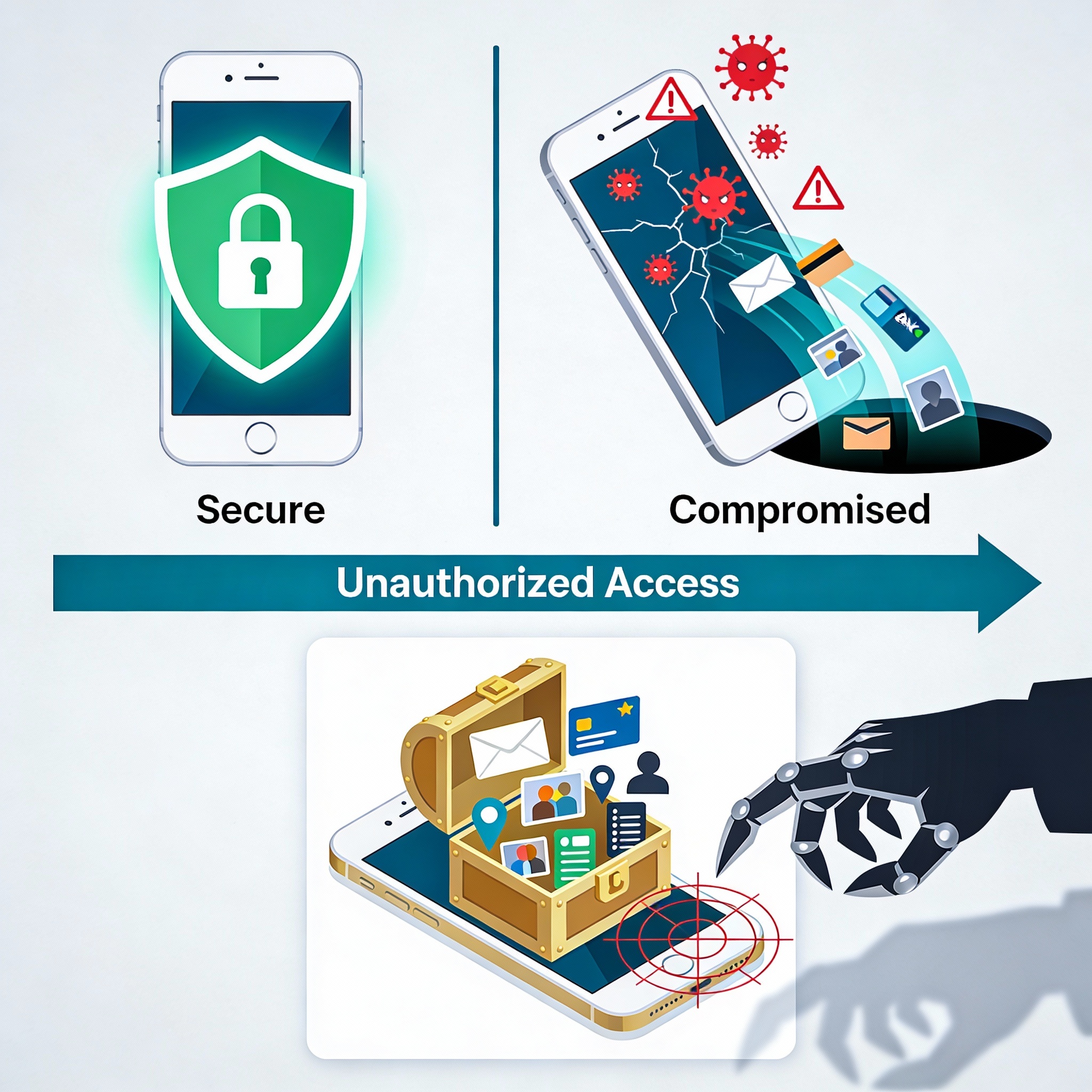
Phone hacking refers to any unauthorized access to a smartphone, its data, or its communications. This can happen through malicious software, unsecured networks, deceptive apps, phishing attacks, or even physical access to the device.
Unlike traditional computer hacking, phone hacking is often harder to notice. Many attacks are designed to remain hidden while silently collecting data, monitoring activity, or redirecting sensitive information to attackers.
Both Android and iOS devices can be targeted. While modern smartphones include strong built-in security features, attackers exploit user behavior just as much as technical vulnerabilities.
Why Smartphones Are High-Value Targets
Smartphones store an extraordinary amount of sensitive information in one place. Once compromised, attackers may gain access to:
Email accounts used for password resets
Banking and payment applications
Social media accounts
Personal photos, videos, and documents
Contact lists and call logs
Location data and browsing history
Because phones are always connected and frequently used, hackers can extract data continuously without raising suspicion.
How to Know If Someone Is Hacking Your Phone
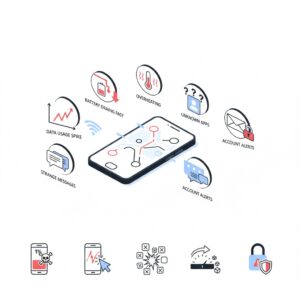
Many people ask questions like how do I unhack my phone only after something feels wrong. Recognizing early warning signs can limit damage.
Common Signs Your Phone May Be Hacked
Unusual battery drain
Malware and background processes often consume excessive power, causing the battery to drain much faster than normal.
Slow performance and overheating
If your phone suddenly lags, freezes, or overheats during basic tasks, it may be running hidden software.
Strange activity on online accounts
Unexpected password reset emails, unfamiliar login locations, or new sign-in alerts may indicate stolen credentials.
Unknown calls or text messages
Unrecognized outgoing calls or messages could indicate SMS interception or impersonation attempts.
Unexpected data usage
A sudden spike in mobile data usage may signal that data is being transmitted to an external server.
Pop-ups or unfamiliar apps
Apps you do not remember installing or persistent pop-ups may indicate malicious software.
If you notice several of these signs at once, it is time to act
Also Read: What is Social Media Privacy and Prevention
What to Do If Your Phone Is Hacked
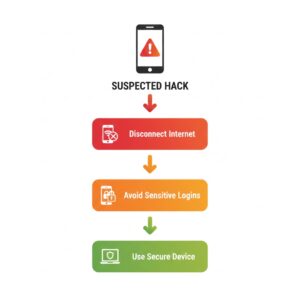
Before focusing on how to unhack my phone, it is important to limit further damage.
Disconnect from the internet
Disable Wi-Fi and mobile data temporarily to stop data transmission.
Do not enter sensitive information
Avoid logging into banking, email, or shopping apps until the device is secured.
Use another trusted device
You may need a separate device to change passwords and review account activity safely.
How to Remove a Hacker from Your Smartphone
Removing a hacker requires a systematic approach. The goal is to eliminate malicious software, secure accounts, and restore device integrity.
Step One: Identify and Remove Malicious Apps
Review all installed applications carefully. Remove anything unfamiliar, outdated, or suspicious. Pay close attention to apps that request excessive permissions.
Restart the phone in safe mode if available. This prevents third-party apps from running and makes it easier to identify malicious software.
Step Two: Update the Operating System
Install the latest system updates. Security patches fix vulnerabilities that hackers exploit.
Step Three: Change All Critical Passwords
Using a secure device, change passwords for:
Email accounts
Banking and payment services
Social media platforms
Cloud storage accounts
App store accounts
Use strong, unique passwords for each account.
Step Four: Secure Your Phone Access
Change your phone’s lock screen passcode. Avoid simple PINs and patterns. Use longer passcodes when possible.
Enable biometric security if available, such as fingerprint or facial recognition.
Step Five: Review Financial Activity
Check bank statements and transaction history. Report any unauthorized activity immediately.
Remove saved payment information from apps until the phone is fully secured.
Mobile Hack Checking Number: Can Codes Detect Hacking?
Many users search for a mobile hack checking number hoping to quickly confirm hacking. While certain diagnostic codes exist, they cannot reliably detect modern malware.
Some codes can reveal call forwarding or network status, but they do not guarantee device security. Relying solely on codes can create a false sense of safety.
The most reliable approach is behavioral analysis, account monitoring, and proper security practices.
How to Stop Someone from Hacking Your Phone Again
Once you learn what to do if your phone is hacked, the next priority is prevention. Attackers often return if weaknesses remain.
Avoid Untrusted Apps
Download applications only from official app stores. Read reviews carefully and check developer credibility.
Do Not Jailbreak or Root Your Phone
Jailbreaking disables critical security protections and exposes the device to malware.
Use Strong Authentication
Enable two-factor authentication on all major accounts. This adds a second verification step beyond passwords.
Keep Software Updated
Outdated apps and operating systems are common attack vectors. Enable automatic updates whenever possible.
Avoid Public Wi-Fi Risks
Public networks can expose data to interception. Avoid accessing sensitive accounts on unsecured networks.
How to Protect Your Phone from Being Hacked Long-Term
Security is an ongoing process, not a one-time fix.
Use unique passwords for every account
Avoid storing passwords in plain text
Enable device tracking features
Clear browser history and cached data regularly
Monitor login alerts and account notifications
Delete unused apps and inactive accounts
Think carefully before clicking links or opening attachments
Being mindful of digital behavior significantly reduces risk.
Why Phone Security Matters More Than Ever
As mobile devices become more powerful, they also become more attractive to attackers. Smartphones now serve as digital wallets, identity verifiers, and communication hubs.
Failing to secure a phone can lead to identity theft, financial loss, reputational damage, and long-term stress. Learning how to unhack my phone is important, but building strong habits is essential.
Conclusion
Removing a hacker from your smartphone is not just about fixing a technical issue. It is about protecting your identity, finances, and personal life.
By recognizing warning signs early, taking decisive action, and following proven security practices, you can regain control of your device and significantly reduce the risk of future attacks.
Smartphone security requires awareness, consistency, and responsibility. In a connected world, protecting your phone means protecting yourself.
FAQs
How do I unhack my phone completely?
Remove suspicious apps, update the system, change all passwords from a secure device, and enable strong security features. In extreme cases, a factory reset may be required.
What to do if your phone is hacked and money is stolen?
Contact your bank immediately, dispute unauthorized transactions, secure accounts, and monitor financial activity closely.
Can hackers access my phone without installing apps?
Yes. Phishing links, unsecured networks, and account compromises can expose data without obvious app installation.
Is a factory reset always necessary?
Not always. If malware persists or the source cannot be identified, a reset may be the safest option.
Are smartphones safer than computers?
Smartphones have strong built-in security, but user behavior plays a major role. Unsafe habits can compromise any device.



