
Pop-up warnings that scream your computer is infected. Fake antivirus scans that insist you must “pay now” to remove hundreds of threats. Countdown timers telling you your data will be wiped in minutes. These frightening tactics all have one goal: to scare you into taking quick, irrational action. This is the world of scareware—a deceptive cybercrime technique that preys on fear, urgency, and confusion.
What Is Scareware?
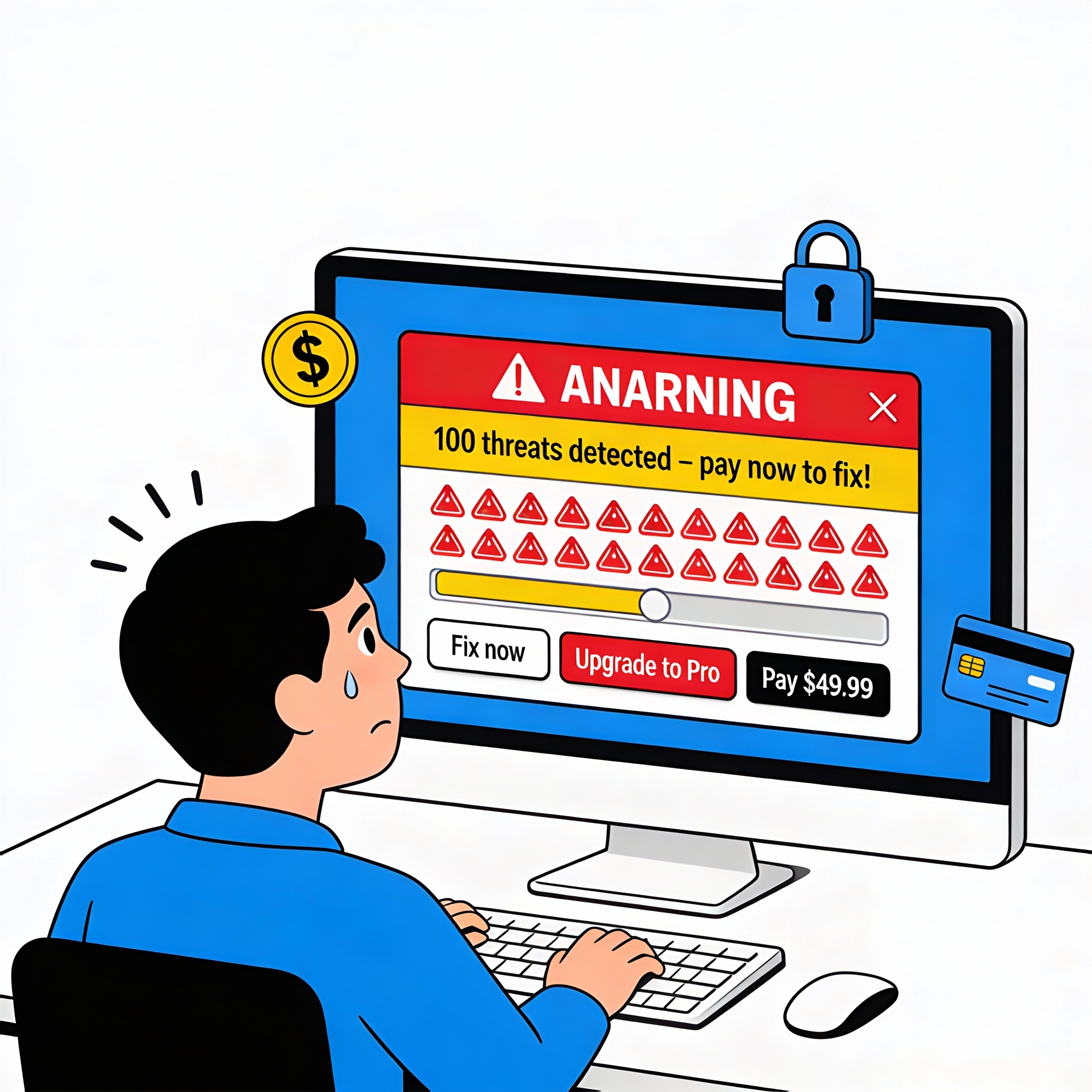
Scareware is a type of malicious or deceptive software designed to frighten users into doing something against their best interests, such as:
- Paying for fake security or cleanup tools
- Downloading malware disguised as protection
- Sharing personal or financial information
- Granting remote access to scammers
The name comes from “scare” + “software.” Instead of quietly stealing data in the background, scareware works openly by displaying alarming messages like:
- “Your computer is heavily infected!”
- “Critical system failure detected!”
- “Your files will be deleted in 3 minutes!”
The alerts look legitimate—often mimicking real antivirus tools, operating systems, or well-known brands—but their main purpose is to push you into clicking a button, buying a product, or installing something harmful
How Scareware Works
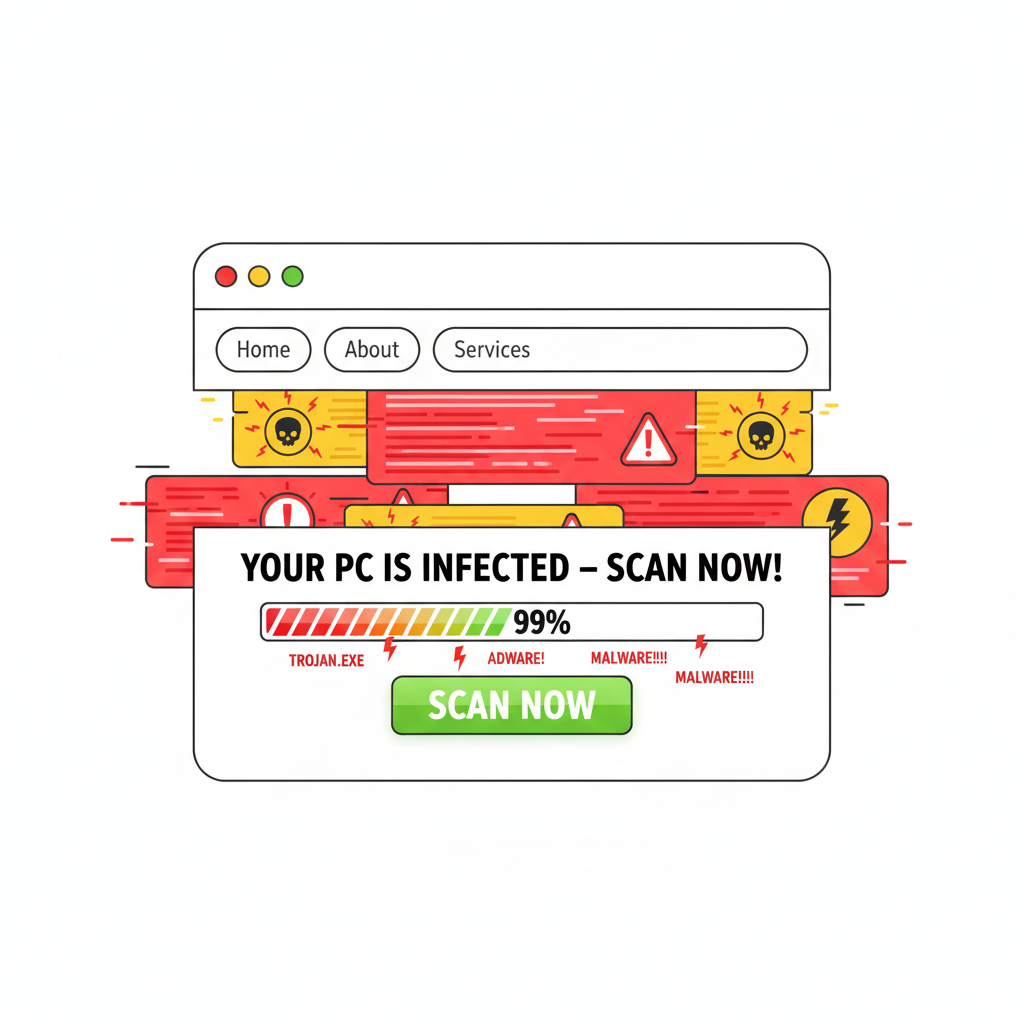
Most scareware follows a predictable pattern. Understanding this pattern helps you recognize attacks before you fall for them.
1. The Attention-Grabbing Pop-Up
Scareware often starts with a sudden pop-up or full-screen warning. This may appear while you browse the web, open an email attachment, or install a program. Common characteristics include:
- Bright colors (usually red or yellow) with warning symbols
- Fake virus scan animations or progress bars
- Technical-sounding terms to appear legitimate
- Offers of a “free scan” that instantly finds multiple threats
These messages are crafted to look like they come from your operating system (Windows, macOS) or legitimate antivirus software. In reality, they are simply web pages or basic applications pretending to be security tools.
2. Fear and Urgency
Scareware relies on emotional manipulation. The message is designed to make you feel:
- Afraid that your data, photos, or work will be lost
- Guilty for not protecting your device
- Panicked by fake countdown timers or “last chance” alerts
To increase pressure, scareware often claims:
- Your device is already compromised
- Attackers are currently stealing your data
- You must act within seconds or suffer permanent damage
The goal is to stop you from thinking critically and push you into quick action, such as purchasing software or clicking a suspicious link.
3. The “Solution” They Want You to Buy or Install
Once you’re sufficiently worried, scareware offers an immediate “fix”:
- A fake antivirus or anti-malware tool
- A “system optimizer” that promises to speed up your PC
- A “security subscription” that removes the supposed threats
Clicking the recommended button or link may lead you to:
- A payment page asking for credit card details
- A download file that installs real malware (ransomware, spyware, or adware)
- A form requesting personal data, login credentials, or banking information
In some cases, even closing the pop-up is difficult. The attacker may use browser tricks to keep the warning visible, forcing you into a maze of “Cancel” and “OK” buttons that all do the same thing: lead you deeper into the trap.
Common Types of Scareware Attacks

Scareware comes in different shapes and forms. While the underlying strategy is always the same—scaring you into action—the delivery methods can vary a lot.
Fake Antivirus Software
One of the most common scareware types is fake antivirus or “rogue security software.” It pretends to scan your computer and then claims to find dozens or hundreds of “threats.” Examples of classic behavior include:
- A program you don’t remember installing suddenly appears and starts scanning
- The software claims your device is in critical danger
- You must pay to “unlock” the removal feature
In many cases:
- The threats it reports are either invented or harmless files labeled as malware
- Paying does not remove anything; it simply gives money to criminals
- The program itself is the real infection, monitoring your actions or installing additional malicious tools
Browser-Based Scareware Pop-Ups
Another widespread form of scareware lives in your web browser. You might see:
- Pop-ups stating “Your PC is infected—scan now!”
- Fake messages imitating your browser or operating system
- Fake tech-support pages claiming to be from Microsoft, Apple, or your ISP
These pop-ups often:
- Prevent you from closing the tab easily
- Play loud alarms or warning sounds
- Display a fake support number to call
If you call the number, scammers may:
- Request remote access to your device
- Install real malware while pretending to “fix” issues
- Charge you for unnecessary or fake services
Tech Support Scams
Some scareware is part of a larger tech support scam. Here’s how it often works:
- You encounter a scareware page telling you to call “Microsoft support” or “Apple security.”
- You call the number and speak to a fake technician.
- They ask you to install remote access tools so they can “help.”
- Once connected, they show you normal system logs and claim they’re signs of severe infection.
- They ask for payment to install security software or “clean” your machine.
In reality, they may:
- Steal sensitive files
- Install keyloggers or spyware
- Charge recurring fees on your card
Scareware in Email and Attachments
Some scareware begins with a phishing email claiming:
- Your account has been hacked
- Your device is infected and sending spam
- You’ve been recorded doing something embarrassing
These messages often contain:
- Links to scareware-driven sites
- Attachments that pretend to be invoices, warnings, or security reports
- Threats that your accounts will be shut down unless you act now
The scare tactic is similar: create panic, then offer a malicious link or file as the “solution.”
Real-World Examples of Scareware
Scareware has been around for years, and there have been several high-profile cases that highlight how damaging it can be.
Rogue “Antivirus” Campaigns
There have been global campaigns involving fake antivirus programs like “Antivirus 2009,” “Security Tool,” and others. These rogue tools:
- Spread through malicious ads or bundled downloads
- Displayed realistic-looking scans and system alerts
- Demanded payment to remove imaginary threats
Many victims paid for licenses, believing they were buying real protection, only to discover later that they had been scammed and their devices were still vulnerable.
Browser Lock Scare Pages
Some scareware campaigns use JavaScript tricks to “lock” your browser, making it look like your entire system is frozen. The page might show:
- Fake law enforcement logos
- Claims that illegal content was found on your device
- Demands for payment as a “fine”
Although closing the browser or killing the process is usually enough, the realistic-looking warnings have frightened many users into paying the demanded amount or calling scammers for help.
Why Scareware Is So Effective
Despite years of warnings about online security, scareware still works. There are several reasons for this:
Psychology: Fear and Authority
Scareware is built on basic psychological principles:
- Fear: Threats of data loss, legal trouble, or embarrassment
- Urgency: Countdowns, “last chance” warnings, and red alerts
- Authority: Use of trusted brands, official logos, and technical jargon
When we’re afraid and feel pressed for time, we’re more likely to make poor decisions—such as clicking a suspicious link or paying for an unknown product.
Lack of Technical Knowledge
Not everyone is familiar with how antivirus programs or operating systems normally behave. Cybercriminals exploit this lack of knowledge by:
- Imitating the design of real security tools
- Using technical-sounding language to sound credible
- Showing file paths or logs to seem legitimate
For non-technical users, it’s hard to tell the difference between a real virus alert and scareware—especially in a moment of panic.
Blending with Legitimate Ads and Software
Scareware often hides in plain sight. It may appear as:
- A deceptive advertisement on an otherwise trustworthy website
- A bundled installer included with free software
- A fake update (e.g., “You must update your video player”) on streaming or download sites
This ability to blend into normal online experiences makes scareware harder to avoid, even for users who are usually careful.
How Scareware Differs from Other Malware
Scareware is part of the broader malware ecosystem, but it has distinct characteristics that set it apart from threats like ransomware, spyware, or traditional viruses.
Scareware vs. Ransomware
- Scareware: Tries to frighten you into voluntarily paying or installing something. It may not always lock your data, though some versions can deliver additional malware.
- Ransomware: Actually encrypts your files or locks your system, then demands payment to restore access.
In some attacks, scareware is the initial step used to trick you into downloading ransomware.
Scareware vs. Spyware
- Scareware: Highly visible; it wants you to see it and react to it.
- Spyware: Hidden; it quietly monitors your activity, steals data, or tracks your behavior without your knowledge.
However, scareware may also install spyware in the background once you interact with it.
Scareware vs. Adware
- Scareware: Uses terror-style messages and fake warnings.
- Adware: Primarily focused on displaying intrusive ads to generate revenue.
Some adware campaigns include scareware-style ads to push fake antivirus or “cleaner” software, blurring the line between the two.
Common Signs You Are Dealing with Scareware
Recognizing scareware early can help you avoid becoming a victim. Watch for these warning signs:
- Unexpected alerts claiming viruses or problems right after visiting a website
- Pop-ups that don’t look like your usual antivirus software
- Multiple spelling or grammar mistakes in serious-looking security warnings
- Messages that demand immediate action or payment to avoid catastrophic loss
- Requests for credit card details directly in a pop-up window
- Instructions to call a phone number that appears in a browser alert
- Programs starting “system scans” that you never installed or authorized
Any legitimate security solution you use should be known to you by name and installation source. If something new appears out of nowhere, treat it with suspicion.
How Scareware Gets Onto Devices
Scareware can appear even if you don’t knowingly download anything. Common infection and exposure routes include:
Malicious or Deceptive Ads (Malvertising)
Some attackers purchase ad space on legitimate websites and serve malicious or deceptive advertising. Clicking these ads—or in some cases, simply viewing them—can trigger scareware pop-ups that:
- Redirect you to fake “security scan” pages
- Force a download prompt for a bogus antivirus tool
- Lock your browser with repeated dialogs
Bundled Software and Fake Downloads
Free programs from untrusted sources sometimes come bundled with unwanted extras. During installation, scareware may be:
- Pre-selected as an optional “security tool”
- Installed silently in the background
- Disguised as a required codec, plugin, or update
This is particularly common on file-sharing, streaming, and “free download” websites.
Phishing Links and Attachments
Phishing campaigns may direct you to websites that:
- Run fake scans and show alarming results
- Trigger files to download, appearing as invoices or reports
- Imitate known brands like your bank, email provider, or software vendor
Clicking these links or opening attachments can lead directly to scareware infestations.
How to Protect Yourself from Scareware
While scareware can be intimidating, a few practical habits can dramatically reduce your risk.
1. Use Reputable Security Software
Install a trusted antivirus or internet security suite from a well-known vendor and keep it updated. This helps by:
- Blocking known malicious sites and downloads
- Detecting rogue security tools and fake scanners
- Monitoring suspicious behavior on your device
Always download security tools directly from official websites or app stores, never from pop-up ads.
2. Keep Your System and Apps Updated
Apply operating system updates and software patches regularly. Many scareware campaigns exploit known vulnerabilities in:
- Web browsers and plugins
- Outdated media players
- Unpatched operating systems
Automatic updates are a strong defense against opportunistic attacks.
3. Be Skeptical of Pop-Up Warnings
Adopt a healthy skepticism toward any unexpected security alert, especially if it:
- Appears inside your browser, rather than from your installed antivirus program
- Uses very dramatic language and countdown timers
- Demands payment or asks for credit card details immediately
If in doubt, close the browser tab or window. If that doesn’t work, use the Task Manager (Windows) or Force Quit (macOS) to close your browser completely.
4. Avoid Downloading Software from Untrusted Sources
Limit downloads to:
- Official app stores (Microsoft Store, Apple App Store, Google Play)
- Well-known, reputable vendors’ websites
Be wary of “free” versions of paid software, unofficial updates, or tools from unfamiliar sites. These are common hiding places for scareware.
5. Educate Yourself and Others
Awareness is one of the best defenses against scareware. Share knowledge with:
- Family members who may be less tech-savvy
- Colleagues who handle sensitive business data
- Anyone who frequently shops or banks online
Show them examples of scareware messages and explain how real antivirus alerts should look on their devices.
What to Do If You Encounter Scareware
If you suspect you’re facing scareware, the most important step is to stay calm. Then follow a structured response.
Step 1: Do Not Click Any Buttons in the Pop-Up
Avoid clicking “OK,” “Cancel,” “Fix Now,” or any similar buttons in the scareware window. These may all trigger downloads or redirects. Instead:
- Try closing the tab or browser window from the browser’s interface
- If that fails, use Task Manager (Ctrl+Shift+Esc on Windows) or Force Quit on macOS to close the browser
Step 2: Run a Scan with Your Trusted Security Software
After closing the suspicious content, open your legitimate antivirus or anti-malware program and:
- Update its virus definitions
- Run a full system scan
- Follow its recommendations for removing detected threats
If you don’t already have security software installed, download a reputable product directly from the provider’s official website.
Step 3: Remove Any Unfamiliar Programs
Check your installed programs (or applications) for software you don’t recognize, especially tools that claim to be:
- PC cleaners or optimizers
- Registry cleaners
- Antivirus or antimalware products you didn’t intentionally install
Uninstall suspicious programs through your system’s standard uninstall process.
Step 4: Change Passwords and Monitor Accounts
If you entered personal or financial information on a scareware page, treat it as compromised:
- Change passwords for affected accounts immediately
- Enable two-factor authentication (2FA) where possible
- Monitor bank and credit card statements for unauthorized charges
If you called a “support” number and gave remote access, consider having a professional technician review your device for hidden threats.
Step 5: Report the Incident
Reporting scareware helps protect others. You can:
- Report malicious websites to your browser provider
- Notify your antivirus vendor so they can update their detection lists
- Inform your bank if financial details were shared
The Business Impact of Scareware
Scareware is not just a consumer problem. Organizations of all sizes can be affected, especially when employees are targeted.
Lost Productivity and Disruption
When staff encounter frightening warnings:
- They may stop work and call internal IT or external support
- Systems may need to be scanned and cleaned
- Entire departments may be temporarily offline
For larger organizations, this disruption can quickly add up in lost time and money.
Financial Loss and Data Risk
If employees fall for scareware scams, businesses may face:
- Unauthorized charges on company accounts or cards
- Installation of additional malware that steals customer or corporate data
- Potential regulatory and compliance issues if sensitive data is exposed
Reputation and Trust Damage
A successful scareware-related breach can erode trust with customers, partners, and employees. This is why many companies:
- Conduct regular security awareness training
- Implement technical controls such as web filtering and application whitelisting
- Have clear policies on how official IT support will contact users
Conclusion
Scareware is a powerful blend of deception, fear, and psychological manipulation. It doesn’t always rely on advanced technical tricks; instead, it uses convincing messages, fake alerts, and pressure tactics to push users into making costly mistakes.
By understanding what scareware is, how it works, and how it differs from other types of malware, you’re far better equipped to recognize it when you see it. Combine that knowledge with good security habits—using reputable antivirus tools, keeping systems updated, being skeptical of dramatic pop-ups, and educating those around you—and you can significantly reduce the risk of falling victim to these scams.
Whenever you see an alarming message that demands immediate action or payment, pause, verify, and only trust tools and alerts you have intentionally chosen and installed. In the world of scareware, staying calm and informed is your best defense.
FAQs
Is scareware a virus?
Scareware itself is not always a traditional virus, but it is part of the malware family. Sometimes it’s just a deceptive website or pop-up using fear tactics. In other cases, it involves installing malicious software that behaves like a virus, spyware, or adware. Whether or not it technically qualifies as a “virus,” you should treat all scareware as a serious security threat.
Can scareware infect my computer just by visiting a website?
In many cases, simply seeing a scareware message in your browser does not automatically mean your computer is infected. Often, the scareware is just a web page pretending to be a system alert. However, some sites may attempt to exploit browser or plugin vulnerabilities to download malware without your consent. That’s why it’s crucial to keep your browser and plugins updated and to close suspicious sites immediately without clicking their buttons.
What should I do if I paid for fake antivirus software?
If you’ve paid for a scareware product:
- Contact your bank or credit card provider right away to dispute the charge.
- Request a new card if your details may have been stolen.
- Run a full malware scan using a trusted security solution.
- Uninstall the fake software and any related suspicious programs.
How can I tell if a virus alert is real?
To distinguish real alerts from scareware:
- Check the source: Real alerts come from the antivirus you installed, not random websites.
- Look at the language: Legitimate tools usually avoid extreme scare tactics and obvious grammar mistakes.
- Verify within the app: Open your antivirus program directly from your Start menu or applications folder and see if the same alert appears there.
If you’re unsure, do not click inside the alert. Instead, close it and run a scan directly from your known security software.
Can mobile phones get scareware too?
Yes. Smartphones and tablets can also be targeted by scareware through:
- Malicious mobile ads and pop-ups in the browser
- Fake security apps downloaded from unofficial app stores
- Phishing messages containing links to scareware pages
As on desktop, only install apps from official stores, keep your operating system updated, and be wary of alarming pop-ups demanding immediate action.
Is scareware illegal?
Yes. Scareware schemes typically involve fraud, deception, and unauthorized access to devices or data. Law enforcement agencies in many countries have prosecuted individuals and groups behind large scareware campaigns. However, because attackers often operate across borders and hide their identities, not all perpetrators are caught.



