
In today’s hyper-connected world, our devices hold nearly every aspect of our personal and professional lives. From private conversations and family photos to banking details and work credentials, smartphones and computers have become digital vaults of sensitive information. While this convenience has transformed how we live, it has also opened the door to serious cyber threats. One of the most dangerous and invasive of these threats is the remote access trojan, commonly referred to as RAT malware.
A remote access trojan is not just another virus that slows your system or displays unwanted ads. It is a sophisticated form of malicious software designed to silently give attackers full control over your device. Once infected, a cybercriminal can see, hear, monitor, steal, and manipulate data without your knowledge. Understanding how RAT malware works, why it is so dangerous, and how to defend against it is essential for anyone who uses a digital device.
This guide explores everything you need to know about RATs, including how they operate, real-world risks, warning signs, prevention strategies, and recovery steps.
What Is a Remote Access Trojan?

A remote access trojan is a type of malware that allows an attacker to remotely control an infected device as if they were sitting right in front of it. In cyber security, a RAT is considered one of the most severe threats because it grants unrestricted access to files, applications, cameras, microphones, and system settings.
The term “trojan” comes from the ancient Trojan Horse story, where something that appeared harmless concealed a hidden danger. Similarly, a RAT virus disguises itself as legitimate software, email attachments, downloads, or updates. Once installed, it opens a backdoor that enables unauthorized remote access.
In the context of RAT in cyber security, these attacks are especially concerning because victims often remain unaware for long periods. Unlike obvious malware, RATs are designed to remain stealthy, making detection difficult without proper security practices.
How Does a Remote Access Trojan Work?
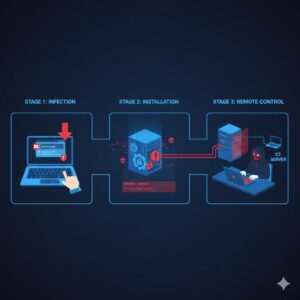
The functioning of a RAT remote access trojan follows a calculated sequence designed to avoid suspicion and maintain persistent control.
The process usually begins with infection. A RAT virus often enters a system through malicious email attachments, infected downloads, compromised websites, or fake software installers. Once the user unknowingly executes the file, the malware installs itself in the background.
After installation, the RAT establishes a connection to the attacker’s command server, usually through open network ports. This connection allows the cybercriminal to issue commands remotely. Through this channel, the attacker can monitor activity, upload or delete files, install additional malware, and extract sensitive information.
Many RAT malware variants also include advanced capabilities such as keylogging, screen recording, clipboard monitoring, and system surveillance. Some even disable security settings or hide themselves deep within the operating system to avoid detection.
Common Types and Examples of RAT Malware
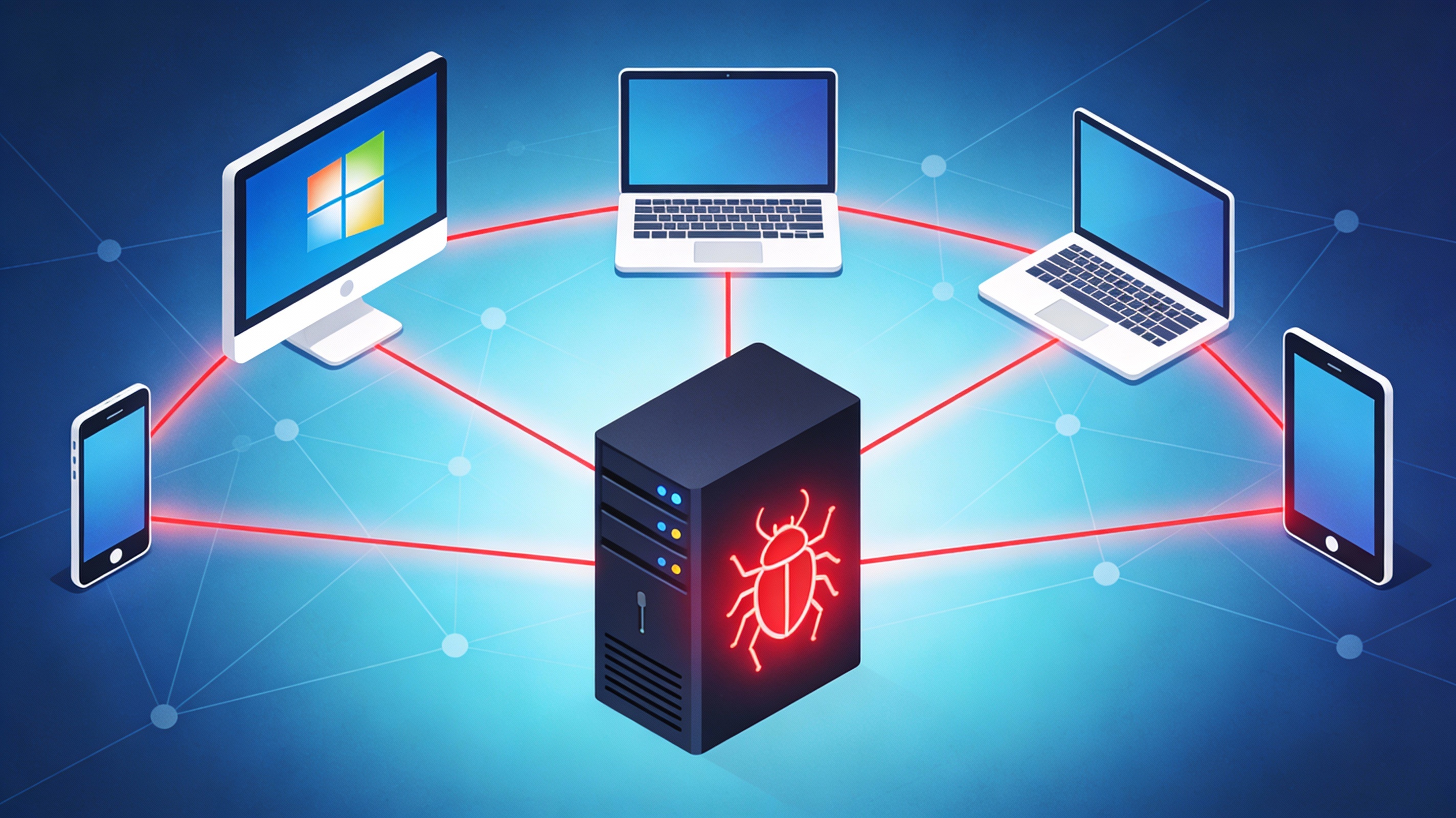
Remote access trojans have evolved significantly over time. While the underlying goal remains the same, gaining unauthorized control, different RATs use different methods depending on their targets.
Some RATs are designed for espionage and surveillance, targeting government institutions or enterprises. Others focus on stealing credentials, monitoring browsing behavior, or spreading through social networks. Certain RAT viruses impersonate popular software or productivity tools, tricking users into installing them.
There are also RATs that target specific platforms such as web browsers or mobile operating systems. These variations highlight how adaptable and dangerous RAT malware has become across multiple digital environments.
Why Is a RAT Virus So Dangerous?
A RAT virus is particularly dangerous because it removes the boundary between user and attacker. Once control is established, there are very few limitations on what the attacker can do.
One major risk is identity theft. Because RAT malware provides access to stored passwords, emails, messages, and personal data, attackers can impersonate victims, open fraudulent accounts, or steal funds.
Another significant danger is surveillance. Attackers can activate webcams and microphones without consent, turning devices into spying tools. This level of intrusion can lead to blackmail, stalking, or severe privacy violations.
RATs are also commonly used in large-scale cyber attacks. Infected devices can be grouped together and used to launch denial-of-service attacks, overwhelming servers and disrupting services.
Additionally, attackers may use infected systems for illegal data storage or cryptocurrency mining. This drains system resources, slows performance, and increases electricity usage while benefiting the attacker.
Also Read: What Is Blockchain Security?
Signs and Symptoms of a Remote Access Trojan Infection
Detecting a RAT in cyber security is challenging because many infections operate silently. However, there are several warning signs that may indicate the presence of RAT malware.
Unexpected browser behavior, such as frequent redirects or difficulty loading legitimate websites, can signal malicious activity. The appearance of unfamiliar files or programs is another red flag, especially if the user does not remember installing them.
Unusual webcam or microphone activity should never be ignored. If indicator lights activate without explanation, it could mean unauthorized access. Sluggish performance, overheating, or excessive fan noise may also suggest that hidden processes are running in the background.
It is important to note that some RAT infections show no obvious symptoms at all. This is why preventive measures and regular security scans are critical.
What to Do If Your Device Is Infected With a RAT
If you suspect a RAT virus infection, immediate action is necessary to minimize damage.
The first step is to disconnect the device from the internet. This prevents further communication between the attacker and the infected system. Next, restart the device in safe mode to limit the malware’s ability to operate.
A full system scan using a reputable security tool should be performed to detect and remove the RAT malware. Any infected files should be deleted or quarantined as recommended.
Once the malware is removed, all passwords must be changed immediately, including email, banking, and social media accounts. Monitoring financial activity and personal accounts for suspicious behavior is also essential during recovery.
How to Prevent Remote Access Trojan Infections
Preventing a remote access trojan is far easier than dealing with the consequences of an infection. Good cybersecurity habits play a crucial role in defense.
Avoid opening unknown email attachments or clicking suspicious links, even if they appear urgent or familiar. Download software only from trusted and verified sources, and avoid unofficial installers.
Keeping operating systems and applications updated ensures that known vulnerabilities are patched. Using strong, unique passwords combined with multi-factor authentication adds an extra layer of protection.
Covering webcams when not in use and limiting unnecessary permissions can reduce surveillance risks. Regular system scans and backups also help maintain long-term security.
Best Practices for Long-Term RAT Protection
Long-term protection against RAT malware requires consistent vigilance. Users should regularly review installed applications, monitor system performance, and stay informed about emerging cyber threats.
Training and awareness are especially important in workplaces, where a single infected device can compromise entire networks. By combining responsible digital behavior with proactive security measures, the risk of RAT infections can be significantly reduced.
Conclusion
A remote access trojan represents one of the most invasive and damaging forms of malware in modern cyber security. By granting attackers unrestricted control over devices, RAT malware threatens privacy, financial security, and personal safety.
Understanding how RAT viruses operate, recognizing the warning signs, and adopting strong preventive practices are essential steps toward staying safe online. In a digital landscape where threats continue to evolve, awareness and preparedness remain the strongest defenses against RAT attacks.
FAQs
What is a remote access trojan?
A remote access trojan is a type of malware that allows attackers to remotely control an infected device without the user’s knowledge.
How does RAT malware infect a computer?
RAT malware commonly spreads through malicious email attachments, fake downloads, infected websites, and compromised software installers.
Is a RAT virus more dangerous than other malware?
Yes, a RAT virus is considered more dangerous because it provides full remote access, enabling surveillance, data theft, and system manipulation.
Can RAT malware remain undetected?
Yes, many RATs are designed to stay hidden and may operate without obvious symptoms for long periods.
How can I protect myself from RAT attacks?
Practicing safe browsing, avoiding suspicious downloads, keeping software updated, and using strong authentication methods help reduce the risk of RAT infections.



