
Modern cyberattacks are no longer limited to suspicious email attachments or obviously malicious websites. One of the most dangerous and deceptive threats today is the drive by download, an attack that can compromise a device without the user’s knowledge or consent. Unlike traditional malware infections that require active user interaction, drive-by downloads exploit hidden vulnerabilities and silently install malicious code in the background.
This guide explains what a drive by download is, how drive-by downloads work, the role of drive-by exploits, and how individuals and organizations can protect themselves from these stealthy attacks.
Drive-by Download Attack Definition

A drive by download refers to the unintentional download of malicious software onto a computer, smartphone, or tablet. The victim does not knowingly click a download button or approve the installation. In many cases, simply visiting a compromised website is enough for the attack to succeed.
Drive-by downloads can occur on both malicious and legitimate websites. Hackers often inject malicious scripts into trusted platforms, advertisements, or third-party plugins, turning safe-looking pages into infection points.
Cybersecurity professionals typically divide drive-by downloads into two broad categories:
- Non-malicious but unwanted software
- Malware-based attacks using drive-by exploits
The second category is the most dangerous and is the primary concern in cybersecurity discussions.
Types of Drive-by Download Attacks
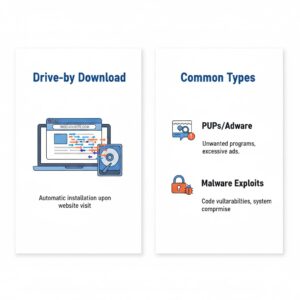
Potentially Unwanted Programs and Applications
Some drive by downloads install software that is not strictly malicious but still unwanted. These programs may include adware, browser toolbars, tracking extensions, or bundled utilities. While they may not immediately steal data, they often reduce system performance, display intrusive advertisements, and weaken overall security.
These programs commonly arrive bundled with free software downloads or appear as optional components that users fail to deselect during installation.
Malware-Based Drive-by Downloads
Malicious drive-by downloads are designed to compromise devices for criminal purposes. These attacks may install spyware, ransomware, trojans, or cryptomining software. Once active, the malware can steal credentials, monitor user activity, or allow attackers to control the device remotely.
These attacks rely heavily on drive-by exploits, which take advantage of unpatched software flaws.
What Is a Drive-by Download Attack?
A drive-by download attack is a form of cyberattack where malicious code is downloaded automatically when a user visits a website. The victim does not need to click a link, submit a form, or approve a download.
Attackers exploit vulnerabilities in:
- Web browsers
- Operating systems
- Browser plugins and extensions
- Media players and document readers
Because these attacks operate silently, many victims only realize something is wrong after damage has already occurred
Also Read: How to Get Rid of a Computer Virus
Goals of Drive-by Download Attacks
Drive-by downloads are deployed for multiple malicious objectives, including:
- Hijacking devices to form botnets
- Spying on online behavior and keystrokes
- Stealing login credentials and financial data
- Encrypting files for ransom
- Disabling systems to cause disruption
In large-scale attacks, compromised devices may be used to spread additional malware or launch further attacks against other networks.
How Drive-by Download Attacks Work
Drive-by downloads succeed because they are designed to remain invisible. Many victims never realize how the infection occurred.
There are two primary mechanisms behind these attacks:
- Authorized interactions with hidden consequences
- Fully unauthorized downloads without user awareness
Understanding both methods is essential for recognizing warning signs.
Authorized Drive-by Downloads with Hidden Payloads
In this scenario, the user unknowingly authorizes part of the attack.
Typical Attack Flow
- A hacker creates a malware delivery channel such as an advertisement, fake alert, or corrupted software download
- The user interacts with the content, believing it to be legitimate
- Malware installs quietly alongside the expected content
- The attacker gains access to the device
This method relies heavily on social engineering to trick users into trusting the source.
Bundleware and Software Packaging
One of the most common drive by exploit techniques involves bundled software. Free applications often include additional components that are pre-selected for installation. These components may include tracking software, browser hijackers, or malware.
If users rush through installation screens without reviewing options, they may unknowingly approve the installation of unwanted or malicious software.
Phishing-Driven Drive-by Downloads
Phishing messages often act as entry points for drive-by downloads. Fake security alerts, account warnings, or urgent system notifications pressure users into clicking links or downloading files.
Once the malicious page loads, the drive-by exploit scans the device for vulnerabilities and installs malware without further interaction.
Unauthorized Drive-by Downloads Without User Knowledge
The most dangerous drive-by downloads occur without any visible user action.
How Unauthorized Drive-by Downloads Work
- Hackers compromise a website by injecting malicious code
- A visitor accesses the infected page
- The embedded script scans the visitor’s device for weaknesses
- Malware downloads and installs automatically
- The attacker gains control or access
These attacks can occur even on reputable websites that unknowingly host malicious code.
Role of Drive-by Exploits
A drive-by exploit is a piece of malicious code designed to take advantage of software vulnerabilities. These exploits are often delivered through exploit kits that automatically analyze a device and select the most effective attack method.
Exploit kits are optimized for stealth and efficiency, allowing attackers to compromise many devices quickly.
Common Vulnerabilities Used in Drive-by Downloads
Zero-Day Exploits
Zero-day vulnerabilities are unknown security flaws for which no patch exists. Because defenses are unavailable, these exploits are extremely effective and difficult to stop.
Known but Unpatched Vulnerabilities
Many drive-by downloads succeed simply because systems are not updated. Delayed software updates leave known vulnerabilities open for exploitation.
Poor update practices significantly increase exposure to drive-by attacks.
Why Drive-by Downloads Are Hard to Prevent
Drive-by downloads are challenging to stop because:
- They require minimal or no user interaction
- They exploit legitimate software features
- They can hide within advertisements and trusted sites
- They evolve rapidly to bypass detection
Without layered defenses, even cautious users can be affected.
How to Avoid Drive-by Download Attacks
Prevention requires a combination of user awareness and technical safeguards.
Prevention Tips for Website Owners
Website owners play a crucial role in stopping drive by downloads at the source.
Key practices include:
- Keeping all website components updated
- Removing unsupported plugins and themes
- Using strong administrative credentials
- Monitoring site files for unauthorized changes
- Carefully vetting advertising networks
Regular security audits help detect malicious injections early.
Prevention Tips for Endpoint Users
Individuals can significantly reduce risk by following these practices:
- Use non-admin accounts for daily activities
- Install operating system and browser updates promptly
- Remove unused software and plugins
- Avoid suspicious websites and pop-ups
- Read installation prompts carefully
- Use ad blockers to reduce exposure
Awareness is one of the strongest defenses against drive-by attacks.
Role of Tunneling Protocols in Drive-by Attacks
Some attackers use tunneling protocols to conceal malicious traffic once a device is compromised. These protocols encapsulate data within legitimate network traffic, making detection more difficult.
By tunneling malicious communications through allowed protocols, attackers can maintain persistence and evade basic network monitoring tools. This highlights the importance of advanced traffic inspection and network security controls.
Conclusion
A drive by download is one of the most silent and dangerous cyber threats facing users today. Whether delivered through compromised websites, malicious ads, or hidden exploits, these attacks can compromise devices without warning.
Understanding how drive-by downloads, drive-by exploits, and related techniques work is essential for maintaining digital safety. By keeping software updated, practicing cautious browsing habits, and implementing layered security strategies, both individuals and organizations can significantly reduce their risk.
Understanding the threat is the first step toward preventing it.
FAQs
What is a drive-by download?
A drive-by download is an attack where malicious software installs automatically when a user visits a compromised website, without explicit permission.
Do drive-by downloads require clicking a link?
No. Many drive-by downloads occur simply by loading a webpage.
What is a drive-by exploit?
A drive-by exploit is malicious code that takes advantage of software vulnerabilities to install malware automatically.
Can legitimate websites spread drive-by downloads?
Yes. Trusted websites can become infected through compromised plugins, ads, or outdated components.
How can users protect themselves from drive-by downloads?
Keeping software updated, avoiding suspicious websites, using ad blockers, and practicing safe browsing habits are key defenses.



