
Cybersecurity threats come in many forms, but few are as disruptive and frightening as computer worms. Unlike malware that needs a user to click a link, open a file, or install an infected program, worms are designed to spread automatically. They move quickly, exploit weaknesses in systems, and can infect huge numbers of machines in a very short amount of time.
Among these threats, the Warhol Worm stands out as one of the most extreme examples of fast-spreading malware in theory and in practice. It represents the kind of internet-scale outbreak that security teams fear the most: the type that can move across global networks before organizations have enough time to react.
In this guide, you’ll learn exactly what a Warhol Worm is, why it is considered dangerous, how it spreads so fast, and what individuals and businesses can do to reduce the risk of worm-based cyberattacks.
The Threat From Computer Worms
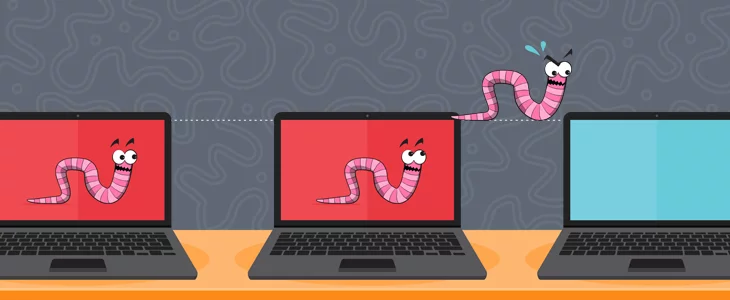
Before you can fully understand what makes a Warhol Worm unique, it helps to understand the broader category it belongs to: the computer worm.
A computer worm is a type of malware that can replicate itself and spread from one system to another without needing human involvement. Once it gets into a device, it searches for new targets, exploits vulnerabilities, and continues spreading until it runs out of reachable machines or is stopped by defenses.
What makes a computer worm so dangerous?
Computer worms are dangerous because they combine two major threat factors.
The first is speed. A worm does not rely on patience, persuasion, or slow manipulation. It looks for weaknesses and spreads immediately.
The second is scale. A successful worm does not just infect one laptop or one office network. It can spread across departments, across businesses, and in some cases across the entire internet.
This ability to self-propagate makes worms different from many other common cyber threats.
Worm vs virus vs trojan: what’s the difference?
People often use the words virus, worm, and trojan interchangeably, but in cybersecurity they represent different behaviors.
A virus usually needs a host file, such as a program or document, to attach itself to. It often spreads when users share infected files or run compromised software.
A worm is independent. It doesn’t require a host file to spread. Instead, it exploits networks, system services, and vulnerabilities to move automatically.
A trojan is malware disguised as something legitimate. It tricks the user into installing it, such as a “free tool,” an email attachment, or a fake software update. Trojans typically do not spread automatically, but they can open doors for additional attacks.
Many modern attacks blend these styles. For example, a worm might carry a trojan payload that installs remote access tools, steals data, or deploys ransomware.
How worms spread without user action
One of the most serious aspects of worms is that they can spread without obvious mistakes from end users. Even careful employees can be affected if a worm finds a vulnerability in a system or service.
Worms can spread through:
Unpatched operating systems
Weak network configurations
Open ports and exposed services
Outdated software components
Misconfigured remote access systems
Insecure internal networks that allow free movement
Once inside a network, a worm can scan local IP ranges, look for vulnerable machines, and infect them repeatedly.
Common damage caused by worms
Worms are rarely harmless. Even if the worm’s main goal is to spread, the side effects can cause serious disruption.
Some of the biggest worm-related damages include:
Network overload and downtime
A worm spreads by sending a huge amount of traffic. This can flood routers, slow down servers, and overwhelm internal systems. Even if the worm doesn’t destroy data, it can take business services offline.
Credential theft and unauthorized access
Modern worms often attempt to steal passwords, session tokens, or login details that allow attackers to access more systems beyond the infected machine.
Also Read: What is Linux and is it really secure?
Malware delivery and secondary infections
A worm is often used as a delivery vehicle. Once it spreads, it may install other malicious tools such as:
Ransomware that locks files
Spyware that monitors users
Keyloggers that capture credentials
Backdoors that allow persistent access
Botnet modules used for DDoS attacks
Data exposure and compliance risk
Worm outbreaks may cause data leaks, customer data exposure, or disruption of regulated systems. This can trigger serious compliance concerns, legal consequences, and reputational damage.
Why worms remain a major threat today
Even though cybersecurity tools have evolved, worms remain a serious risk because the digital world is larger and more complex than ever.
Organizations rely on:
Remote work
Cloud infrastructure
Third-party vendors and integrations
Internet-connected devices
Fast-moving deployment cycles
Large networks with thousands of endpoints
Each endpoint and connected service becomes another possible entry point for worm-like malware.
This is exactly why the Warhol Worm concept is so important.
What is a Warhol Worm?
A Warhol Worm is a type of computer worm designed to spread extremely fast across the internet, potentially infecting large numbers of vulnerable systems in a very short period of time.
The key defining feature of a Warhol Worm is speed at an internet-wide scale.
If a “normal” worm spreads quickly, a Warhol Worm is designed to spread at a level that can overwhelm defenses before organizations even recognize what’s happening.
Where does the name “Warhol Worm” come from?
The term Warhol Worm is inspired by the phrase often attributed to pop artist Andy Warhol about getting “fifteen minutes of fame.” In cybersecurity, the name reflects a worm that achieves rapid, widespread attention and infection across global networks in a very short time.
In simple terms, the name represents malware that becomes famous fast, because it spreads fast.
What makes the Warhol Worm different from other worms?
While all worms replicate and spread, a Warhol Worm is defined by its ability to spread aggressively at a near-instant scale.
A Warhol Worm is typically described as having capabilities such as:
High-speed scanning of internet IP addresses
Automated exploitation of known vulnerabilities
Minimal dependence on user actions
Rapid propagation between systems
Ability to infect huge numbers of hosts before detection and response
This speed is not random. It is achieved through design choices that optimize infection rate.
How does a Warhol Worm spread so quickly?
The speed of a Warhol Worm is largely driven by how it finds and infects new machines.
Most worms use scanning to discover targets. A Warhol Worm takes scanning to an extreme.
It may:
Scan large ranges of IP addresses rapidly
Use random scanning to reach global networks
Use hit lists of known vulnerable targets
Target widely used services and ports
Exploit vulnerabilities that exist in outdated or unpatched systems
The goal is to reach as many systems as possible before defensive teams can react.
Why the Warhol Worm concept matters in modern cybersecurity
Even if you never face a specific worm labeled “Warhol Worm” in everyday news, the concept is highly relevant because many modern cyberattacks attempt to achieve the same effect.
When a new vulnerability becomes public, attackers try to:
Exploit it faster than defenders can patch
Infect as many systems as possible
Create outbreaks that spread into internal networks
Establish access before the security community catches up
The Warhol Worm idea is basically the nightmare version of that scenario.
Key characteristics of Warhol Worm attacks
Although different worms vary in design, Warhol Worm behavior is commonly associated with specific traits.
Extremely fast infection rate
The infection curve is steep. That means in minutes or hours, thousands or millions of devices could be compromised, depending on how many vulnerable systems exist online.
Wide-scale targeting
A Warhol Worm typically targets widely deployed software or services. This is how it achieves broad reach rather than being limited to niche systems.
Automated scanning and exploitation
Automation is the worm’s strongest weapon. It doesn’t need to wait for someone to click. It simply searches, finds, exploits, and spreads.
Exploitation of known weaknesses
Many internet-scale outbreaks happen because:
Systems remain unpatched
Legacy software is still running
Organizations delay updates
Devices stay exposed directly to the internet
Security configurations are outdated
A Warhol Worm takes advantage of that reality.
Minimal time for defenders to respond
The main problem with fast worms is that traditional security operations are not built for that speed.
A typical response includes:
Detecting unusual behavior
Confirming infection
Identifying the vulnerability
Isolating systems
Applying patches
Cleaning devices
Monitoring for reinfection
A Warhol Worm can infect faster than this process can begin.
How a Warhol Worm can impact organizations
A successful Warhol Worm outbreak is not just a technical problem. It becomes an operational crisis.
Here are some of the biggest impacts.
Service disruption and downtime
If systems crash or networks become overloaded, business services may become unavailable. This can impact:
Customer portals
Internal email systems
Payment systems
Cloud environments
Communication tools
Operations and production
Even short downtime can be expensive.
Mass compromise of endpoints
Because worms spread across connected systems, a Warhol Worm can turn a manageable incident into a large-scale failure across:
Workstations
Servers
Virtual machines
IoT devices
Remote work devices
Data loss or data exposure
Depending on what payload comes with the worm, it could lead to:
Sensitive data being copied out
Internal files being stolen
Passwords being collected
Private customer records leaking
This can cause reputational damage that lasts far longer than the infection itself.
Financial losses
Costs can include:
Incident response and recovery
Downtime losses
Infrastructure replacement
Security hardening work
Regulatory and legal impact
Customer support overload
Long-term security risk
Even after the worm appears removed, organizations may remain compromised if attackers left behind:
Backdoors
Admin accounts
Stolen credentials
Remote access tools
Hidden scheduled tasks
A worm outbreak can become the starting point for long-term intrusion.
Common signs and indicators of worm infection
Warhol Worm infections can be hard to detect early because they move so quickly. But there are common warning signals that indicate worm-like behavior.
Some signs include:
Unusual spikes in network traffic
Mass scanning attempts from internal machines
Slow systems across many departments at once
Unexpected service outages
Device performance degradation
Logins from unusual IPs or devices
Security tools reporting repeated exploit attempts
In fast outbreaks, the first sign is often that “everything feels broken.”
Prevention and Protection Strategies
The best way to deal with a Warhol Worm is to prevent the conditions that allow it to spread. Since worms often exploit vulnerabilities, prevention is heavily based on strong security fundamentals.
Regular patching and system updates
Fast worms thrive in environments where updates are delayed.
Every organization should prioritize:
Operating system updates
Web server updates
Database patches
Application security updates
Firmware updates on network devices
Security patching for remote access services
The faster patching happens, the smaller the population of vulnerable hosts remains.
Reduce exposure of services to the internet
Many worm outbreaks happen because internal services are directly reachable online.
To reduce risk:
Avoid exposing unnecessary ports publicly
Lock down remote access tools
Use secure gateway access instead of open services
Implement IP allowlists where possible
Use strong authentication and access controls
Network segmentation
If every device can talk to every other device, a worm spreads like fire through dry grass.
Segmentation helps reduce worm movement by limiting communication paths between:
Departments
Server networks and user networks
Production systems and office systems
Sensitive databases and general traffic
Guest networks and internal networks
The goal is containment. Even if one segment is infected, the whole organization doesn’t collapse.
Strong firewall rules and traffic monitoring
Worms often rely on predictable patterns like scanning and exploitation attempts. Network monitoring can catch this early, especially if rules are in place to detect unusual volumes.
Organizations should consider:
Blocking unnecessary inbound services
Detecting unusual outbound scanning traffic
Monitoring for abnormal internal connections
Logging and alerting on repeated access attempts
Endpoint hardening and secure configurations
Devices should be hardened so they’re harder to exploit.
This includes:
Disabling unused services
Removing unnecessary applications
Limiting admin privileges
Enforcing secure password policies
Using MFA where supported
Restricting software installation rights
Small improvements at the endpoint level can significantly reduce worm success.
Backup and recovery readiness
Even if a worm causes data damage, good backups can prevent a business-ending event.
Backups should be:
Regular and automated
Stored securely
Tested for restore
Separated from the main network
Protected from tampering
Recovery planning matters because speed is critical during outbreaks.
Security awareness and safe browsing habits
Even though worms don’t require user actions, attackers often pair worm tactics with social engineering.
User education still plays a major role in preventing the “first infection,” especially through:
Suspicious downloads
Unknown email attachments
Fake update prompts
Malicious advertisements
Phishing links
Reducing the chance of initial compromise is always valuable.
Incident response planning for rapid outbreaks
Warhol Worm-like threats are fast. Response plans must be fast too.
A strong incident response plan should include:
Predefined isolation steps
Rapid shutdown procedures for affected network segments
Clear communication roles
Known escalation paths
Access to patching and remediation tools
A way to quickly reset credentials if needed
In real outbreaks, confusion and delay cause the most damage.
Conclusion
A Warhol Worm is one of the most extreme and alarming concepts in cybersecurity because it represents malware that spreads at explosive speed across the internet. It takes the self-replicating nature of worms and pushes it to its most dangerous limit, where global-scale compromise can happen before defenses can catch up.
The biggest lesson of the Warhol Worm is simple but powerful: security must be proactive, not reactive. Once a fast-moving worm is in motion, stopping it becomes significantly more difficult. That’s why patch management, secure configurations, network segmentation, and monitoring are essential.
Whether you’re a casual internet user or an IT professional responsible for large systems, understanding what a Warhol Worm is helps you take cyber threats more seriously and build stronger defenses before the next outbreak happens.
FAQs
What is a Warhol Worm in simple terms?
A Warhol Worm is a type of computer worm designed to spread extremely fast across many devices, often at an internet-wide scale, by exploiting vulnerabilities automatically.
Is a Warhol Worm the same as a normal worm?
Not exactly. While both are worms, a Warhol Worm refers to a worm that spreads at a much faster rate and can infect massive numbers of systems in a very short time.
Why is a Warhol Worm so dangerous?
A Warhol Worm is dangerous because it spreads faster than most organizations can detect, contain, and remediate. This can cause widespread downtime, data theft, and long-term compromise.
How does a Warhol Worm spread?
A Warhol Worm spreads by scanning for vulnerable systems and exploiting weaknesses automatically, often without needing the victim to click anything or download a file intentionally.
Can individuals be affected by Warhol Worm attacks?
Yes. While large organizations are common targets, personal devices can also become infected if they are vulnerable and connected to exposed networks.
How can businesses protect themselves from Warhol Worm outbreaks?
The best defenses include timely patching, reducing exposed services, segmenting networks, monitoring traffic, and having a fast incident response plan ready for rapid outbreaks.
What is the first warning sign of a worm outbreak?
The earliest signs often include unusual network traffic, system slowdowns across many devices, unexpected crashes, or security alerts showing scanning and exploitation attempts.

Debabrata Behera is a passionate blogger who writes about digital trends, personal growth, and practical insights, helping readers stay informed, inspired, and ready to achieve success in life.



