Building access control systems are security solutions that regulate who can enter or exit specific areas within a property and when they can do so. They help protect people, assets, and sensitive information by ensuring only authorized individuals can reach specific spaces.
Over time, security has evolved from simple mechanical locks and keys to sophisticated electronic access control using key cards, biometrics, and mobile credentials. Modern systems are often cloud-based and integrated with video surveillance and intrusion detection, providing stronger security, better monitoring, and easier administration than traditional methods.
This blog provides a comprehensive understanding of building access control systems, covering concepts, components, system types, building-specific needs, implementation best practices, and future trends. It is designed to serve as a practical guide for property managers, security teams, and business owners evaluating or upgrading their access control.
What is a Building Access Control System?
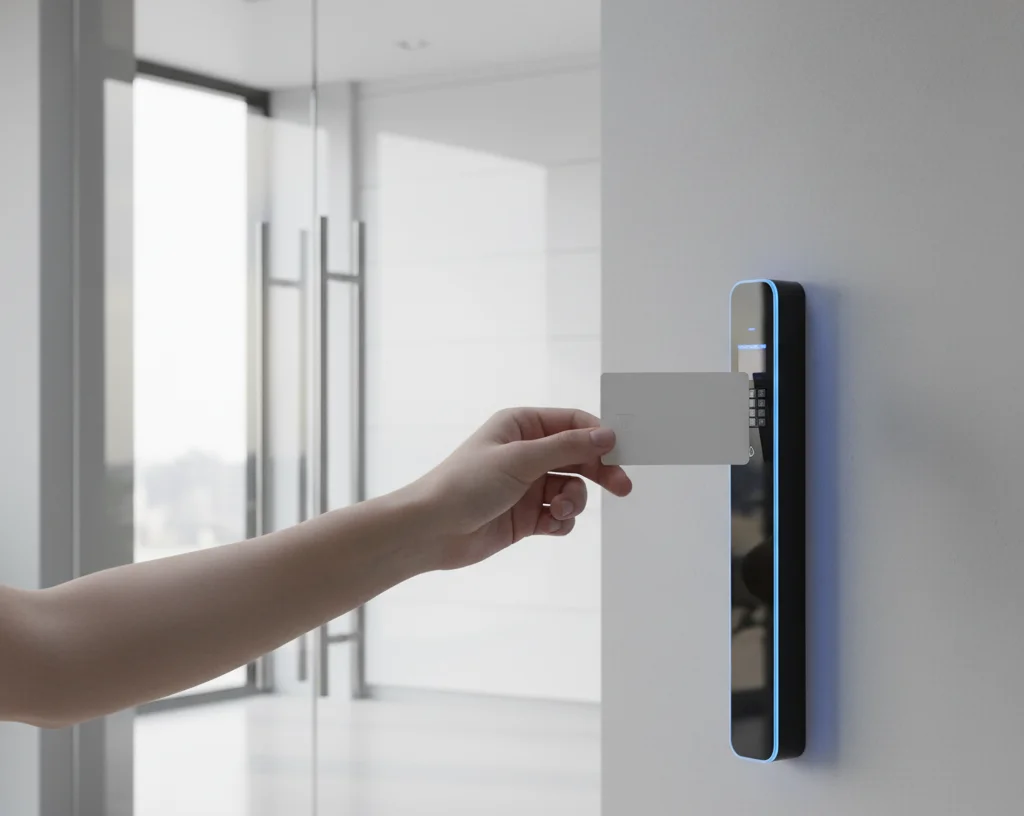
A building access control system is a coordinated set of hardware and software that manages who can access which doors, zones, or resources, and under what conditions. It authenticates a user’s identity, checks authorization rules, unlocks doors when appropriate, and logs each access event for auditing and investigations.
In simple terms, access control enforces a building’s security policies: which people or groups can access specific areas at specific times. These systems may protect:
- Exterior doors and main entrances
- Internal offices and meeting rooms
- Data centers and server rooms
- Elevators and specific floors
- Parking gates and loading docks
The key goals of building access control are:
- Protecting occupants and visitors
- Preventing theft, vandalism, or damage to assets
- Safeguarding sensitive data and operations
- Supporting regulatory and audit requirements
Most systems are built from common components: credentials, readers, controllers, software platforms, and physical barriers. Together they form a layered security architecture that can scale from a few doors in a small site to thousands of access points across multiple facilities.
Key Components of Building Access Control Systems
Access credentials (keys, cards, biometrics, mobile credentials)
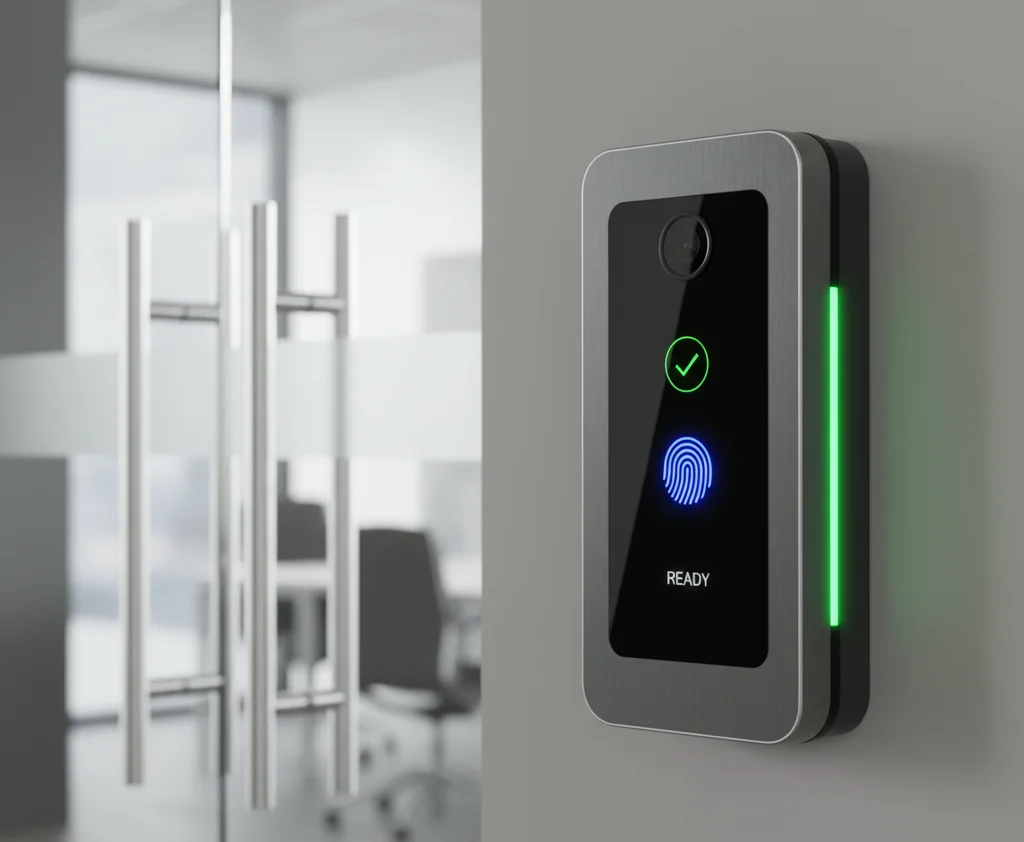
Access credentials are the identifiers that users present to prove they are allowed to enter a given area. Traditional options include metal keys, but in modern systems credentials are typically electronic, such as proximity cards, fobs, PIN codes, biometric templates, or mobile tokens.
Common types of credentials include:
- Physical keys
- RFID cards and key fobs
- PIN codes entered on a keypad
- Biometric templates (fingerprint, face, iris, palm, etc.)
- Mobile credentials stored on smartphones or wearables
Electronic credentials can be centrally issued, modified, or revoked, making them far easier to manage than unmanaged physical keys. They can also represent individuals, roles, departments, or time-limited visitors, enabling fine-grained control and rapid response if a credential is lost or compromised.
Access control readers
Readers are devices installed at doors, gates, turnstiles, or other entry points that capture and transmit credential data. Depending on the system, they may read RFID cards, NFC/BLE mobile credentials, PIN codes on keypads, or biometric characteristics like fingerprints or faces.
Typical reader types include:
- Proximity card and fob readers
- Keypad readers for PIN-based access
- Biometric readers (fingerprint, facial recognition, iris)
- Mobile readers supporting NFC or Bluetooth
When a credential is presented, the reader sends encrypted data to a controller or control panel, which decides whether to unlock the entry. Readers can be designed for indoor or outdoor use, vandal resistance, multi-factor authentication, and contactless operation in hygiene-sensitive environments.
Controllers (centralized vs decentralized)
Controllers, also known as access control units or panels, act as the decision-making brains of the system. They receive credential data from readers, consult access rules, and then command locking hardware to grant or deny entry.
There are two common architectures:
- Centralized controllers
- Fewer, more powerful control panels manage many doors
- Rely heavily on a server or cloud platform
- Easier to manage from a single location
- Decentralized / distributed controllers
- Intelligence is pushed closer to individual doors
- Some doors can operate autonomously if the network is down
- Can improve resilience in critical environments
Software (management, monitoring, integration with other systems)
Access control software provides the interface where administrators define users, credentials, access levels, schedules, and door configurations. It is also used to monitor door status in real time, review logs, investigate incidents, and generate compliance or audit reports.
Key capabilities typically include:
- User and credential lifecycle management
- Role- or group-based access profiles
- Time schedules (working hours, holidays, shifts)
- Real-time monitoring of doors and alarms
- Reporting and audit log export
Modern platforms increasingly run in the cloud, enabling:
- Remote administration via web browsers and mobile apps
- Easier software updates and feature rollouts
- Centralized management of multiple buildings and sites
Integration with CCTV, intrusion alarms, visitor management, and building management systems allows security teams to correlate events and respond more quickly to threats.
Also Check: Anti-Money Laundering (AML) in Banking: Why It Matters?
Physical access barriers (doors, turnstiles, gates, bollards)
Physical barriers are the mechanical or electromechanical points that actually block or allow passage. Common examples include door locks, turnstiles, speed gates, vehicle gates, and security bollards.
They typically use:
- Electric strikes
- Electromagnetic locks
- Motorized turnstiles and speed gates
- Automated vehicle barriers and bollards
These barriers are controlled by the access system. When integrated correctly with readers and controllers, they enforce rules on the ground so only authorized individuals or vehicles physically move into protected spaces.
Types of Access Control Systems
Biometric and facial recognition systems
Biometric systems verify identity using unique physical traits such as fingerprints, iris patterns, palm veins, or facial geometry. Because biometrics are difficult to share, steal, or duplicate, they offer a higher level of assurance compared with traditional cards or PINs.
Key characteristics:
- High identity assurance
- Very low risk of credential sharing
- Can be contact-based (fingerprint) or contactless (face, iris)
- Often used in high-security or regulated environments
Facial recognition and other contactless biometrics are especially valuable where hygiene, speed, or hands-free access is important, such as:
- Hospital entrances and clinical areas
- High-traffic office lobbies
- Industrial environments where workers wear gloves or PPE
Key card and key fob systems
Card and fob systems use RFID or similar technologies to store and transmit user credentials to readers at doors. They are popular in commercial offices, hotels, residential complexes, and campuses because they are relatively inexpensive and easy to deploy.
Advantages:
- Familiar and easy to use
- Simple issuance and revocation
- Scales well for large user populations
Considerations:
- Cards and fobs can be lost, stolen, or shared
- Often combined with PINs or biometrics in higher-risk areas
Keypad systems
Keypad systems grant access when users enter a correct numeric PIN or passcode at a door. They are beneficial where issuing physical credentials to every user is impractical or where basic security at secondary doors is sufficient.
Pros:
- No physical token to carry
- Low hardware cost
- Simple to retrofit in many locations
Cons:
- PINs can be observed or shared
- Requires disciplined code management and regular rotation
Keypads are also frequently used as a second factor in multi-factor authentication setups.
Mobile access systems
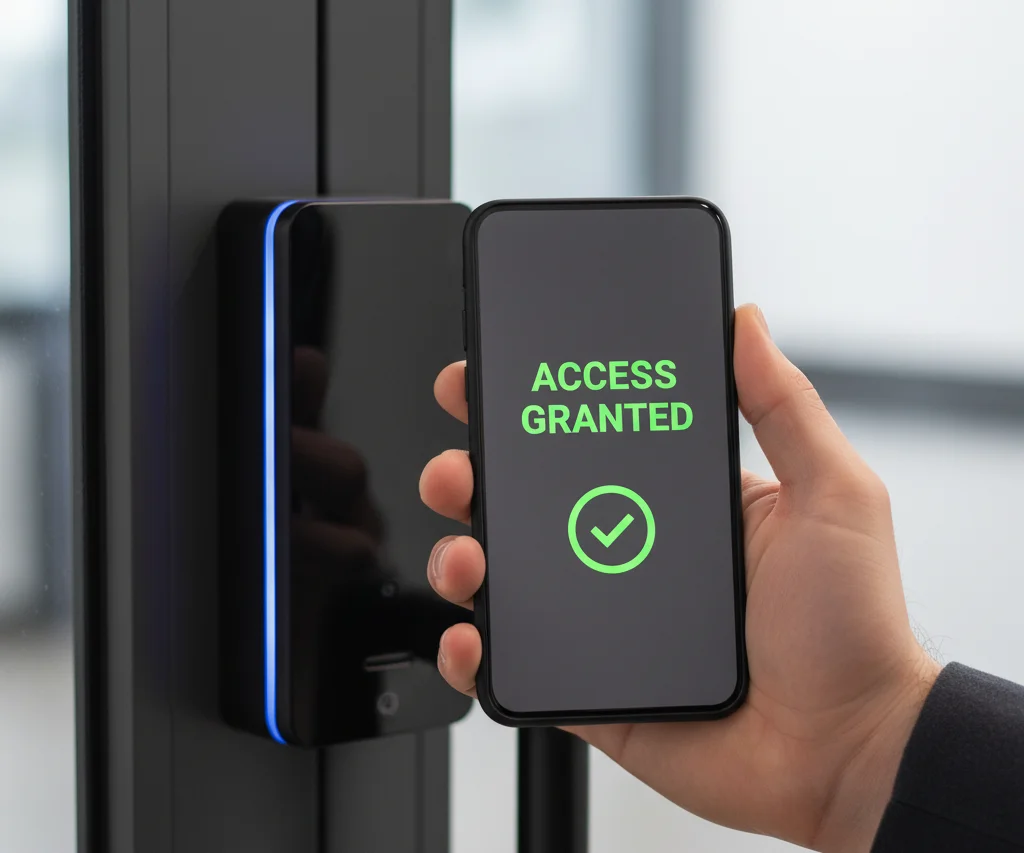
Mobile access systems turn smartphones or other mobile devices into secure credentials using NFC, Bluetooth Low Energy (BLE), or secure cloud tokens. Users present phones at compatible readers or use tap-to-unlock apps to gain entry.
Benefits:
- Convenient for users who already carry smartphones
- Digital passes can be provisioned and revoked remotely
- Reduced need to print and ship physical cards
- Supports temporary and visitor credentials easily
This approach is especially attractive for:
- Modern offices with hybrid or flexible workforces
- Multi-tenant commercial and residential buildings
- Tech-forward workplaces and co-working spaces
Comparison of systems based on security, convenience, and use cases
- Biometrics
- Highest assurance, strong protection against credential sharing
- Higher deployment cost and stricter privacy considerations
- Best for high-security or compliance-driven zones
- Cards and fobs
- Good balance between cost and usability
- Suited to offices, hospitality, residential complexes, and campuses
- Risk of loss or theft mitigated by quick revocation
- Keypads (PINs)
- Low-cost and simple for low-to-medium risk openings
- Weaker if codes are shared or not rotated
- Useful as backup or secondary factor
- Mobile access
- High convenience and strong central control
- Well suited to dynamic populations and multi-site organizations
- Dependent on user devices and network infrastructure
Most organizations deploy a hybrid of these methods to match the risk profile, operational needs, and user expectations of different areas.
Access Control Needs by Building Types
Commercial buildings (offices, retail, multi-tenant)
Commercial buildings must accommodate employees, visitors, contractors, and sometimes retail customers, all with different access needs. Typical requirements include controlling:
- Main entrances and reception areas
- Office floors and tenant spaces
- Meeting rooms and collaboration spaces
- Loading docks and back-of-house areas
- Car parks and bike storage
Key considerations:
- Flexible access rights for staff, visitors, and vendors
- Integration with visitor management and elevator control
- Support for multi-tenant configurations in shared buildings
Residential complexes (apartments, gated communities)
Residential environments prioritize safety, privacy, and convenience for residents and their guests. Common access points include:
- Building entrances and lobby doors
- Elevators and residential floors
- Parking garages and bike rooms
- Mailrooms and package lockers
- Amenities such as gyms, pools, and lounges
Important features:
- Simple credentials (fobs, cards, mobile) for residents
- Intercom or video entry for visitors and deliveries
- Fast revocation when residents move out or devices are lost
Industrial facilities (factories, warehouses)
Industrial sites must protect high-value equipment, inventories, and hazardous or restricted areas while supporting 24/7 operations.
Typical requirements:
- Secure perimeters, vehicle gates, and loading bays
- Zoned access to production lines and machinery
- Restricted access to hazardous materials and utilities
- Separation of staff, contractors, and visitors
Additional needs:
- Rugged, industrial-grade hardware
- Integration with time-and-attendance or contractor systems
- Strong linkage to safety and regulatory requirements
Government and military installations
Government and defense facilities demand the highest levels of assurance and strict adherence to security policies.
Characteristics:
- Multi-layered perimeters and internal zones
- Use of multi-factor authentication (card + PIN + biometric)
- Strict clearance-based access rules
- Strong logging and audit requirements
Systems in these environments must be:
- Highly reliable and resilient
- Protected against both physical and cyber attacks
- Flexible enough to adapt to evolving threat landscapes
Healthcare facilities (hospitals, clinics)
Healthcare facilities need to balance rapid, reliable access for medical staff with protection for patients, high-value assets, and sensitive data.
Typical zones:
- Emergency departments and clinical areas
- Pharmacies and medication storage
- Laboratories and diagnostic rooms
- Records rooms and administrative offices
Key needs:
- Fast, hands-free or low-friction access for clinicians
- Clear separation between public, semi-public, and restricted zones
- Compliance with privacy and health regulations
Educational institutions (schools, universities)
Schools and universities must secure campuses while remaining accessible and welcoming.
Common requirements:
- Controlled access to main entries and classroom buildings
- Secure dormitories and residential buildings
- Protected labs, workshops, and research spaces
- Libraries, sports facilities, and exam areas
Important features:
- Multi-purpose credentials (access + ID + services)
- Flexible schedules for classes, events, and holidays
- Support for lockdowns and emergency response procedures
Planning and Implementing Access Control Systems
Assessing building-specific security needs and key access points
Effective implementation starts with a thorough assessment. This typically includes:
- Identifying critical assets and high-risk areas
- Mapping all external and internal access points
- Understanding user groups and their movement patterns
- Reviewing existing security measures and gaps
The outcome should be a clear risk profile and a prioritized list of doors, zones, and processes that need to be controlled.
Selecting appropriate technologies based on building type and requirements
Once needs are defined, technologies can be matched to requirements. Key questions include:
- What security level is required for each area?
- How many users and what types (staff, tenants, visitors)?
- What user experience is desired (hands-free, card-based, etc.)?
- What is the budget and timeline for deployment?
This step often results in a mix of:
- Cards or fobs for general building access
- Mobile credentials for flexibility and visitor flows
- Biometrics for the highest security rooms or zones
- Keypads as backup or secondary factors
Integration with other security systems (video surveillance, intrusion detection)
Integrating access control with other security systems increases overall effectiveness.
Typical integrations:
- Video surveillance
- Link door events (grants, denies, alarms) with camera footage
- Provide visual verification of incidents
- Intrusion detection and alarms
- Trigger alerts if doors are forced or held open
- Coordinate responses like sirens or notifications
- Fire and life safety systems
- Automatically unlock exit doors during fire alarms
- Support safe evacuation and first responder access
User training and emergency protocols
Even the best system can be undermined by poor human practices. Proper training should cover:
- How to use credentials and readers correctly
- Policies on tailgating and holding doors for others
- How and when to report lost or stolen credentials
- What to do during alarms, evacuations, or lockdowns
Clear, documented emergency protocols ensure that, in a crisis, people know:
- How access rules change (for example, doors unlocking for egress)
- Who has authority to modify access rights temporarily
- How first responders are granted fast but controlled access
Best Practices for Effective Access Control Management
Regular monitoring and reviewing access logs
Ongoing monitoring is essential for both security and compliance. Good practices include:
- Reviewing exception events such as forced doors or repeated denials
- Spotting unusual access patterns (time, location, user)
- Periodically exporting and archiving logs for investigations and audits
Analytics and dashboards can help security teams quickly focus on the most important events.
Updating permissions and system maintenance
Access control is not “set and forget.” It requires continuous upkeep:
- Regularly auditing user lists and access levels
- Immediately revoking access for departed staff or tenants
- Reviewing group permissions to avoid excessive rights
- Applying firmware and software updates from vendors
- Testing critical doors and fail-safe/fail-secure behavior
Proactive maintenance improves reliability and reduces security gaps.
Future-proofing and scalability considerations
Designing with the future in mind avoids costly rework later. Consider:
- Likely growth in users, doors, or sites
- Potential regulatory changes or industry standards
- The need to integrate with future systems (HR, visitor, smart building)
Choosing scalable, modular hardware and open, API-friendly software makes it easier to expand and adapt over time.
Benefits of Modern Building Access Control Systems
Enhanced security and reduced unauthorized entry
Modern systems significantly reduce opportunities for unauthorized access by:
- Verifying identity at every protected entry
- Enforcing granular rules by role, time, and location
- Providing alarms and alerts for abnormal events
- Supporting multi-factor authentication where needed
This layered approach makes it much harder for attackers or insiders to move undetected.
Convenience and user-friendly experience for authorized users
Well-designed access control should feel seamless for legitimate users. Benefits include:
- Fast, frictionless entry with cards, phones, or biometrics
- Single credentials for multiple buildings and amenities
- Reduced reliance on physical keys and manual sign-in processes
A positive user experience increases compliance and reduces workarounds.
Regulatory compliance and audit trail capabilities
Detailed logs of who accessed what, when, and where are invaluable for compliance. Access control supports:
- Demonstrating that only authorized individuals reached sensitive areas
- Providing evidence during audits, investigations, or disputes
- Enforcing segregation of duties within regulated processes
Many industries (finance, healthcare, government, critical infrastructure) rely on robust physical access records as part of their control frameworks.
Remote management and cloud-based control
Cloud-based platforms and remote management tools enable:
- Centralized control across multiple sites
- Remote onboarding and offboarding of users
- Quick response to alerts and configuration changes
- Easier scaling as organizations grow or reorganize
This is particularly useful for organizations with distributed offices, retail networks, or large property portfolios.
Common Challenges and How to Overcome Them
Visitor management in secure environments
Visitors, contractors, and temporary workers can introduce security gaps if not managed properly. To address this:
- Use dedicated visitor management tools integrated with access control
- Issue time-limited or area-limited badges or mobile passes
- Pre-register visitors to streamline check-in and reduce bottlenecks
- Require escorts or additional checks for high-risk areas
Clear policies and consistent processes maintain both security and a good visitor experience.
Preventing loss or theft of access credentials
Lost or stolen credentials are a common risk. Mitigation steps include:
- Educating users to report losses immediately
- Quickly deactivating compromised cards or fobs
- Using unique, non-obvious PINs and rotating them regularly
- Considering mobile or biometric credentials where appropriate
- Applying multi-factor authentication at critical doors
These measures reduce the window of opportunity for misuse.
Balancing security with user convenience
Overly strict controls can frustrate users and lead to insecure shortcuts; overly lax controls increase risk. Finding balance involves:
- Aligning controls with the risk level of each area
- Gathering feedback from users and security staff
- Piloting changes before wide rollout
- Adjusting policies iteratively based on real-world use
The goal is to implement security measures that people will actually follow day to day.
Conclusion
Tailored building access control solutions are essential for protecting people, assets, and information while supporting efficient daily operations. By understanding core concepts, components, system types, and building-specific needs, organizations can design systems that align closely with their risk profile and user expectations.
Evaluating current controls, identifying gaps, and planning phased upgrades helps ensure that legacy systems evolve into modern, integrated platforms rather than become weak points. With thoughtful design, careful implementation, and ongoing management, access control becomes a powerful enabler of safer, smarter buildings rather than just a collection of locks and badges.