
In an increasingly digital world, the verification of identity documents has become essential across multiple sectors, from banking and travel to healthcare and government services. Ensuring that the person presenting an ID document is who they claim to be is crucial for security, fraud prevention, and regulatory compliance. This blog explains the detailed process of how ID document verification works, the technologies involved, and its significance in maintaining trust and security.
Understanding ID Documents
Types of Identification Documents
ID documents come in various forms, each serving specific purposes and containing distinct security features:
- Passports: International travel documents issued by governments; contain microprinting, holograms, and biometric data to prevent forgery.
- Driver’s Licenses: Issued by regional authorities; include magnetic stripes, barcodes, laser engraving.
- National ID Cards: Government-issued identification with embedded chips, holographic images, often containing biometric data.
- Health Insurance Cards: Verify coverage; include member IDs and expiration dates.
- Other IDs: Medicare, social security, birth certificates, and permanent resident cards.
Security Features in ID Documents
These are designed to make counterfeiting difficult and include:
- Microprinting and holograms
- Magnetic stripes and barcodes
- Laser engraving
- Embedded chips and NFC technology
- Biometric data (facial recognition, fingerprints, iris scans)
- Watermarks and security threads
- UV-visible features
The ID Document Verification Process: Step-by-Step
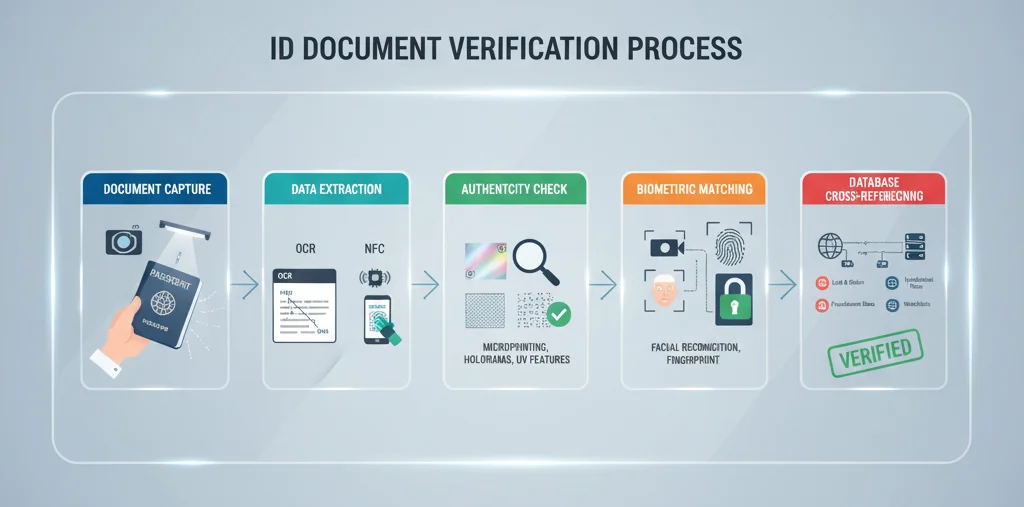
Step 1: Document Capture
The first step involves capturing high-quality images of the ID document, using scanners or cameras. Clear images of the front and back should be obtained to ensure all details are visible. Proper lighting, focus, and resolution are essential to avoid glare, blurriness, or poor image quality, which could affect subsequent verification steps.
Step 2: Data Extraction
Once captured, data extraction technologies come into play:
- Optical Character Recognition (OCR): Reads and digitizes printed text such as name, date of birth, document number, and expiration date from the images.
- NFC Data Reading: Reads embedded chips in documents like e-passports or smart ID cards.
This step converts the visual data into machine-readable formats, facilitating further verification processes.
Step 3: Authenticity Checks
These checks verify that the document has not been tampered with:
- Validating holograms, watermarks, and security features via specialized software.
- Checking for signs of physical tampering, such as altered edges, mismatched security elements, or smudged print.
- Comparing document structure and security feature placement against known standards.
Step 4: Biometric Verification
Modern ID systems often include biometric data that can be matched with the live individual:
- Facial recognition compares the photo on the document with a live selfie or video.
- Fingerprint or iris scans provide additional security layers.
- Liveness detection techniques prevent presentation attacks like masks or deepfakes.
Step 5: Database Cross-Referencing
Extracted data is cross-checked against official and third-party databases:
- Confirm whether the document is reported lost, stolen, or reported for fraud.
- Verify that details match official records for accuracy.
- Run sanctions and PEP (Politically Exposed Persons) checks for financial compliance.
Step 6: Risk Scoring & Decision Making
The system evaluates the verification results:
- Analyzing signals of authenticity and potential fraud indicators.
- Employing machine learning algorithms to determine risk levels.
- Approving, rejecting, or flagging documents for manual review based on the evaluation.
Three Main Types of ID Verification Methods
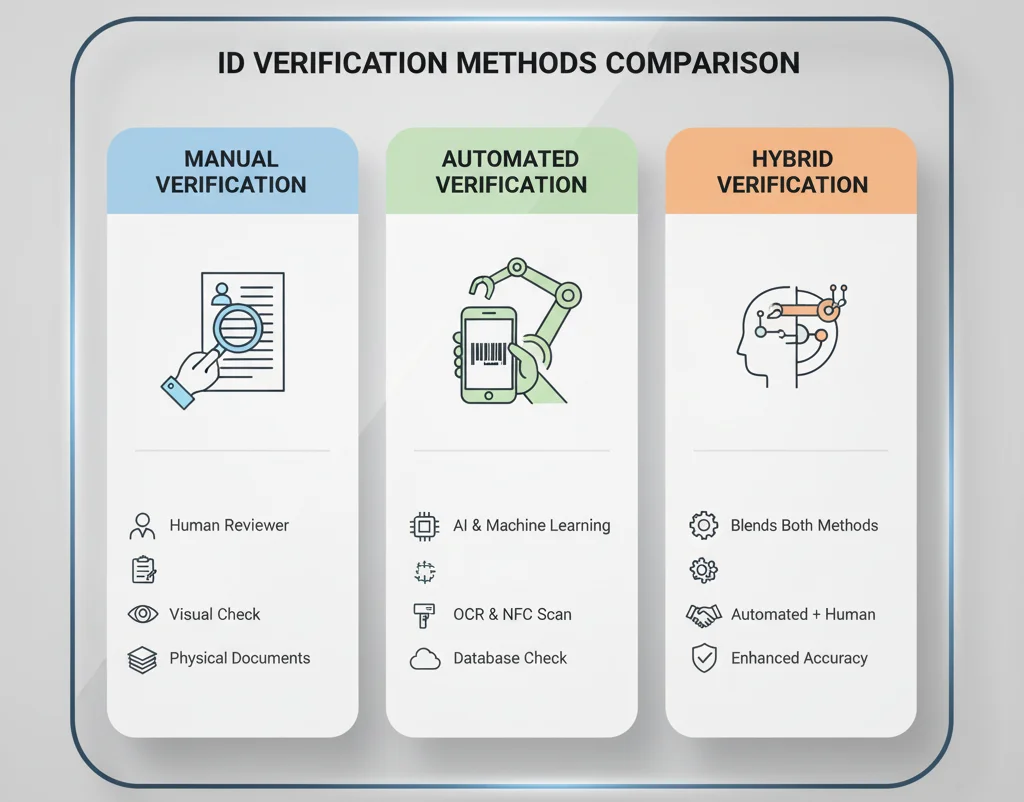
1. Manual Verification
Manual verification involves trained personnel visually inspecting documents for authenticity signs. They examine security features, signatures, and compare data with the individual present. It is thorough but slow and prone to human error, often used in high-risk scenarios such as voting or sensitive onboarding processes.
2. Automated (Digital) Verification
Automation leverages advanced algorithms, AI, and machine learning for rapid processing. Digital verification can instantly analyze images, extract data, and cross-reference information with databases. It is suitable for high-volume environments like banking applications and airport security, delivering speed and accuracy.
3. Hybrid Verification
Hybrid systems combine the speed of automation with human oversight for complex cases or anomalies detected during digital checks. This approach balances efficiency with accuracy, providing a robust framework suited for sectors requiring high security, such as legal or financial services.
Technologies Powering ID Verification
1. Image Processing Technology
Enhances captured images through preprocessing, ensuring clarity and proper document boundary detection. Correctly processed images improve recognition accuracy.
2. Optical Character Recognition (OCR)
Facilitates automatic extraction of textual data from documents, reducing manual effort and errors.
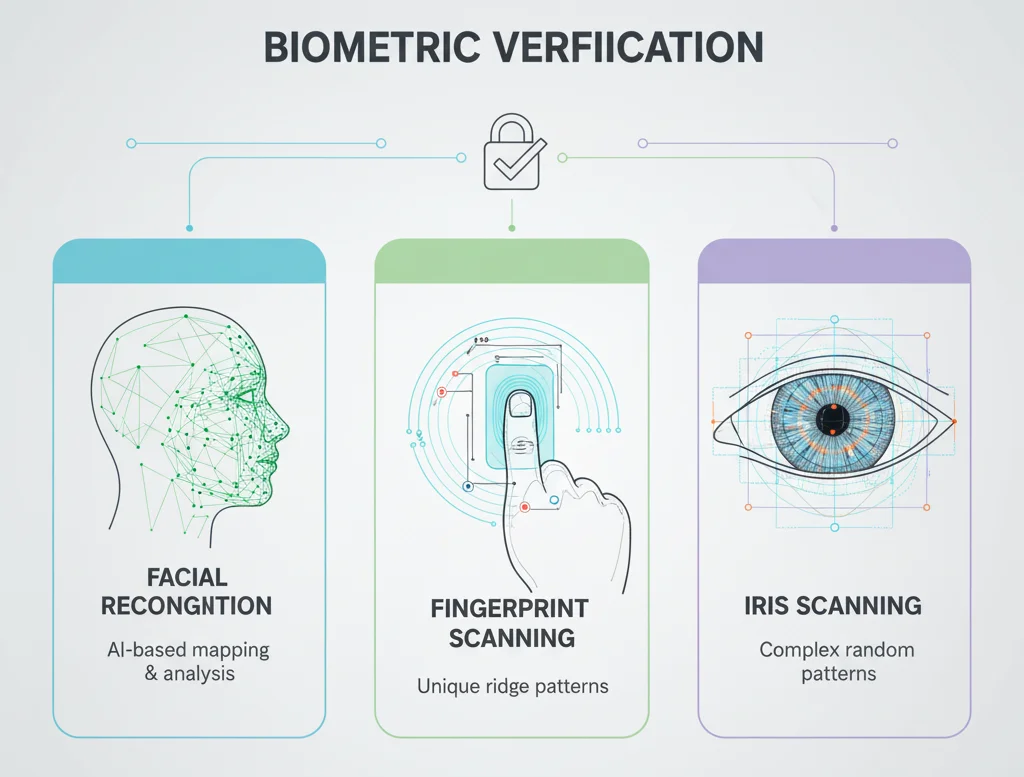
3. Biometric Technology
Includes facial recognition, fingerprint analysis, iris scanning, and voice recognition, which verify physical identifiers against biometric data stored on IDs.
4. Machine Learning & AI
Implements pattern recognition, fraud detection, and authenticity scoring based on large data sets, improving detection of counterfeit or tampered documents.
5. Database Integration
Connects verification systems with government and third-party databases for real-time validation against criminal records, sanctions lists, and official registries.
Common Challenges in ID Verification
1. Document Quality Issues
Poor images due to glare, lighting, or low resolution hinder verification accuracy.
2. Fraud Detection Challenges
Counterfeit documents, deepfakes, and sophisticated tampering require advanced detection technologies.
3. Technical Limitations
OCR accuracy varies across languages and document formats; damaged documents pose additional obstacles.
4. Regulatory & Compliance Issues
Different jurisdictions have varying standards for data privacy, biometric storage, and verification procedures.
Best Practices for Effective ID Verification
1. Multi-Layered Approach
Combining manual, digital, and biometric methods creates redundancy and enhances security.
2. Document Collection Best Practices
Direct user submission, clear instructions, and quality guidelines improve data quality.
3. Data Quality Standards
High-resolution images, consistent formatting, and robust extraction protocols are essential.
4. Security & Privacy Considerations
Encrypt data, comply with GDPR, and implement secure storage and access controls.
5. User Experience Optimization
Mobile-friendly verification, real-time feedback, and quick processing times improve customer satisfaction.
Frequently Asked Questions (FAQs)
1. How long does ID document verification take?
Usually under 3 seconds digitally, longer with manual review.
2. What documents are accepted for ID verification?
Passports, driver’s licenses, national IDs, biometric documents.
3. Is ID verification secure?
Yes, when combined with encryption, multi-layered checks, and compliance.
4. What if my document is rejected?
Resubmission with clearer images or an alternative document.
5. How is biometric data stored?
Encrypted, in compliance with data privacy laws like GDPR.
6. Can ID verification detect forged documents?
Yes, through Security feature analysis and AI detection.
Conclusion
ID document verification is a foundational pillar of modern security, enabling organizations to prevent fraud, comply with regulations, and foster trust. As technology advances, verification processes will become faster, more accurate, and more secure, ensuring safe interactions in both digital and physical worlds.



