
In today’s digital world, online privacy has become a growing concern. From search histories and online purchases to social media activity and work-related browsing, almost everything we do online leaves a digital footprint. To address these concerns, modern web browsers introduced a feature commonly known as incognito mode or private browsing.
Many users turn to this feature believing it offers complete anonymity. But is incognito safe, and does incognito work the way most people think it does? This article explores why use incognito mode, what it actually does, its advantages, its limitations, and the real disadvantages of incognito mode that users often overlook.
By the end of this guide, you’ll have a clear understanding of whether incognito mode is right for your needs and when it should or should not be used.
What Is Incognito Mode?
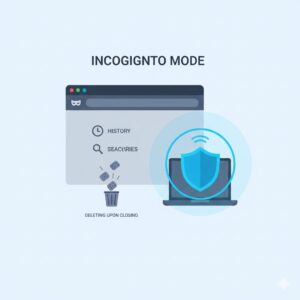
Incognito mode is a browser feature that allows users to browse the internet without saving certain data on their device. Different browsers use different names for it, but the core concept remains the same: once the session ends, the browser forgets most of what happened during that session.
This feature was designed primarily for local privacy, not full anonymity. It is useful when users want to prevent others who use the same device from seeing their browsing activity.
What Does Incognito Mode Do?
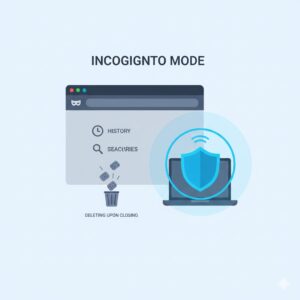
To understand whether incognito is safe, it’s essential to understand what does incognito mode do and what it does not do.
When you open an incognito window, the browser typically:
- Does not save browsing history
- Does not store search queries
- Does not retain form data or autocomplete entries
- Deletes cookies and site data when the session is closed
- Logs you out of websites after closing the window
In short, incognito mode prevents browsing data from being stored on your device after the session ends.
However, this does not mean your activity disappears from the internet entirely.
Why Use Incognito Mode?

There are several legitimate and practical reasons why use incognito mode, especially in everyday browsing scenarios.
Private Browsing on Shared Devices
One of the most common uses of incognito mode is browsing on shared or public devices. This could include:
- Office computers
- Family laptops
- Library or cybercafe systems
Using incognito mode ensures that your browsing history, login sessions, and search activity are not visible to the next person who uses the device.
Temporary Account Access
Incognito mode is useful when you need to log into an account temporarily without affecting saved sessions. For example:
- Checking email on someone else’s computer
- Accessing a secondary account
- Logging into a service without saving credentials
Once the window is closed, the session ends automatically.
Testing and Troubleshooting
Web developers and digital marketers often use incognito mode to:
- Test websites without cached data
- See unbiased search results
- Check how ads or pages appear to new users
Because incognito mode disables stored cookies, it provides a cleaner browsing environment.
Also Read: What Is Cryptolocker?
Reduced Personalization
Since cookies are cleared after each session, incognito mode can reduce:
- Targeted ads
- Personalized search results
- Dynamic pricing influenced by browsing history
This is another reason many users choose incognito browsing.
Advantages of Incognito Mode
Let’s take a closer look at the main benefits of using incognito mode.
Prevents Local History Storage
Incognito mode ensures that visited websites, searches, and downloads do not appear in your browser history. This is helpful for maintaining privacy from others who have access to your device.
Automatic Logout from Accounts
When you close an incognito window, you are automatically logged out of websites. This reduces the risk of someone accessing your accounts later.
Cleaner Browsing Sessions
Because cached files and cookies are not retained, incognito mode provides a fresh browsing experience every time.
Multiple Account Access
Users can log into different accounts on the same website simultaneously by using a regular window and an incognito window.
Disadvantages of Incognito Mode
Despite its usefulness, there are several disadvantages of incognito mode that users should be aware of.
You Are Still Being Tracked
One of the biggest misconceptions is that incognito mode makes you invisible online. In reality:
- Websites can still track your activity
- Your IP address remains visible
- Online services can still identify you if you log in
This raises an important question: does incognito work for online anonymity? The answer is no.
Internet Service Providers Can See Your Activity
Even in incognito mode, your internet service provider can see:
- Which websites you visit
- How long you stay on them
- Data usage patterns
Incognito mode does not encrypt your connection.
Employers and Schools Can Monitor Browsing
If you are using a work or school network, administrators can still monitor your activity, regardless of incognito mode.
No Protection from Cyber Threats
Incognito mode does not protect you from:
- Phishing websites
- Malware downloads
- Fake login pages
- Online scams
If you click a malicious link in incognito mode, the risk remains the same.
False Sense of Security
Perhaps the biggest disadvantage is the false sense of safety it creates. Many users believe incognito mode offers complete privacy, which can lead to risky browsing behavior.
Is Incognito Safe?
So, is incognito safe?
The answer depends on what you mean by “safe.”
Incognito mode is safe for:
- Hiding browsing history on a shared device
- Preventing saved cookies and sessions
- Temporary, low-risk browsing
However, it is not safe for:
- Hiding activity from internet providers
- Avoiding tracking by websites
- Protecting against cybercrime
- Ensuring anonymity
Incognito mode improves local privacy but does not offer comprehensive online protection.
Does Incognito Work for Complete Privacy?
Many users ask: does incognito work for staying anonymous online?
The honest answer is no.
Incognito mode does not:
- Hide your IP address
- Encrypt your internet traffic
- Prevent data collection by websites
- Stop account-based tracking
It only ensures that your browser does not save data after the session ends.
Incognito Mode vs Other Privacy Tools
It’s important to understand that incognito mode is not designed to replace advanced privacy tools. Instead, it serves a very specific purpose.
Incognito mode focuses on:
- Local privacy
- Temporary browsing
- Device-level data cleanup
Other privacy tools focus on:
- Network-level anonymity
- Data encryption
- Blocking trackers and surveillance
For users concerned about serious privacy risks, incognito mode alone is not sufficient.
Best Practices When Using Incognito Mode
If you choose to use incognito mode, follow these best practices to stay safer online:
- Avoid logging into sensitive accounts on public networks
- Do not assume websites cannot track you
- Verify URLs before entering login details
- Avoid clicking suspicious links or pop-ups
- Combine incognito browsing with cautious online behavior
Understanding its limitations is key to using it responsibly.
When Should You Avoid Incognito Mode?
Incognito mode should not be relied upon when:
- Handling financial transactions on public networks
- Accessing confidential work data
- Downloading software from unknown sources
- Trying to hide activity from organizations or authorities
In such cases, stronger privacy measures are necessary.
Conclusion
Incognito mode is a useful browser feature, but it is often misunderstood. It does not make you anonymous, invisible, or immune to tracking. Instead, it simply prevents your browser from saving certain data on your device.
Understanding what does incognito mode do, why use incognito mode, and the disadvantages of incognito mode helps users make informed decisions about their online privacy.
If your goal is basic privacy on a shared device, incognito mode works well. But if your goal is real online anonymity or protection from cyber threats, incognito mode alone is not enough.
Being informed is the first step toward safer browsing.
FAQs
What does incognito mode do exactly?
Incognito mode prevents your browser from saving history, cookies, and form data after you close the session.
Is incognito safe for online banking?
It may prevent saved data on your device, but it does not protect against network-level threats. Extra precautions are needed.
Does incognito work to hide activity from websites?
No. Websites can still track your activity using IP addresses and account logins.
What are the disadvantages of incognito mode?
It does not hide your IP address, does not block tracking completely, and offers no protection from malware or phishing.
Why use incognito mode at all?
It is useful for private browsing on shared devices, temporary account access, and avoiding saved history.



