The internet has become a daily necessity. We use it for work, learning, banking, shopping, entertainment, communication, and even healthcare, and it has reached a point where most people would find it genuinely difficult to function through an ordinary day without touching a browser or an app that depends on one. But the same internet that makes life easier is also filled with risks such as malicious websites, phishing pages, harmful downloads, misleading advertisements, and unsafe content that can impact both individuals and organizations, and the scale of that risk has grown considerably as more of daily life, from paying bills to attending school, has migrated online. A single careless click on a compromised link can lead to a stolen password, a drained bank account, or a network-wide ransomware infection that takes days to fully clean up, and the people most often affected are not security experts but ordinary users who had no way of knowing the page they landed on was dangerous.

This is exactly why the concept of a Web Filter is now considered a basic requirement in modern digital security, in much the same way that antivirus software or a firewall became a baseline expectation a generation earlier. Whether you are a parent trying to keep your child safe online, a business protecting employees from cyber threats, or a school ensuring students access only educational material, a Web Filter plays a major role in building a secure browsing environment, and it does so quietly and continuously in the background without requiring constant manual intervention from the person or organization it protects.

In this complete guide, we will explore what a Web Filter is, how it works, why it matters, the types of filtering systems available today, where it is used across different environments, the specific features that separate a basic filter from an advanced one, and how you can set one up effectively so that it actually delivers the protection and productivity gains it promises rather than becoming an obstacle that frustrated users try to work around.

Filtering Software

Filtering Software

Before understanding what a Web Filter does, it is important to understand the broader category of tool it belongs to, which is filtering software, since a Web Filter is really just one specialized application of a much larger set of technologies designed to control access to digital content and resources.

Filtering software is a type of security solution designed to control which websites, web pages, applications, or online content can be accessed from a device or network, and it accomplishes this by sitting in the path between a user’s request and the destination they are trying to reach, inspecting that request against a set of rules before deciding whether to let it through. It works as a digital gatekeeper between the user and the internet, allowing safe resources while blocking risky or inappropriate ones, and the analogy of a gatekeeper is fitting because the software is making a real-time decision on every single request, often within milliseconds, in a way that is invisible to the user unless a request happens to be blocked.

The main goal of filtering software is not only to restrict access, even though restriction is the most visible function it performs from a user’s perspective. It also helps organizations and individuals reduce exposure to cyberattacks, prevent accidental visits to harmful sites, and improve overall internet discipline, meaning that it nudges browsing behavior toward the resources that actually matter for work, learning, or safety rather than toward the distractions and dangers that make up a large share of general internet traffic.

Filtering software is commonly used in a wide range of environments, each with its own priorities and constraints:

  • Home networks, where parents want to protect children without needing deep technical knowledge
  • Schools and colleges, where administrators need to enforce acceptable use policies across thousands of student devices at once
  • Offices and corporate environments, where IT teams balance security with employee productivity and morale
  • Hospitals and healthcare systems, where both patient data protection and staff focus are critical
  • Public internet zones like libraries and cafes, where the operator has no control over who connects or what device they are using

In most cases, filtering software is powered by a Web Filter that decides what content should load and what should be blocked, and understanding that relationship, filtering software as the broader category and a Web Filter as the specific mechanism handling web traffic, makes the rest of this guide easier to follow.

What is a Web Filter?

Web Filter

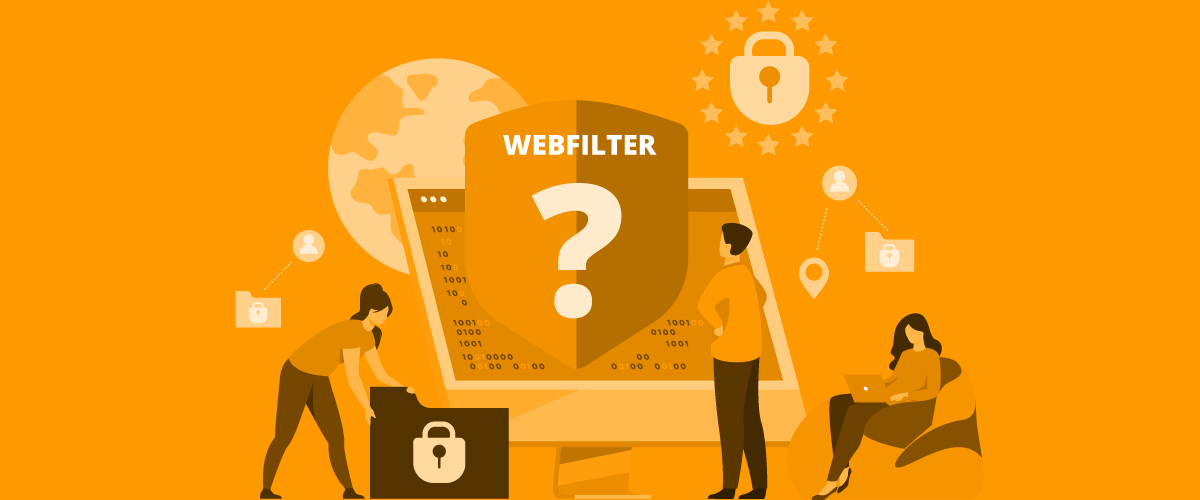
A Web Filter is a security tool that monitors web traffic and controls what users can access on the internet, functioning as the specific component within filtering software that focuses exclusively on browser-based traffic rather than every category of digital access. It works by examining web requests made by a user’s browser and deciding whether that request should be allowed or blocked based on certain rules, and this examination happens continuously and automatically, meaning a user does not need to trigger a scan manually or wait for a check to complete before a page loads, since the filtering logic operates as an integral part of the browsing process itself.

In simple words, a Web Filter helps you accomplish several distinct but related goals that together add up to a much safer and more controlled browsing experience. It blocks unsafe websites that host malware or exploit known vulnerabilities in outdated browsers. It prevents access to inappropriate content that may violate workplace policy, school rules, or a family’s own standards for what children should see. It stops phishing pages before users enter sensitive data, catching the threat at the exact moment it matters most rather than after damage has already been done. It reduces exposure to malware and malicious downloads by intercepting the connection before a harmful file ever reaches the device. And it keeps browsing secure and policy-compliant, which matters enormously for regulated industries where a single policy violation can carry legal or financial consequences.

A Web Filter can be used on a single device, which is common for individual users or small households running filtering software directly on a computer or phone, but in professional environments, it is often implemented across the entire network to protect everyone connected to it, meaning that every device joining the office Wi-Fi or the school network automatically inherits the same filtering rules without needing individual configuration on each machine.

Many people assume a Web Filter is only for parental control or restricting adult content, and that assumption is understandable given how the technology was originally marketed decades ago, but in cybersecurity, its job is much bigger than that narrow use case. Today, web-based threats are one of the most common ways attackers reach victims, since email attachments and infected USB drives, once the dominant infection vectors, have been largely overtaken by malicious links, drive-by downloads, and phishing pages delivered through ordinary web browsing. So, filtering web traffic is one of the smartest ways to reduce risk before it turns into damage, intercepting a threat at the network perimeter rather than relying entirely on endpoint antivirus software to catch it after the fact.

How Web Filtering Works

To understand how a Web Filter works, imagine a security guard standing at the entrance of a building. Anyone can try to enter, but the guard checks them first. If they match suspicious patterns or are on the blacklist, entry is blocked. If they are safe and allowed, entry is granted. This analogy captures the essential logic of filtering even though the actual technical mechanisms are considerably more varied and sophisticated than a single guard checking a single list, since a modern Web Filter typically layers several different filtering approaches on top of each other to catch threats that any single method might miss on its own.

Similarly, a Web Filter checks every website request made by a device and applies filtering logic such as the following methods, each of which operates at a different layer of the browsing process and catches a different category of risk.

URL-based filtering

URL-based filtering

This method blocks or allows websites based on their URL, meaning the filter maintains lists of specific web addresses or domain patterns that are either explicitly permitted or explicitly denied. For example, a company can block social media websites during work hours or restrict access to suspicious domains that are known to distribute malware, and this approach works especially well against threats that have already been identified and cataloged by security researchers, since a known malicious domain can simply be added to a blocklist and every subsequent request to that address will be stopped instantly.

This works well because many threats have recognizable URLs or domain structures, often featuring slight misspellings of legitimate brand names, unusual top-level domains, or randomly generated strings that security systems can flag as suspicious even before a human analyst has formally confirmed the site is malicious. The main limitation of pure URL-based filtering is that it depends on the list being current, since brand-new malicious domains registered only hours earlier will not yet appear on any blocklist, which is why URL filtering is almost always combined with other techniques rather than deployed alone.

Category-based filtering

This is one of the most popular filtering styles used by businesses and schools because it allows administrators to set broad policy without needing to manually track individual websites one at a time.

Websites are categorized into groups such as adult content, gambling, social media, streaming, malware-related sites, phishing sites, news and media, education, and shopping, and these categories are typically maintained by the vendor of the filtering software, which continuously crawls and classifies millions of websites across the internet and updates the categorization database on an ongoing basis.

A Web Filter can allow or block categories based on policy, which means an administrator can make a single decision, such as blocking the entire gambling category, and have that decision automatically apply to every website that falls under it, including sites that did not even exist when the policy was created. For example, an educational institution might allow learning resources but block gaming and streaming platforms, reflecting a policy decision made once at the administrative level rather than requiring a teacher or IT staff member to individually approve or deny each new website students might try to visit.

Keyword-based filtering

Keyword filtering scans the content of a page or URL for specific terms, and if banned keywords appear, access can be blocked, providing a layer of protection that works even against websites that have not yet been formally categorized by a filtering vendor. This approach is often used in schools or public environments where administrators want additional protection even when the website itself is not fully categorized, catching newly created pages, obscure forums, or niche sites that a category database might not have indexed yet but that nonetheless contain content an organization wants to restrict.

Keyword filtering does have a tradeoff worth understanding, since scanning for specific terms can occasionally produce false positives, blocking a legitimate medical or educational resource simply because it happens to contain a word that also appears on a banned list, which is why well-tuned keyword filtering systems weigh context and frequency rather than blocking on the presence of a single term alone.

DNS-based filtering

DNS filtering blocks websites at the domain name resolution level, meaning it intervenes at one of the very first steps in the process of loading a webpage, before any actual content is even requested. That means when your system tries to convert a website name into its IP address, essentially translating a human-readable address like a company’s domain name into the numerical address computers use to actually locate a server, the request gets blocked if it matches unsafe domains, which prevents the browser from ever establishing a connection to the malicious server in the first place.

This technique is lightweight and fast, often used for network-wide control, because DNS filtering can be applied at the router or network level and protects every device on that network without requiring individual software installed on each one. Because DNS filtering intervenes so early in the connection process, it also tends to use fewer computing resources than deeper content inspection methods, making it a popular first line of defense even in organizations that layer additional filtering techniques on top.

Also Read: What Is Vishing?


Also Read: What Is Vishing?

Content inspection and deep filtering

In more advanced environments, a Web Filter may scan the content being delivered, not just the website address, moving beyond simply checking whether a URL or domain is on a list and instead actually analyzing what a page contains once it starts loading. This helps detect hidden malicious scripts embedded in otherwise legitimate-looking pages, phishing forms designed to capture login credentials or financial information, suspicious downloads triggered automatically without clear user consent, and redirections to unsafe sources that a page might silently forward a visitor toward after the initial connection has already been established.

This approach is powerful, but it can require stronger infrastructure and constant monitoring, since inspecting the actual content of every page in real time demands considerably more processing power than simply checking a URL or domain against a list, and organizations deploying deep content inspection need to weigh that added computational cost against the additional protection it provides, particularly for encrypted traffic where the filtering system may need to decrypt and re-encrypt data in order to inspect it, a process that introduces both performance and privacy considerations that administrators need to plan for carefully.

Why a Web Filter Matters More Than Ever

Cyber threats have changed substantially over the past two decades. Earlier, attackers mainly targeted servers and corporate systems directly, probing for vulnerabilities in the infrastructure organizations ran themselves and often requiring a fairly high level of technical sophistication to succeed. Today, they also target normal users through websites, ads, links, downloads, and social engineering tricks, recognizing that it is often far easier to trick a person into clicking something dangerous than it is to breach a well-defended server directly, since human judgment under time pressure remains one of the most exploitable weaknesses in any security system.

A Web Filter adds a strong layer of protection because it reduces risk at the source: web access, meaning it intervenes at the exact point where a threat first attempts to reach a user rather than waiting to detect and clean up an infection after it has already taken hold on a device.

Here’s why it matters so much today, laid out across the trends that have made web-based threats such a dominant category of risk. Websites are a major malware delivery method, having largely replaced older infection vectors like infected email attachments as the primary way malicious software reaches ordinary users. Phishing sites are growing rapidly, both in raw numbers and in the sophistication of their design, with many now nearly indistinguishable from the legitimate banking, email, or corporate login pages they impersonate. Employees and students spend hours online daily, which means the sheer volume of web requests flowing through any organization’s network has grown enormously, expanding the surface area that needs to be monitored and protected. Cloud platforms and remote work depend heavily on browsers, since so many modern business tools, from email to document collaboration to video conferencing, now run entirely inside a browser tab rather than as separately installed software, which means a compromised browsing session can expose far more than it would have a decade ago. Even trusted websites can get compromised through ads or injections, meaning that a user does not need to visit an obviously sketchy corner of the internet to encounter danger, since malicious code can sometimes be inserted into advertising networks or third-party scripts embedded on otherwise completely legitimate and well-known sites.

A Web Filter helps reduce human mistakes, which remain one of the biggest reasons security breaches happen, since even well-trained and security-conscious users can be fooled by a sufficiently convincing phishing page or a cleverly disguised malicious link, and a Web Filter acts as a safety net that catches threats a person might miss in a moment of distraction or urgency.

Key Features of Web Filtering Tools

A modern Web Filter is no longer a simple “block or allow” tool, since the category has matured considerably from its early days as a fairly blunt instrument for restricting access to specific sites. Many advanced solutions include features that support both security and productivity, recognizing that organizations need more than a binary switch and instead require nuanced, configurable controls that fit their specific operational needs.

Website blocking and allowlisting

Blocking is obvious, since it is the function most people associate with a Web Filter, but allowlisting is equally powerful and often underused by organizations that could benefit significantly from a more restrictive default posture.

Allowlisting means only approved websites can be accessed, and everything else is blocked by default, which inverts the usual logic of blocking specific known-bad sites and instead permits only a curated list of known-good ones. This is useful for high-security environments like finance departments handling sensitive transactions and regulatory obligations, government institutions where the consequences of a breach extend beyond a single organization, examination centers that need to guarantee students cannot access outside resources during a test, and healthcare systems where both patient data protection and clinical focus depend on tightly controlled browsing environments.

Real-time threat protection

Many Web Filter systems are updated frequently to include new phishing websites, malicious domains, and scam pages, often pulling from threat intelligence feeds that aggregate data from security researchers, honeypot networks, and reports submitted by other organizations using the same filtering platform around the world.

This real-time intelligence helps users avoid threats they may not recognize themselves, since a brand-new phishing site designed to mimic a bank’s login page might look completely convincing to an untrained eye, but a filtering system with access to fast-updating threat intelligence can flag and block it within hours or even minutes of it first being identified as malicious anywhere in the world.

Safe browsing enforcement

A Web Filter can block websites that contain malware scripts designed to exploit vulnerabilities in a visitor’s browser, try to force downloads without clear and explicit user consent, have misleading popups designed to trick users into clicking something they did not intend to, or contain fake login forms built specifically to harvest usernames and passwords from unsuspecting visitors.

Malware download prevention

Even if someone clicks a suspicious link, whether through carelessness, curiosity, or a convincing phishing message, the Web Filter can prevent the file from downloading or stop the website from loading completely before any malicious code ever reaches the device’s storage.

This becomes extremely useful for preventing infections caused by accidental clicks, since it is unrealistic to expect every user in a large organization or every child in a household to correctly identify every dangerous link every single time, and having a technical safety net in place catches the mistakes that inevitably happen even among careful, well-informed users.

Reporting and monitoring

Businesses and schools often need logs and visibility into how their networks are actually being used, both for security purposes and for demonstrating compliance with internal policies or external regulations.

A Web Filter can provide reports like blocked website attempts, which reveal what threats users are encountering and how often, top visited websites, which help administrators understand overall browsing patterns and identify where policy adjustments might be needed, threat attempts and suspicious access, which surface patterns that might indicate a targeted attack or a compromised device attempting to communicate with a malicious server, user-based browsing activity, which allows administrators to identify specific individuals who may need additional training or intervention, and time-based usage patterns, which reveal when network traffic spikes and whether that usage aligns with expected work or school hours.

This helps administrators improve policies and detect risky behavior early, turning the Web Filter from a purely reactive blocking tool into a source of ongoing insight that shapes how an organization refines its security posture over time.

Time-based controls

Some web filtering systems allow access rules based on time, adding a dimension of flexibility that a simple always-on or always-off policy cannot provide.

Example use cases include blocking entertainment sites during working hours so employees remain focused during core business time while still allowing reasonable access during lunch breaks or after hours, allowing educational platforms only during class hours so that school networks can support legitimate teaching tools without those same platforms becoming a distraction outside of instructional time, and restricting browsing time for kids at night so that parents can enforce healthy screen time boundaries without needing to manually monitor and intervene every evening.

This can improve focus and reduce unnecessary distractions, giving organizations and families a middle ground between total restriction and unrestricted access that better reflects how internet use patterns should realistically shift throughout the day.

Benefits of Using a Web Filter

A Web Filter is useful for almost everyone, but the benefits depend on how it’s used, since a filter configured purely for security will deliver different value than one tuned primarily for productivity or child safety, even though the underlying technology is largely the same. Some people use it for safety, others for compliance, and many for productivity, and understanding which of these goals matters most in a given context helps shape how the filter should be configured.

Stronger online security

A Web Filter reduces risk by preventing access to dangerous websites, suspicious domains, and phishing traps, intervening at the network level in a way that complements, rather than replaces, other security tools like antivirus software and firewalls.

Instead of reacting after infection, it helps stop the threat before it enters the device, which matters enormously because the cost and difficulty of remediating an active infection or a successful phishing attack is almost always far higher than the cost of simply preventing that threat from reaching the user in the first place.

Protection against phishing attacks

Phishing pages often look exactly like legitimate banking sites, email logins, or workplace portals, and modern phishing kits have become sophisticated enough that even experienced users can struggle to distinguish a fake page from the real one at a glance, especially when viewed quickly on a mobile device.

A good Web Filter can block known phishing websites before a user even has the chance to interact with them, stop pages designed to steal credentials by intercepting the connection based on domain reputation or content analysis, and prevent users from entering sensitive data by blocking the page entirely rather than relying on the user to notice something is wrong at the last moment.

This can save both money and reputation, since a single successful phishing attack against an employee with access to financial systems or sensitive customer data can result in direct financial loss, regulatory penalties, and lasting damage to an organization’s reputation with customers and partners.

Better productivity for organizations

In workplaces, internet misuse can affect performance, and while most employees are not deliberately trying to waste company time, the sheer availability and appeal of online distractions can erode focus without anyone fully realizing how much time has slipped away. Employees may unintentionally waste time on streaming platforms during a quick break that stretches longer than intended, gaming websites that offer a tempting mental escape during a stressful workday, social networks that are specifically designed by their creators to maximize engagement and time spent scrolling, and shopping portals that turn a five-minute browse into an extended session.

A Web Filter supports controlled access so teams stay focused, not by treating employees as untrustworthy but by removing the easiest and most tempting distractions from the immediate environment, which research on workplace behavior consistently shows reduces the frequency and duration of unplanned browsing detours during work hours.

Safer internet for children and students

Students are exposed to all kinds of online content, and unlike adults, children and teenagers are still developing the judgment needed to reliably distinguish trustworthy content and sources from harmful or manipulative ones. A Web Filter helps ensure age-appropriate browsing that matches content restrictions to a child’s actual developmental stage rather than leaving that judgment entirely in the hands of the child, focus on learning-related content during school hours so that classroom devices support their intended educational purpose, and reduced exposure to harmful material including violent, sexual, or otherwise inappropriate content that a young person should not encounter without guidance.

Reduced risk of data loss

Many threats today are designed to steal data silently, operating in the background without any obvious symptoms that would alert a user or administrator that something has gone wrong, which makes prevention considerably more valuable than detection after the fact.

By blocking unsafe websites, a Web Filter helps reduce the chance of credential theft carried out through convincing fake login pages, browser-based attacks that exploit vulnerabilities in outdated or unpatched browser software, and malicious scripts collecting information such as keystrokes, session cookies, or other sensitive data without the user ever noticing anything unusual on the page they are viewing.

Compliance and policy enforcement

Organizations must follow data security standards and internal policies, and increasingly these obligations come not just from internal preference but from external regulatory frameworks that carry real legal and financial consequences for noncompliance. A Web Filter helps enforce rules across all devices connected to the network, providing a consistent, auditable mechanism for demonstrating that appropriate technical safeguards are in place, which matters considerably during compliance audits or in the aftermath of a security incident when an organization needs to show it took reasonable precautions.

Common Use Cases of a Web Filter

A Web Filter can be used in many real-world situations, and the specific configuration and priorities shift considerably depending on the environment it is protecting.

Web Filter for home use

Families use web filters to protect kids from harmful content that they might otherwise stumble across accidentally or seek out without fully understanding the risks involved, reduce exposure to online scams that specifically target less experienced internet users, control screen time and access in a way that supports healthier daily routines and better sleep, and prevent accidental downloads that could introduce malware onto a shared family computer or a child’s tablet.

Home filtering solutions have become considerably easier to set up in recent years, with many internet service providers and router manufacturers now offering built-in filtering options that require little technical expertise to configure, lowering the barrier for parents who want protection without needing to become network administrators themselves.

Web Filter for businesses

Organizations depend on browsers for communication, cloud work, and research, meaning the browser has effectively become one of the most critical pieces of software on any employee’s device, handling everything from email to project management to video conferencing.

A Web Filter protects businesses by blocking phishing pages that specifically target employees with access to financial systems or sensitive data, preventing risky downloads that could introduce malware onto a corporate network where it might spread laterally to other connected systems, restricting non-work websites during business hours to support focus and productivity, and reducing malware entry points across every device connected to the corporate network rather than relying solely on individual endpoint protection installed on each machine separately.

Web Filter in schools and colleges

Educational institutions use filtering tools for blocking unsafe content that would be inappropriate or harmful for students to encounter on school-owned devices, preventing distractions during class so that classroom technology supports rather than undermines the learning process, ensuring safe research and browsing so that students can complete assignments without stumbling onto malicious or inappropriate sites, and maintaining internet discipline across a student population that may number in the thousands at a large university.

Schools face a particular challenge in balancing restriction with educational freedom, since overly aggressive filtering can block legitimate research resources, which is why many educational filtering deployments include a process for teachers or librarians to request exceptions for specific sites that a category-based filter might have blocked incorrectly.

Public networks and Wi-Fi providers

Public Wi-Fi is one of the riskiest environments because many users connect to the same network, often without any of the security measures they might have on a personal home connection, and a shared public network creates opportunities for threats to spread between unrelated users who happen to be connected at the same time.

A Web Filter can protect public networks by blocking harmful sites before any connected user can reach them, preventing malware downloads that could otherwise spread across the shared network infrastructure, and reducing scam exposure for visitors who may be using unfamiliar devices or connecting from a location where they are less cautious than they would be at home, such as a hotel, airport, or coffee shop.

Limitations and Challenges of Web Filters

Even though a Web Filter is extremely useful, it is not a perfect solution, and organizations that treat it as a complete, standalone security answer without understanding its limitations often end up either frustrated by its imperfections or falsely confident in protection it cannot fully provide. Understanding its limitations helps users apply it the right way, setting realistic expectations and building complementary safeguards where the filter alone cannot cover every risk.

Over-blocking useful websites

Sometimes a Web Filter blocks websites that are safe but fall under a restricted category, which can create frustration for users who need legitimate access to a resource that happens to be miscategorized or that shares characteristics with genuinely risky content.

For example, educational videos may be blocked because they fall under a “streaming” category, even though the actual content is entirely appropriate and even beneficial for the setting in which it was blocked, and this kind of over-blocking is one of the most common complaints administrators hear from users, since it can undermine trust in the filtering system and create pressure to loosen restrictions more broadly than might otherwise be necessary.

Users may try to bypass restrictions

Some users attempt bypassing filtering through VPN usage, which routes traffic through an external server and can circumvent network-level filtering entirely, proxy websites, which act as an intermediary that fetches blocked content on the user’s behalf, alternate DNS settings, which sidestep DNS-based filtering by pointing the device toward a different, unfiltered domain resolution service, or mirror sites, which host identical or near-identical content at a different, unblocked address specifically to evade filtering rules.

This is why monitoring and stronger configuration matters, since a filtering deployment that only addresses the most obvious bypass methods will inevitably be circumvented by determined users, and effective long-term filtering strategies typically combine multiple techniques and layers of monitoring specifically to close these gaps.

Filtering needs frequent updates

Threats change constantly, with new malicious domains, phishing techniques, and scam pages appearing on a near-daily basis across the internet. A Web Filter must be updated regularly with new domains, patterns, and scanning rules to keep pace with this constantly shifting threat landscape.

Without updates, it may fail to block new phishing websites or emerging scam links, meaning that a filtering system left on outdated threat intelligence provides a false sense of security while actually offering diminishing real-world protection as the gap between its data and the current threat landscape widens over time.

Privacy concerns

Some users worry about browsing monitoring, and this concern is entirely legitimate, particularly in workplace environments where employees may feel uncomfortable with the idea that their internet activity is being logged and reviewed by administrators. In workplaces, the solution is transparency and policy clarity, ensuring that filtering and monitoring are implemented in a way that respects reasonable expectations of privacy while still meeting legitimate security and compliance needs.

Organizations should define what will be monitored so employees understand the actual scope of data collection rather than assuming the worst, why it is monitored so the rationale connects clearly to security or compliance needs rather than appearing arbitrary or excessive, how logs are used so there is clarity about whether data feeds into disciplinary action, security investigations, or purely aggregate reporting, and who has access to reports so that sensitive browsing data is not casually available to anyone in the organization who happens to want to look at it.

Best Practices for Setting Up a Web Filter

If you want a Web Filter to work effectively, you need to go beyond basic “block list” settings, since a filtering deployment configured with only default settings and never revisited tends to become either too restrictive, generating constant frustration and workaround attempts, or too permissive, failing to catch new and evolving threats. Here are best practices that improve protection without harming usability.

Create clear filtering goals

Ask yourself several foundational questions before configuring any rules, since the answers shape every subsequent decision about how strict or permissive the filter should be. Are you filtering for security, meaning the primary concern is blocking malware, phishing, and other direct technical threats? Are you filtering for productivity, meaning the goal is reducing distraction and keeping attention focused on work or study? Are you filtering for child protection, meaning age-appropriateness and exposure to harmful content are the central concern? Are you filtering for compliance, meaning specific regulatory or industry requirements dictate what must be blocked or logged?

Your goal defines the rules, and being explicit about which of these priorities matters most, since most real deployments involve some mix of all four, helps avoid a scattered, inconsistent configuration that tries to do everything at once without doing any of it particularly well.

Use both allowlists and blocklists

Blocking known risks is good and forms the foundation of most filtering deployments, but allowlisting trusted resources is stronger for restricted environments where the consequences of even a single unauthorized access are severe enough to justify the more rigid default-deny approach that allowlisting provides.

Choosing between a primarily blocklist-based approach and a primarily allowlist-based approach, or blending the two, should reflect how much risk tolerance the environment can realistically absorb, with high-security settings leaning toward allowlisting and general productivity-focused settings leaning toward a more flexible blocklist approach.

Block suspicious categories first

Most environments should consider restricting phishing and malware domains as an absolute baseline regardless of the broader filtering philosophy chosen, unknown file-sharing sites that are commonly used to distribute pirated or malicious content, suspicious download portals that frequently bundle unwanted or harmful software alongside legitimate downloads, and adult and gambling sites for schools and homes where age-appropriateness is a primary concern.

Starting with these clearly high-risk categories provides immediate protection against the most damaging threats before an organization moves on to the more nuanced, policy-driven decisions about productivity and content appropriateness.

Monitor reports regularly

Logs can reveal useful patterns such as users repeatedly trying blocked websites, which might indicate either a policy that is overly restrictive and needs adjustment or a user who needs additional guidance or intervention, increased malicious access attempts, which could signal a targeted attack or a compromised device attempting outbound communication to a malicious server, and new risky behavior trends, which might reveal an emerging threat category or a shift in how the network is being used that the current filtering configuration was not designed to address.

Monitoring helps improve policy gradually, turning the filtering system into a living, evolving part of the security posture rather than a static configuration set once and forgotten.

Combine filtering with user education

Even the best Web Filter cannot stop every scam, particularly newly emerging threats that have not yet been cataloged by threat intelligence systems or highly targeted attacks crafted specifically to evade automated detection. Teaching users safe browsing habits is equally important, since an informed user who recognizes the warning signs of a phishing attempt or a suspicious download adds a second, independent layer of defense that complements the technical protection the filter provides.

Keep devices and browsers updated

Web filtering works best when the system itself is not vulnerable, since even the most sophisticated filter cannot fully compensate for a browser running outdated software with known, unpatched security holes that an attacker could exploit directly. Updates help prevent exploitation through outdated browsers, closing the gaps that a filtering system alone was never designed to cover and ensuring that the overall security posture of a device or network does not have a weak point that undermines everything else in place.

Conclusion

A Web Filter is one of the most practical and effective tools for controlling internet access and reducing online threats. It acts as a protective barrier between users and the risks hidden across the web, including phishing websites, malware downloads, harmful content, and productivity-draining distractions, catching many of these dangers at the exact moment they would otherwise reach a device or a person.

Whether you are protecting a child at home, securing employees in an office, or managing student internet access in a school, a Web Filter adds an essential layer of safety that works continuously in the background without requiring constant manual vigilance. It supports smart internet usage, improves security awareness when paired with good reporting and user education, and helps users browse with confidence rather than anxiety.

The internet is powerful, but it needs boundaries. With the right Web Filter configuration, chosen deliberately around clear goals and revisited regularly as threats and needs evolve, those boundaries become a strength, not a limitation.

Frequently Asked Questions

What is a Web Filter in simple words?

A Web Filter is a tool that controls what websites users can access. It blocks unsafe or unwanted web content and allows only approved websites based on security or browsing policies, functioning as an automatic gatekeeper that checks every web request before deciding whether to let it through.

Is a Web Filter only used for blocking adult content?

No. A Web Filter is also used to block phishing sites, malware domains, scam pages, and harmful downloads. It is an important cybersecurity tool, not just a parental control feature, and in business and institutional settings its security function is often far more central than any content restriction role.

Can a Web Filter protect against phishing attacks?

Yes. A Web Filter can block known phishing websites and suspicious domains before users enter passwords or sensitive information, intercepting the threat at the network level rather than relying solely on the user to recognize a fake login page on their own.

Where are Web Filters commonly used?

Web Filters are widely used in homes, offices, schools, colleges, hospitals, and public Wi-Fi networks to protect users from unsafe web content and cyber threats, with each environment typically tailoring the specific rules and categories to its own priorities.

Can users bypass a Web Filter?

Some users may try bypassing a Web Filter using VPNs or proxy sites, both of which can route traffic around network-level filtering rules. That’s why organizations should configure filters properly and monitor unusual activity, closing common bypass routes and watching for signs that users are attempting to circumvent policy.

Does a Web Filter slow down internet browsing?

In most modern setups, a Web Filter does not significantly slow browsing, since techniques like URL and DNS-based filtering operate very quickly. However, advanced content inspection and heavy scanning may add slight delay depending on network capacity, particularly when a filter needs to decrypt and analyze encrypted traffic in real time.

What is the difference between a Web Filter and an antivirus program?

A Web Filter controls access to websites and web content before a connection is even fully established, while antivirus software scans files and programs already present on a device for known malicious code. The two tools address different stages of the threat lifecycle and work best when deployed together rather than as substitutes for one another.

Can a Web Filter block encrypted (HTTPS) websites?

Yes, though it requires more advanced techniques than filtering plain HTTP traffic. Many modern Web Filters use SSL or TLS inspection to decrypt, examine, and then re-encrypt traffic in order to apply content-based rules, though this approach carries additional performance and privacy considerations that administrators need to weigh carefully.

Do small businesses really need a Web Filter, or is it only for large enterprises?

Small businesses often benefit even more from a Web Filter relative to their size, since they typically have fewer dedicated IT security staff and less budget to absorb the cost of a successful phishing attack or malware infection. Many filtering solutions are now available at price points and complexity levels specifically designed for smaller organizations with limited technical resources.

How is a Web Filter different from parental control apps?

Parental control apps typically combine web filtering with other features like app usage limits, screen time scheduling, and location tracking, all aimed specifically at managing a child’s overall device use. A Web Filter is a narrower, more general-purpose tool focused specifically on controlling website and web content access, and it can be deployed in this narrower form for business, educational, or general security purposes just as easily as for parental control.