
In today’s digital world, online security is more important than ever. Whether you are shopping online, signing in to a website, or sharing personal details, you expect your data to be safe. That safety largely depends on SSL certificates, which have become a standard component of internet security. But what is an SSL certificate, how does it work, and why is it essential for every website? This guide provides a complete explanation of SSL certificates — their definition, purpose, importance, and the process behind how they protect online communications.
What is an SSL Certificate?
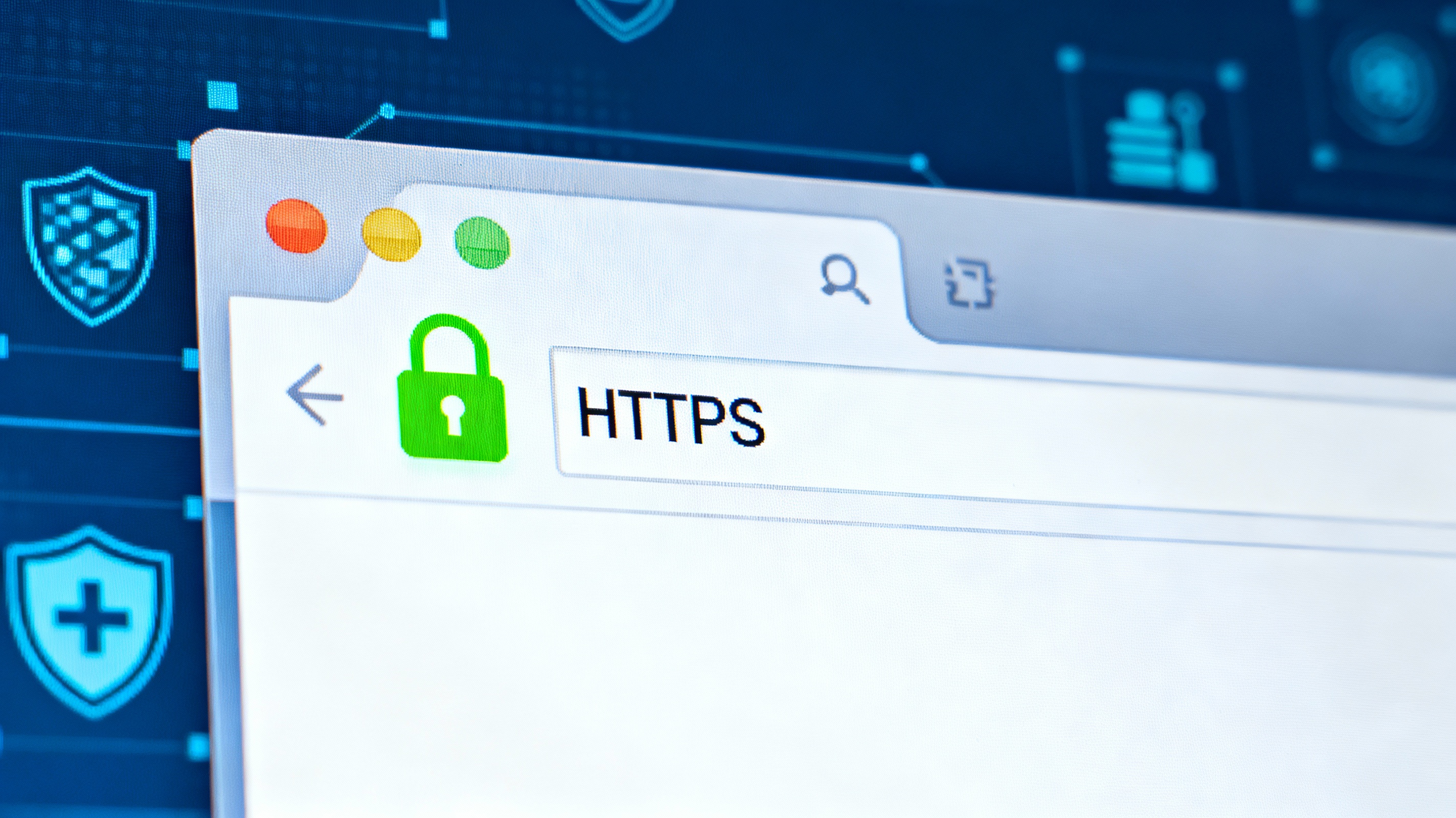
An SSL certificate, short for Secure Sockets Layer certificate, is a digital certificate that authenticates a website’s identity and enables an encrypted connection between a web server and a web browser. SSL ensures that all data transferred between a website and its visitors remains private and secure.
In simple terms, an SSL certificate protects sensitive information such as passwords, credit card numbers, and personal details from being intercepted by hackers. When you visit a website with an SSL certificate, you will notice a padlock icon next to the URL in your browser and that the website address begins with HTTPS instead of HTTP. The “S” stands for secure, meaning the site uses encryption to protect your data.
Originally developed in the mid-1990s, SSL has evolved over the years to become the foundation for modern online security. The newer and more advanced version of SSL is called Transport Layer Security (TLS). Although TLS replaced SSL, the term “SSL certificate” remains widely used.
Essentially, an SSL certificate ensures that:
- The website you are visiting is legitimate.
- Your data is encrypted during transmission.
- Cybercriminals cannot intercept or tamper with your online activity.
How Do SSL Certificates Work?
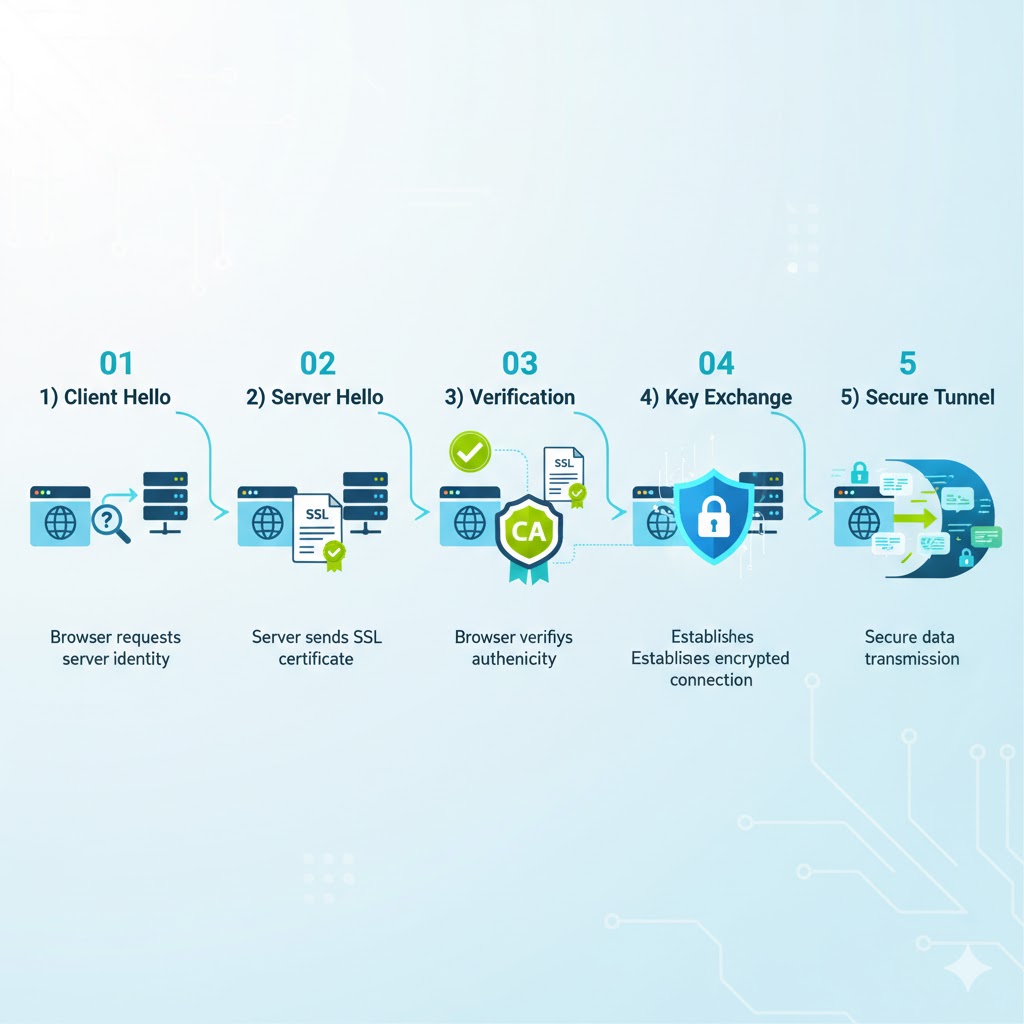
To understand how SSL certificates work, it helps to look at the process that takes place when you visit a secure website. This process, known as the SSL handshake, occurs in just a few milliseconds but involves several important steps:
- When your browser attempts to connect to a website, it requests that the server identify itself.
- The server responds by sending a copy of its SSL certificate.
- The browser verifies the certificate’s authenticity through the issuing Certificate Authority (CA).
- If the certificate is valid, the browser and server establish an encrypted connection.
- Data is securely transmitted between your device and the server.
This encryption process ensures that even if hackers intercept the data, they will only see scrambled, unreadable code. Only the intended recipient, who holds the correct decryption key, can read the data.
SSL certificates use a combination of public and private keys to establish secure communication. The public key encrypts the data, while the private key decrypts it. The certificate also contains information such as the website’s domain name, the company name, the issuing authority, and its expiration date.
When an SSL certificate is valid, you will see HTTPS and a padlock icon in your browser’s address bar. If a website does not have SSL or if its certificate has expired, browsers typically display a warning message such as “Not Secure” or “Your connection is not private.”
Why You Need an SSL Certificate
Having an SSL certificate is no longer optional; it is a fundamental requirement for any modern website. There are several reasons why SSL certificates are essential:
Protects sensitive information: SSL encryption safeguards user data such as login credentials, credit card details, addresses, and medical records from interception by cybercriminals.
Authenticates website identity: SSL certificates verify that a website is legitimate and owned by the entity it claims to represent. This helps prevent phishing attacks and fake websites.
Builds customer trust: When users see HTTPS and the padlock symbol, they feel more confident sharing personal or payment information with the site.
Improves search rankings: Search engines like Google favor HTTPS websites, meaning SSL can help improve SEO rankings.
Required for online payments: Websites that process credit card transactions are required by the Payment Card Industry (PCI) standards to use SSL encryption.
Prevents browser warnings: Modern browsers label HTTP websites as “Not Secure,” which can drive visitors away. Having SSL ensures your site appears trustworthy and professional.
Overall, SSL certificates are a cornerstone of internet security, ensuring data privacy, user confidence, and regulatory compliance.
Also Read: What Are NFTs and How Do They Work?
Types of SSL Certificates
There are several types of SSL certificates, each designed to serve specific website needs and levels of validation. Understanding the differences will help you choose the right one for your website.
Extended Validation (EV SSL)
An EV SSL provides the highest level of trust and validation. It requires an extensive verification process to confirm the website owner’s legal identity and right to the domain. Websites with EV SSL display the organization’s name and country in the browser’s address bar, reassuring visitors that the site is genuine. EV SSLs are ideal for banks, eCommerce platforms, and large corporations that handle sensitive user data.
Organization Validated (OV SSL)
OV SSL certificates verify that the organization is legitimate and that the website belongs to it. They display HTTPS and a padlock icon, along with organizational details when clicked. OV SSLs are suitable for commercial or public-facing websites that collect customer information.
Domain Validated (DV SSL)
DV SSL certificates provide basic encryption and are the quickest and least expensive to obtain. The validation process only requires proof of domain ownership, usually via an email or DNS record. DV SSLs are ideal for blogs, personal websites, and informational pages where minimal data collection occurs.
Wildcard SSL Certificate
Wildcard SSL certificates secure a single domain and all of its subdomains. For instance, a wildcard SSL for *.yourdomain.com secures login.yourdomain.com, mail.yourdomain.com, and all other subdomains. This makes it cost-effective for businesses with multiple subdomains.
Multi-Domain SSL Certificate (MDC)
Also known as a SAN (Subject Alternative Name) certificate, MDCs allow multiple domains and subdomains to be secured under one certificate. For example, a single MDC can protect example.com, example.org, and shop.example.net. These certificates are convenient for businesses managing several websites.
Unified Communications Certificate (UCC)
Originally designed for Microsoft Exchange and communication servers, UCCs allow multiple domain names to be secured with one certificate. They are organizationally validated and can also serve as EV SSLs for maximum assurance.
Each SSL certificate type offers a different level of protection and validation. The choice depends on your website’s purpose, size, and data sensitivity.
How to Obtain an SSL Certificate
Getting an SSL certificate is a straightforward process, though the steps and time required depend on the type of certificate and the provider. Here’s how it works:
Step 1: Choose the right certificate type.
Decide which SSL certificate suits your website’s security and business needs.
Step 2: Select a trusted Certificate Authority (CA).
CAs are organizations that issue SSL certificates. Popular CAs include DigiCert, Comodo, GlobalSign, and Let’s Encrypt (which offers free certificates).
Step 3: Generate a Certificate Signing Request (CSR).
Your hosting provider can help generate a CSR on your web server. The CSR contains your domain name and organization details required for validation.
Step 4: Submit the CSR to the CA.
The CA will verify your domain and business information, depending on the certificate type.
Step 5: Install the SSL certificate.
Once approved, the CA issues your SSL certificate, which you install on your web hosting server.
Step 6: Verify the installation.
Check your site using tools like SSL Labs to confirm that HTTPS and the padlock icon are displayed correctly.
Domain Validation (DV) certificates can be issued within minutes, while Extended Validation (EV) certificates may take up to a week due to stricter verification processes.
Using an SSL Certificate on Multiple Servers
A single SSL certificate can secure multiple domains or servers, depending on the type of certificate. Multi-Domain SSL Certificates and Wildcard SSL Certificates are designed for this purpose.
The key term here is Subject Alternative Name (SAN), which allows a single certificate to cover several domains. For instance, an SAN SSL can secure both www.example.com and example.org.
This flexibility is beneficial for businesses managing several websites or subdomains, helping them save money and simplify security management.
What Happens When an SSL Certificate Expires
Like most forms of authentication, SSL certificates have expiration dates to ensure ongoing trust and accuracy. Certificates are typically valid for one year, after which they must be renewed.
When an SSL certificate expires:
- Visitors receive a warning stating that the site is “not secure.”
- Browsers may block access or display security alerts.
- SEO rankings can drop, and user trust is lost.
Regular monitoring and timely renewal are essential. Large organizations often use certificate management platforms to track and renew SSL certificates across multiple domains.
How to Check if a Site Has an SSL Certificate
To verify whether a website has an SSL certificate:
- Look for “HTTPS” at the beginning of the URL.
- Check for a padlock symbol in the browser’s address bar.
- Click on the padlock to view certificate details, including issuer and validity period.
If the site shows “HTTP” without the “S,” it is not secure, and you should avoid submitting sensitive information.
How to Ensure Your Online Session Is Safe
Even with SSL, you must stay alert to online threats. Here are essential tips to ensure safe browsing:
- Only submit personal data or payment details on websites with valid SSL certificates.
- Avoid entering information on sites labeled “Not Secure.”
- Check the company’s privacy policy and contact information.
- Look for trust badges or other security indicators.
- Always double-check the website URL for misspellings or extra characters, which may indicate a phishing site.
- Avoid using public Wi-Fi for sensitive transactions unless you use a VPN.
- Keep your browser and antivirus software updated to detect fraudulent websites.
SSL Certificates and Phishing Websites
It’s important to note that not all HTTPS websites are safe. Cybercriminals can obtain basic SSL certificates to make phishing sites appear trustworthy. Therefore, SSL is one layer of security, not a complete guarantee.
To identify phishing websites:
- Watch for subtle URL changes (for example, amaz0n.com instead of amazon.com).
- Be cautious of urgent requests for payment or login details.
- Never click suspicious links in emails.
- Enter website URLs manually when possible.
Being vigilant helps you avoid scams and stay safe even on encrypted sites.
FAQs
What does SSL stand for?
SSL stands for Secure Sockets Layer, a protocol for encrypting data transferred between web servers and browsers.
Is SSL the same as HTTPS?
HTTPS is the result of implementing SSL on a website. The “S” in HTTPS stands for “Secure.”
Do all websites need SSL?
Yes. Whether it’s an eCommerce platform or a personal blog, every site should have SSL to protect data and boost credibility.
How much does an SSL certificate cost?
SSL certificates range from free (for basic encryption) to several hundred dollars for advanced EV or OV validation.
How long is an SSL certificate valid?
Typically one year, after which it must be renewed.
Can SSL prevent all cyberattacks?
SSL encrypts data but doesn’t stop all attacks. It should be combined with firewalls, antivirus software, and other cybersecurity measures.
Conclusion
An SSL certificate is more than just a digital formality — it’s a vital security measure that ensures safe communication, data privacy, and online trust. By encrypting the connection between a website and its users, SSL prevents cybercriminals from intercepting sensitive data.
Whether you operate a large eCommerce platform or a small personal website, securing your site with SSL is a must. It enhances user confidence, boosts SEO performance, and keeps your online reputation intact.
In an age where data breaches and cyberattacks are increasingly common, understanding what an SSL certificate is and how it works is essential for anyone who uses or manages a website. The padlock symbol and HTTPS prefix have become global indicators of trust — a small but powerful signal that your online world is safe and secure.



