
In today’s digital world, your email address has become one of your most valuable personal identifiers. It connects your social media profiles, banking apps, shopping accounts, subscriptions, and work communications. While email makes online life convenient, it also exposes users to spam, phishing attacks, identity theft, and data breaches. This growing risk has made people increasingly curious about smarter ways to protect their inbox and personal identity.
One of the most effective yet underused privacy techniques is email masking. If you have ever wondered how to hide your email address without losing important messages, email masking provides a practical and powerful solution.
This guide explains what email masking is, how it works, why it matters, and how you can use it to improve your digital privacy without disrupting your daily online activities.
What Is Email Masking?
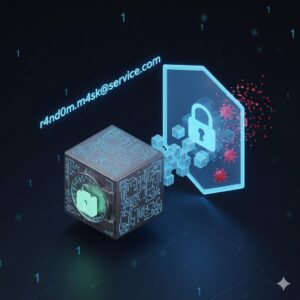
Email masking is a privacy technique that replaces your real email address with a randomly generated, non-identifiable address known as an email mask. When someone sends a message to this masked address, the email is automatically forwarded to your real inbox. Your original email remains hidden from websites, advertisers, and unknown senders.
In simple terms, email masking protects your identity by acting as a shield between your real inbox and the internet.
Unlike manually created aliases, masking email addresses are usually generated by software and do not contain any personal details. This makes them harder to trace, sell, or exploit.
How Email Masking Works

To understand how email masking protects you, it helps to look at how the process functions behind the scenes.
When you use an email masking service, it generates a unique masked email address for you. This address can then be used for signing up on websites, receiving messages, or communicating with unknown contacts.
Here is how the process typically works:
- You provide your real email address to the masking system.
- The system creates a random email mask.
- Emails sent to the masked address are forwarded to your real inbox.
- Replies can be sent without revealing your actual email address.
- You can disable or delete the mask at any time.
At no point does the sender gain access to your real email address. This separation dramatically reduces your exposure to spam, phishing, and data misuse.
Also Read: What is a Stealth Virus?
Why Email Privacy Matters More Than Ever

Email is often the key that unlocks access to online accounts. Once attackers gain control of your email address, they can reset passwords, intercept verification codes, and impersonate you across platforms.
The risks associated with exposing your email address include:
- Phishing attacks designed to steal login credentials
- Spam overload from marketing databases
- Account takeover attempts
- Identity theft
- Sale of your email data to third parties
Email masking directly addresses these risks by limiting who can see and interact with your real inbox.
Benefits of Email Masking
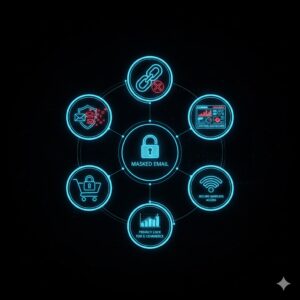
Using email masking provides a wide range of privacy and security advantages.
Reduced Risk of Account Takeover
A masked email address contains no personal information. Even if it is exposed in a data breach, attackers cannot use it to access your main inbox or reset passwords.
Better Protection Against Spam and Phishing
If a masked address starts receiving spam or suspicious messages, you can simply disable it. This immediately stops unwanted emails without affecting your main inbox.
Improved Control Over Online Accounts
By assigning a unique email mask to each service, you can easily identify where spam originates. This makes managing subscriptions and services far easier.
Safer Online Shopping and Signups
Using a masking email address during purchases or signups prevents retailers and advertisers from linking your real inbox to marketing lists.
Privacy on Public Networks
When using public Wi-Fi networks, masked emails add an extra layer of protection by preventing exposure of your primary contact information.
Common Use Cases for Email Masking
Email masking can be used in nearly every online situation where an email address is required.
Some of the most common scenarios include:
- Signing up for newsletters or promotions
- Creating social media accounts
- Registering on forums or communities
- Online shopping and one-time purchases
- Business inquiries with unknown contacts
- Free trials and subscriptions
- App registrations
Using a masking email address ensures that even if a service mishandles your data, your real email remains protected.
Different Ways to Mask Your Email Address
There are several methods for hiding your email address, each with different levels of effectiveness.
Using an Email Alias
An email alias is an additional address connected to your primary inbox. Messages sent to the alias arrive in your main inbox.
While aliases offer basic convenience, they have limitations:
- Aliases are often chosen manually and may contain personal details
- They can be harder to manage at scale
- They offer limited spam control
Aliases are helpful, but they do not provide the same level of privacy as a true email masking service.
Using a Secondary Email Account
Some users create a separate email account for online signups. This approach offers basic protection but comes with challenges:
- Managing multiple inboxes can be time-consuming
- If the secondary account is compromised, it becomes useless
- It lacks flexibility and automation
Secondary accounts work temporarily but are not ideal for long-term privacy.
Using an Email Masking Service
A dedicated email masking service is the most secure and convenient option.
These services automatically generate random email masks, forward messages securely, and allow users to manage or disable addresses easily.
Key advantages include:
- Fully randomized masking email addresses
- One mask per online account
- Centralized control panel
- No need to remember multiple inboxes
- Enhanced protection against phishing
This approach offers the best balance between convenience, security, and privacy.
How to Unmask Your Email When Needed
There are times when you may want trusted contacts to see your real email address.
Most email masking services allow you to:
- Approve trusted senders
- Reveal your email for verified services
- Disable masking for specific contacts
Unmasking is entirely optional and reversible, giving you full control over your privacy.
Identifying Fraudulent Emails and Mask Abuse
Even masked email addresses can receive suspicious messages.
To stay safe:
- Check sender domains carefully
- Avoid clicking unknown links
- Delete messages from unfamiliar sources
- Disable compromised masks immediately
If a domain looks suspicious or unrelated to a legitimate business, it is best to remove the mask and report the message as spam.
Email Masking vs Email Aliases
Although often confused, email masking and aliases are not the same.
Email masking uses randomly generated addresses that hide your identity entirely. Aliases are additional addresses connected to your main inbox and may still reveal personal details.
For users focused on privacy and security, email masking is the stronger option.
Best Practices for Using Email Masking
To maximize protection, follow these best practices:
- Use a unique email mask for each service
- Disable unused masks regularly
- Avoid reusing masked addresses
- Combine masking with strong passwords
- Monitor incoming messages for suspicious activity
Email masking works best when paired with good overall digital hygiene.
FAQs
What is email masking?
Email masking is a method of hiding your real email address by replacing it with a randomly generated forwarding address. Messages sent to the masked address reach your inbox without revealing your identity.
What is an email mask?
An email mask is a unique, non-identifiable email address created to protect your real inbox from exposure.
Is email masking safe?
Yes, email masking significantly reduces the risk of spam, phishing, and account takeover by limiting who can access your real email address.
Can I reply using a masked email address?
Most email masking services allow replies without revealing your real email address, maintaining privacy on both ends.
Conclusion
Email has become the backbone of modern digital life, but it also represents a major privacy risk. Every time you share your email address online, you expose yourself to potential misuse, spam, and cyber threats.
Email masking offers a simple yet powerful solution. By using masking email addresses, you regain control over who can reach you, reduce spam, and protect your identity without sacrificing convenience.
As online threats continue to evolve, taking proactive steps like email masking is no longer optional. It is a smart, practical way to safeguard your digital presence and maintain long-term privacy in an increasingly connected world.
If protecting your personal information matters to you, email masking is one of the most effective habits you can adopt today.



