
Logging into websites, applications, and online portals has become a routine part of modern life. From banking and shopping to work platforms and social media, sessions quietly run in the background every time you authenticate yourself online. While sessions make the internet convenient, they also introduce serious security risks. One of the most dangerous threats associated with online sessions is session hijacking.
Session hijacking in cyber security is a technique used by attackers to take over an active user session and impersonate a legitimate user without needing their login credentials. Once successful, attackers can access sensitive information, perform unauthorized actions, and cause financial or reputational damage.
This guide explains what session hijacking is, how it works, common attack methods, real-world examples, its connection with other threats such as RAT malware, and how users and organizations can protect themselves.
What Is Session Hijacking?
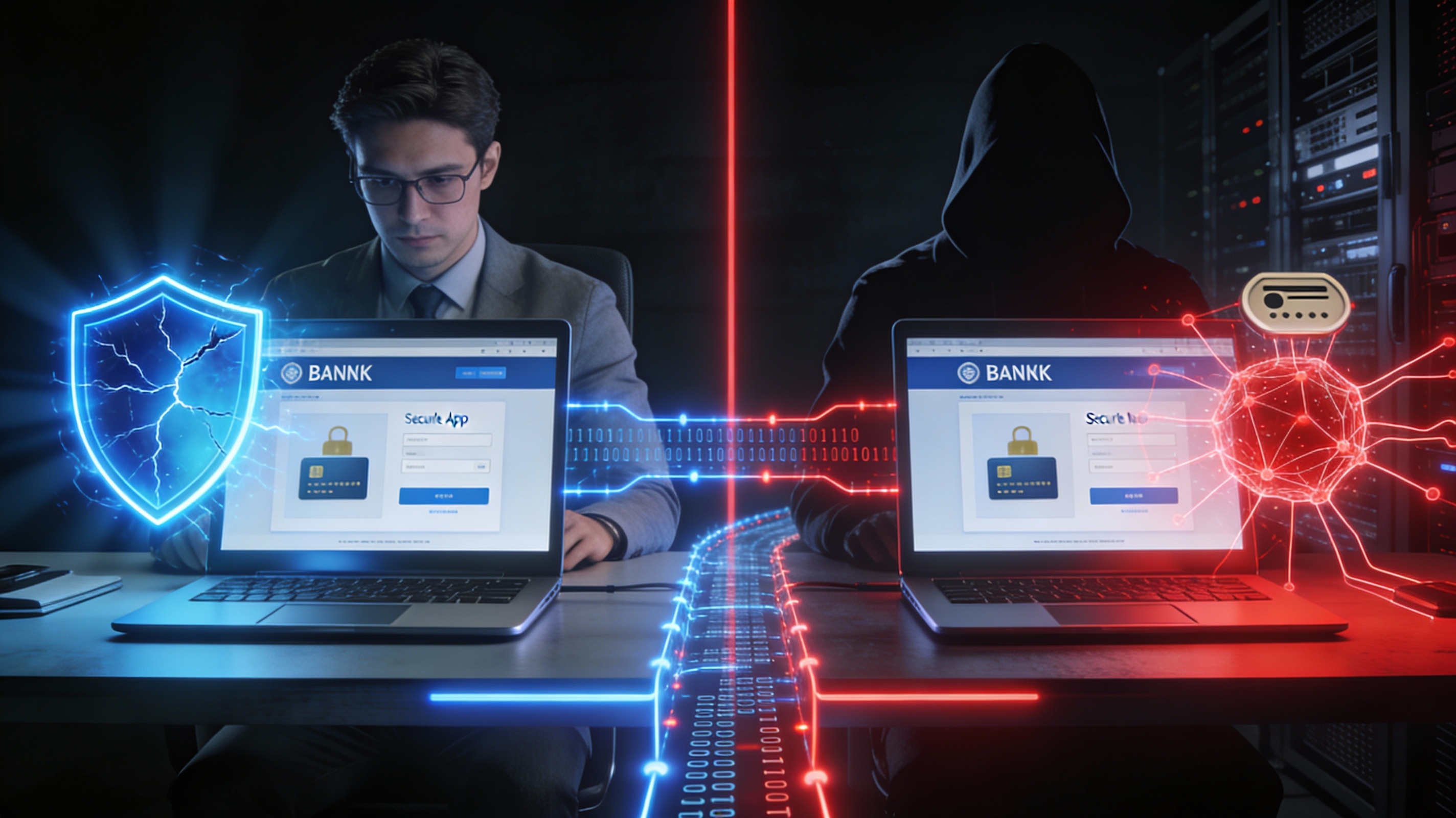
Session hijacking is a cyberattack in which an attacker takes control of an active session between a user and a website or application. Instead of breaking into an account using a password, the attacker steals or manipulates the session identifier that proves a user is already authenticated.
In simple terms, session hijackers fool websites into believing they are the legitimate user. Because the session is already authenticated, the system grants full access without requesting credentials again. This makes session hijacking particularly dangerous, especially for banking platforms, email services, and corporate systems.
Session hijacking in cyber security is also referred to as cookie hijacking, session side-jacking, or TCP session hijacking, depending on how the attack is carried out.
What Is a Session?
To understand session hijacking, it is important to understand what a session is.
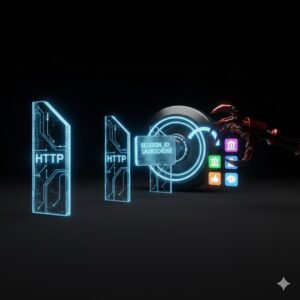
The internet relies heavily on HTTP, which is stateless by design. This means that every request made to a website is treated as independent. Without sessions, users would need to log in repeatedly for every page or action.
Sessions solve this problem by maintaining authentication state after login. When a user signs in, the server creates a session and assigns a unique session ID. This session ID is stored temporarily in cookies, URLs, or hidden form fields within the browser. As long as the session remains active, the user stays logged in.
Session IDs act like digital access passes. If an attacker obtains this pass, they gain the same access as the legitimate user.
How Session Hijacking Works
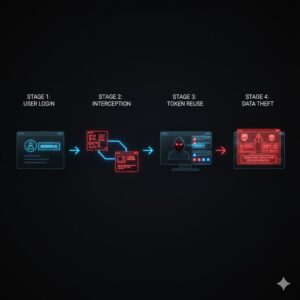
Session hijacking follows a predictable pattern, although the techniques used can vary.
First, a user logs into a website or application as normal. The system authenticates the user and issues a session ID, which is stored in the browser.
Next, the attacker steals or manipulates the session ID using various methods. This could involve malicious scripts, network interception, malware infections, or exploiting weak session handling mechanisms.
Once the attacker has the session ID, they use it to impersonate the user. Because the system trusts the session ID, it allows the attacker to access the account without triggering security alerts.
Finally, the attacker exploits the session to steal data, transfer money, inject malware, or perform other malicious actions before the session expires or is terminated.
Types of Session Hijacking Attacks
Cross-Site Scripting Attacks
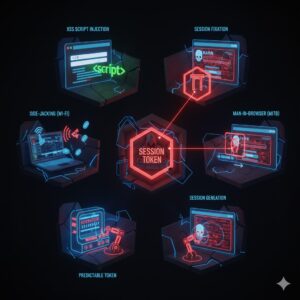
Cross-site scripting attacks exploit vulnerabilities in web applications that allow attackers to inject malicious scripts. These scripts execute in the victim’s browser and can extract session cookies or session IDs, sending them directly to the attacker.
Session Side Jacking
Session side jacking occurs when attackers monitor network traffic to capture session cookies. This often happens on unsecured public Wi-Fi networks where data is transmitted without encryption.
Session Fixation
In session fixation attacks, attackers trick users into logging in using a session ID already controlled by the attacker. Once the user authenticates, the attacker reuses the same session ID to gain access.
Man-in-the-Browser Attacks
This attack involves malware installed on the victim’s device. The malware intercepts browser activity, modifies transactions, and silently steals session information. This method is difficult to detect because actions originate from the legitimate device.
Predictable Session Token Exploitation
Weak session management systems sometimes generate session IDs using predictable patterns. Attackers analyze these patterns and guess valid session tokens, similar to brute-force attacks.
Session Hijacking Example
A common session hijacking example involves online banking.
A user logs into their bank account using public Wi-Fi at a café. An attacker nearby monitors the network traffic and captures the session cookie. The attacker then uses the stolen session ID to access the bank account from another device.
Because the session is still active, the bank system believes the attacker is the legitimate user. Funds can be transferred, personal data accessed, and transactions performed without triggering alerts.
Also Write: What Is Bloatware and How to Remove It
Difference Between Spoofing and Session Hijacking
The difference between spoofing and session hijacking lies in how access is obtained.
Session hijacking occurs after a legitimate user has already logged in. The attacker takes over an existing session.
Session spoofing, on the other hand, involves impersonating a user to create a new session. The victim does not need to be logged in at the time.
From a user perspective, session hijacking may cause sudden account behavior changes or logouts, while spoofing often goes unnoticed until suspicious activity is discovered later.
Impact of Session Hijacking Attacks
Session hijacking can have severe consequences.
Attackers can commit identity theft by accessing personal data stored in accounts. Financial theft is common when banking or shopping sessions are hijacked. Sensitive corporate data can be exposed, leading to legal and compliance issues.
In some cases, session hijacking is used as a gateway to deploy additional malware, including RAT malware.
Connection Between Session Hijacking and RAT Malware
Remote access trojan malware plays a significant role in modern session hijacking attacks. A RAT virus allows attackers to gain persistent access to a device, monitor activity, and extract session credentials in real time.
In cyber security, RAT remote access trojan tools often include browser monitoring features that capture session cookies, keystrokes, and authentication tokens. Once installed, rat malware can silently hijack sessions without relying on network interception.
This makes RAT malware particularly dangerous, as it can bypass traditional security measures and enable long-term exploitation.
Real-World Session Hijacking Incidents
Video conferencing platforms experienced widespread session hijacking during the surge in remote work, where attackers joined private meetings without authorization.
Collaboration tools have also faced vulnerabilities where session tokens were exposed through redirects or insecure storage, allowing attackers to access private communications.
These incidents highlight the importance of secure session management across all platforms.
How to Prevent Session Hijacking
Avoid using public Wi-Fi for sensitive activities such as banking or logging into important accounts. When necessary, use secure connections.
Be cautious of phishing attempts that attempt to lure users into clicking malicious links or logging in through fake pages.
Always verify website security by checking for HTTPS encryption.
Keep browsers, operating systems, and applications updated to reduce vulnerabilities.
Use reputable antivirus solutions to detect malware that could facilitate session hijacking.
Organizations should implement secure session expiration policies, regenerate session IDs after login, and enforce strong authentication methods.
Best Practices for Users and Organizations
Users should log out of accounts after completing tasks, especially on shared devices.
Organizations should use encrypted cookies, secure flags, and strict session timeout policies.
Employee awareness training plays a vital role in reducing the success of session hijacking attacks.
Conclusion
Session hijacking remains one of the most dangerous threats in modern cyber security because it bypasses traditional authentication methods. By exploiting active sessions, attackers can access sensitive systems without passwords, making detection difficult.
Understanding what session hijacking is, recognizing session hijacking examples, and knowing the difference between spoofing and session hijacking are essential steps toward better online safety. With the growing use of RAT malware and advanced attack techniques, proactive security practices are more important than ever.
FAQs
What is session hijacking?
Session hijacking is an attack where a cybercriminal takes over an active user session to impersonate the legitimate user.
How does session hijacking differ from spoofing?
Session hijacking exploits an existing session, while spoofing creates a new session by impersonating the user.
Can RAT malware cause session hijacking?
Yes, rat malware and rat virus tools often capture session cookies and authentication tokens.
Is session hijacking common?
Session hijacking remains a common threat, especially on unsecured networks and poorly protected applications.
How can users protect themselves?
Avoid public Wi-Fi for sensitive activities, stay alert to phishing, use updated software, and maintain strong cyber hygiene.



