
Cybersecurity threats evolve constantly, but some types of malware have been around for decades and still influence how attackers design modern threats. One such malware type is the boot sector virus. Even though today’s systems are more advanced, the concept behind this virus remains important for understanding how deep infections occur and why certain malware loads before the operating system does.
This detailed guide explains what a boot sector virus is, how it spreads, what it affects, why it’s dangerous, and how you can protect your system. Whether you are a beginner or a tech-savvy professional, this article offers a clear and structured explanation.
What is the Boot Sector: The Heart of System Startup
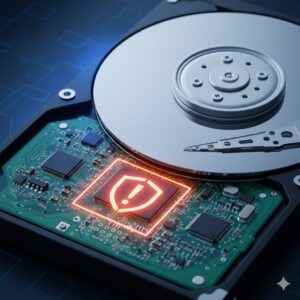
To understand a boot sector virus, you must first understand the boot sector.
The boot sector is a small, critical portion of your storage device. It includes the instructions your computer reads immediately when it powers on. This sector is responsible for:
- Directing your system on how to load the operating system
- Ensuring the boot process initiates correctly
- Acting as the first code the system interacts with before anything else
Every storage device, including hard drives and removable media, has a Volume Boot Record (VBR) or a Master Boot Record (MBR).
A crucial detail is that the last two bytes of a legitimate boot sector must include the values 0x55 and 0xAA. If this signature is missing or corrupted, the operating system may fail to boot, often displaying messages such as “Invalid system disk” or “Boot device not found.”
This also means any malware that manipulates the boot sector can potentially stop the entire system from starting, making it one of the most dangerous forms of infection.
What Is a Boot Sector Virus?
A boot sector virus is a type of computer virus that infects the boot sector or the master boot record of a storage device. Instead of attacking files or applications, it targets the earliest part of the boot process. This gives the virus enormous power over the machine.
When the computer boots from the infected disk, the virus executes before the operating system loads. Once active, it can:
- Load itself into memory
- Stay resident as long as the system is running
- Infect other disks and removable media
- Interfere with the system boot process
- Hide itself from antivirus tools
Early boot sector viruses were prevalent in the era of floppy disks because users frequently shared removable media. Even though floppy disks have disappeared, the underlying technique survived and evolved into modern threats called bootkits, which are designed to infect the boot process on modern systems without needing removable media.
How Boot Sector Viruses Spread
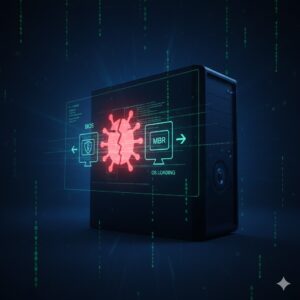
Boot sector viruses rely heavily on physical media, but they also spread through other vectors. Here’s how:
Infected Removable Media
In the early days of computing, floppy disks were the most common carriers. When a user inserted an infected disk and rebooted the system, the virus code loaded into memory and overwrote the boot sector of the internal hard drive.
Today, USB drives can play a similar role if:
- The user boots from the infected USB
- The USB contains malicious boot code
- The system’s boot protection is disabled
Email Attachments
Although not as common today, some viruses disguised as harmless files can infect the boot sector when executed. Once the malicious code runs, it rewrites the boot sector to embed the virus.
Physical Boot Alteration
Attackers with physical access to a device can alter the boot sector using specialized tools, particularly if BIOS-level protections are turned off.
Malicious Software Updates
Although rare, compromised installers or software packages can embed malicious code in system boot records.
Why Spread Is Harder Today
Modern systems include safeguards such as:
- BIOS write protection: Prevents unauthorized modifications to the boot sector.
- Secure Boot: Ensures only trusted code is loaded during startup.
- Driver signing requirements: Prevents malicious low-level drivers from loading.
However, these protections are effective only when properly configured.
Symptoms and Impact of a Boot Sector Virus
Because the boot sector is such a critical part of your system, infections can lead to severe problems. The symptoms of a boot sector virus may vary but often include:
Startup Errors
The computer may fail to boot, displaying errors such as:
- “Invalid system disk”
- “Boot failure”
- “Operating system not found”
Sluggish Performance
Because the virus loads before the OS, it can consume memory or interfere with processes throughout the session.
Frequent Crashes or Freezes
Corrupted boot code may affect essential system operations.
Inability to Access Drives
Some boot sector viruses hide or encrypt parts of the disk.
Spread to All Removable Media
Any removable disk inserted into an infected system becomes contaminated.
Silent Activity
In many cases, users notice no symptoms at all until severe corruption or an antivirus scan reveals the infection.
Modern Evolution: Bootkits
Boot sector viruses are much less common today, but their evolved counterparts—bootkits—are widespread.
Bootkits:
- Infect the Master Boot Record (MBR) or GUID Partition Table (GPT)
- Load before the operating system
- Are designed to hide advanced malware such as spyware or trojans
- Do not infect removable media as traditional viruses did
- Are used by sophisticated cybercriminals to maintain persistence
They are harder to detect because they embed themselves in the deepest layers of the system.
How Boot Sector Viruses Are Detected
Detecting a boot sector virus can be challenging because the infection hides at a very low level of the system.
Detection methods include:
Antivirus Boot Scans
Antivirus programs can scan the boot sector directly and compare it to known safe versions.
Behavior-Based Detection
Modern security tools analyze how the system behaves during boot. If the OS loads abnormally or unauthorized code executes early, warnings may appear.
BIOS Alerts
Modern BIOS/UEFI firmware sometimes warns when the boot sector has been modified without permission.
Manual Inspection (For Experts)
Power users or system administrators can manually review boot sector code, though this requires advanced knowledge.
Removing a Boot Sector Virus
Removing a boot sector virus is often much more complex than removing standard malware.
Challenges in Removal
- The virus may encrypt the boot sector.
- It hides its own location.
- Standard antivirus tools cannot remove it while the OS is running.
- Removing the virus manually risks corrupting the startup environment.
Available Removal Methods
Use of Antivirus Rescue Disks
Booting from a clean, trusted external device allows the antivirus tool to scan the infected boot sector without interference.
Boot Sector Repair Tools
Operating systems provide tools like:
- bootrec /fixmbr
- bootrec /fixboot
These commands rewrite a clean version of the boot sector.
Reformatting the Hard Drive
In severe cases—especially when the virus encrypts the boot sector—the only solution is:
- Complete drive erase
- Fresh installation of the operating system
This ensures all malicious code is removed.
How to Protect Against Boot Sector Viruses
Prevention is always better than repair, especially for threats embedded so deeply into your system.
Enable BIOS/UEFI Boot Protection
Many systems include an option called:
- “Boot Sector Write Protection”
- “MBR Protection”
Turning this on blocks unauthorized changes to the boot sector.
Use Secure Boot
Secure Boot ensures only verified, trusted bootloaders start during the boot process.
Avoid Booting From Unknown USB Drives
A USB drive configured as a bootable device can infect your machine instantly.
Be Cautious With Email Attachments
Do not open unknown attachments, especially executable files.
Use a Reputable Antivirus Program
Updated antivirus software helps detect boot sector infections and block harmful code.
Keep Software and OS Updated
Patches often fix vulnerabilities that malware uses to alter the boot sector.
Disable Autorun Features
Prevent USB drives from automatically executing scripts.
Backup Your Data
Regular backups allow you to restore your data even if the drive requires reformatting.
FAQs
What is the main purpose of a boot sector virus?
Its primary goal is to infect the earliest stage of your system’s boot process so it can load itself before the operating system, giving it complete control.
Are boot sector viruses still common today?
Traditional boot sector viruses are rare due to improved security features, but modern bootkits continue to pose serious threats.
Can a USB drive spread a boot sector virus?
Yes, if it contains infected boot code and the computer attempts to boot from it.
How can I tell if my boot sector is infected?
You might notice boot failures, unexpected crashes, corrupted files, or scanning alerts from antivirus software.
Is reformatting necessary to remove a boot sector virus?
Not always, but in severe cases where the virus encrypts or heavily alters the boot sector, reformatting may be the only option.
Can Secure Boot prevent boot sector infections?
Yes, Secure Boot blocks unauthorized bootloaders and is one of the most effective defences.
Conclusion
A boot sector virus is one of the most powerful and deeply embedded malware types ever created. Despite being more common in older systems, its modern successors—bootkits—are still used by cybercriminals to gain persistent control over devices. Understanding how these viruses work, how they spread, and how to protect your system is essential for maintaining strong cybersecurity hygiene.
By enabling hardware protections, updating your software regularly, avoiding suspicious downloads, and using reliable security practices, you can significantly reduce the risk of boot sector infections.

Debabrata Behera is a passionate blogger who writes about digital trends, personal growth, and practical insights, helping readers stay informed, inspired, and ready to achieve success in life.



